 (208) 991-3502
 Meridian, ID



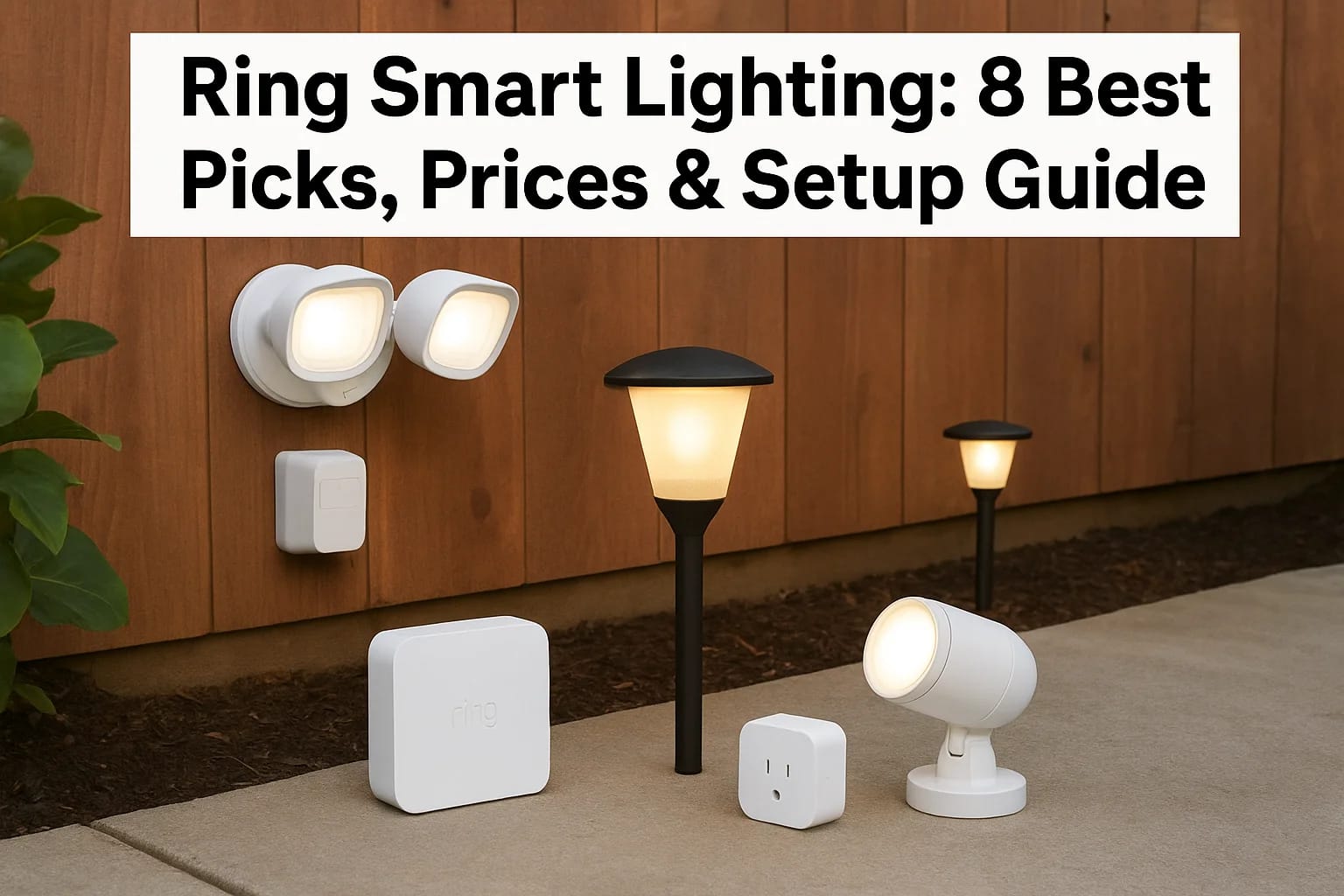

You want outdoor lights that turn on when motion is detected, link to your Ring cameras, and give you full control from your phone. But Ring offers dozens of smart lighting products at different price...
Ring Smart Lighting: 8 Best Picks, Prices & Setup Guide
You want outdoor lights that turn on when motion is detected, link to your Ring cameras, and give you full control from your phone. But Ring offers dozens of smart lighting products at different price points, and figuring out which ones you actually need can feel overwhelming. You might wonder if you need the bridge, whether battery or solar makes more sense for your property, or how many lights to start with.
This guide walks you through the 8 best Ring smart lighting products, complete with real pricing, setup steps, and practical tips for each. You'll see how local pros like Treasure Valley Solutions design complete Ring systems, what each device does, where to place it, and how to connect everything through the Ring app. By the end, you'll know exactly which Ring lights to buy and how to get them working.
1. Treasure Valley Solutions custom Ring lighting setup
Buying Ring lights online is easy, but making them work together across your entire property takes planning. Treasure Valley Solutions builds complete ring smart lighting systems that pair your cameras, sensors, and lights into one reliable network. You get a custom layout designed for your yard, professional installation that handles wiring and placement, and local support when you need adjustments.
Why pair Ring smart lighting with a local pro
Ring's app-based controls are simple once everything is installed, but placement and range often trip up DIY setups. Treasure Valley Solutions maps your property to ensure motion sensors trigger the right lights and cameras, eliminates dead zones where devices lose signal, and configures groups so you control zones instead of individual bulbs. You avoid the frustration of reinstalling poorly placed lights or buying extra bridges you didn't need.
How Treasure Valley Solutions designs your Ring system
Your project starts with a property walkthrough to identify security priorities, lighting gaps, and power sources. The team maps out light placement, sensor zones, and camera integrations based on your daily routines, entry points, and outdoor activity areas. You review the plan before installation begins, so you know exactly what goes where and how it connects.
How to choose the right Ring lighting mix
Treasure Valley Solutions recommends a combination of floodlights, spotlights, and pathlights instead of one product type. Battery lights go where running wires is difficult, solar pathlights line walkways, and wired floodlights cover high-traffic zones. The team balances upfront cost with long-term battery maintenance, so you get coverage without constant recharging.
What installation and setup include for your property
Installation covers mounting all lights, placing motion sensors, installing the bridge, and programming the Ring app. Technicians test every motion zone, adjust brightness levels, link lights to cameras, and walk you through the controls. You get labeled zones in the app and a system that works from day one.
Typical project pricing and timelines in Treasure Valley
A basic six-light system with sensors and a bridge typically runs between $1,200 and $2,000 for parts and labor. Installation takes one to two days depending on property size and fixture complexity. Larger properties with 15 or more lights may reach $3,500 to $5,000.
Professional installation eliminates trial and error and ensures your lights trigger reliably when motion is detected.
How to contact Treasure Valley Solutions to get started
Call Treasure Valley Solutions or fill out a contact form on their website to schedule a property consultation. You'll discuss your security concerns, outdoor lighting goals, and budget. The team provides a detailed quote with equipment recommendations and installation timelines specific to your property.
2. Ring smart lighting bridge
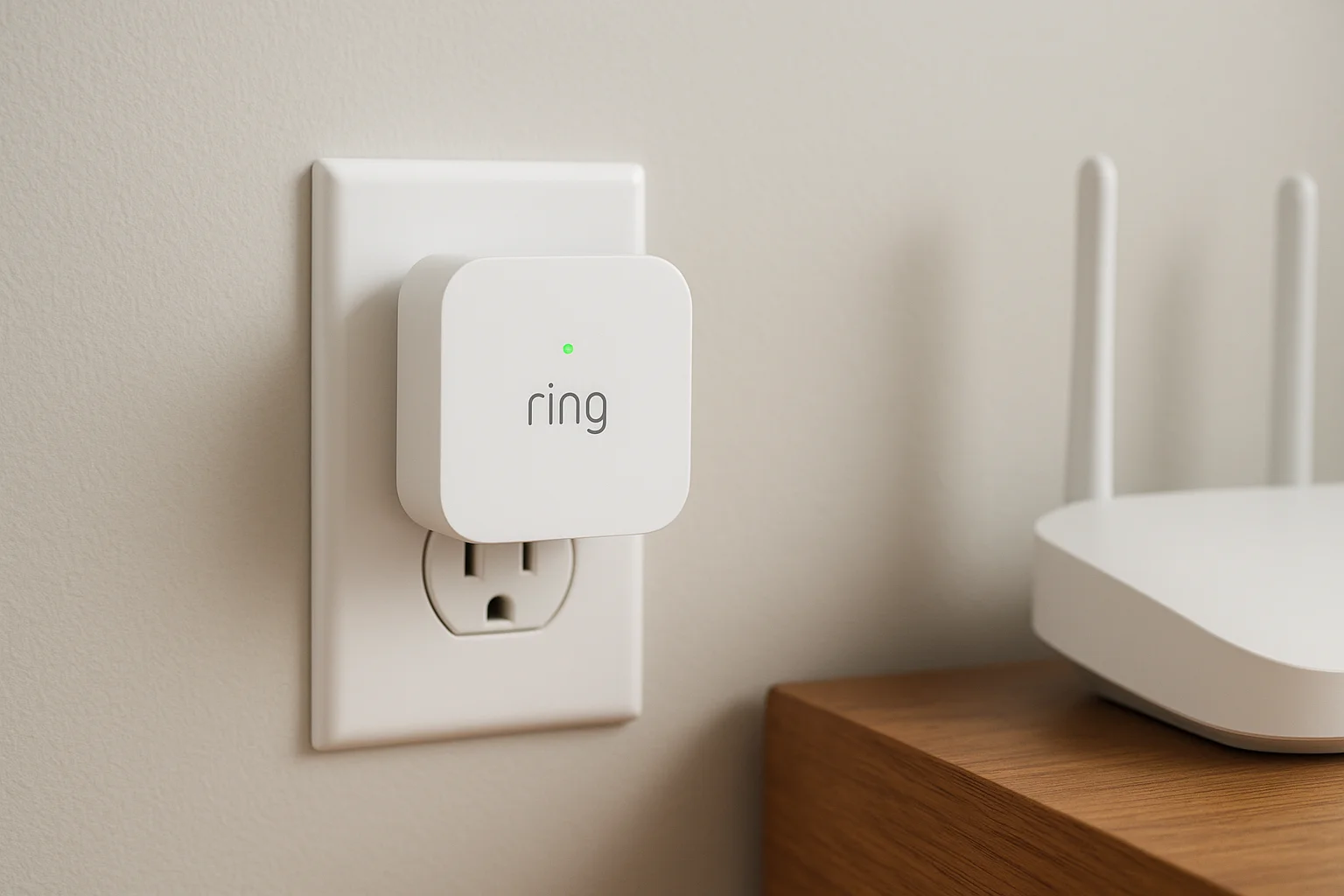
The Ring smart lighting bridge acts as the communication hub for your battery-powered lights, pathlights, and motion sensors. This small device plugs into an outlet near your router and creates a wireless network that connects all your Ring lighting products to the internet. Without the bridge, most Ring lights cannot communicate with the Ring app or respond to motion events.
What the Ring smart lighting bridge actually does
The bridge translates signals between your Ring lighting devices and your home Wi-Fi network. Battery-powered lights and motion sensors use a low-energy wireless protocol to communicate with the bridge, which then relays commands from your phone to turn lights on, adjust brightness, or trigger automations. This setup saves battery life on your outdoor devices while keeping them responsive.
Devices that require the bridge to work
You need the bridge for Ring battery-powered floodlights, spotlights, pathlights, and motion sensors. Wired Ring lights that plug into AC power do not require the bridge because they connect directly to Wi-Fi. Smart bulbs like the A19 also skip the bridge and join your network on their own.
Steps to install and connect the bridge
Plug the bridge into an outlet within 30 feet of your router, then download the Ring app and select "Set Up a Device." Choose the bridge from the device list, scan the QR code on the back, and follow the prompts to connect it to Wi-Fi. The app confirms when the bridge is online and ready to pair with lights.
The bridge must stay powered on at all times for your ring smart lighting system to function properly.
Link the bridge with Ring cameras and Alexa
Once the bridge is active, you can create lighting automations triggered by Ring camera motion or use Alexa voice commands to control lights. The Ring app lets you group lights with cameras so motion detected by one device activates the other.
Bridge pricing and where to buy it
The Ring smart lighting bridge costs around $50 when purchased separately. You can buy it directly from Ring or through Amazon. Many starter kits include the bridge, which reduces your total cost if you plan to add multiple lights.
3. Ring smart lighting starter kit spotlights
Ring packages several of its most popular products into spotlight starter kits that give you everything needed to launch a ring smart lighting system. These bundles include the bridge, motion sensors, and battery-powered spotlights in one box at a lower combined price than buying each piece separately. You get immediate coverage for key outdoor areas without guessing which devices work together.
What you get in a typical Ring spotlight starter kit
Most spotlight starter kits include two battery-powered spotlights, one motion sensor, and the Ring smart lighting bridge. The spotlights attach to walls or eaves with mounting hardware included in the box, and batteries come pre-installed. Some kits add a third spotlight or extra motion sensor depending on the bundle you choose.
When a starter kit makes more sense than single pieces
Starter kits save you about $20 to $40 compared to buying the same items individually. They work best when you're adding ring smart lighting to a property for the first time and need the bridge plus multiple devices. Single spotlights make more sense when you already own a bridge and want to expand coverage.
Plan where to place the spotlights and bridge
Position spotlights 8 to 10 feet high on walls near entry points, garage doors, or dark corners where you want motion-activated light. Place the bridge within 30 feet of your router and 250 feet of the spotlights. Motion sensors should go between the spotlights and areas where people approach.
Step by step setup for the starter kit
Charge spotlight batteries fully before mounting, then install the bridge and connect it to Wi-Fi through the Ring app. Mount spotlights using the included screws and brackets, then add each device in the app by scanning QR codes. Test motion zones by walking through coverage areas.
Starter kits eliminate compatibility questions and get multiple lights working on the same day.
Starter kit price range and buying tips
Spotlight starter kits typically cost $130 to $180 depending on how many lights are included. Buy directly from Amazon or Ring to ensure you receive the latest hardware versions and full warranty coverage.
4. Ring smart lighting floodlight battery
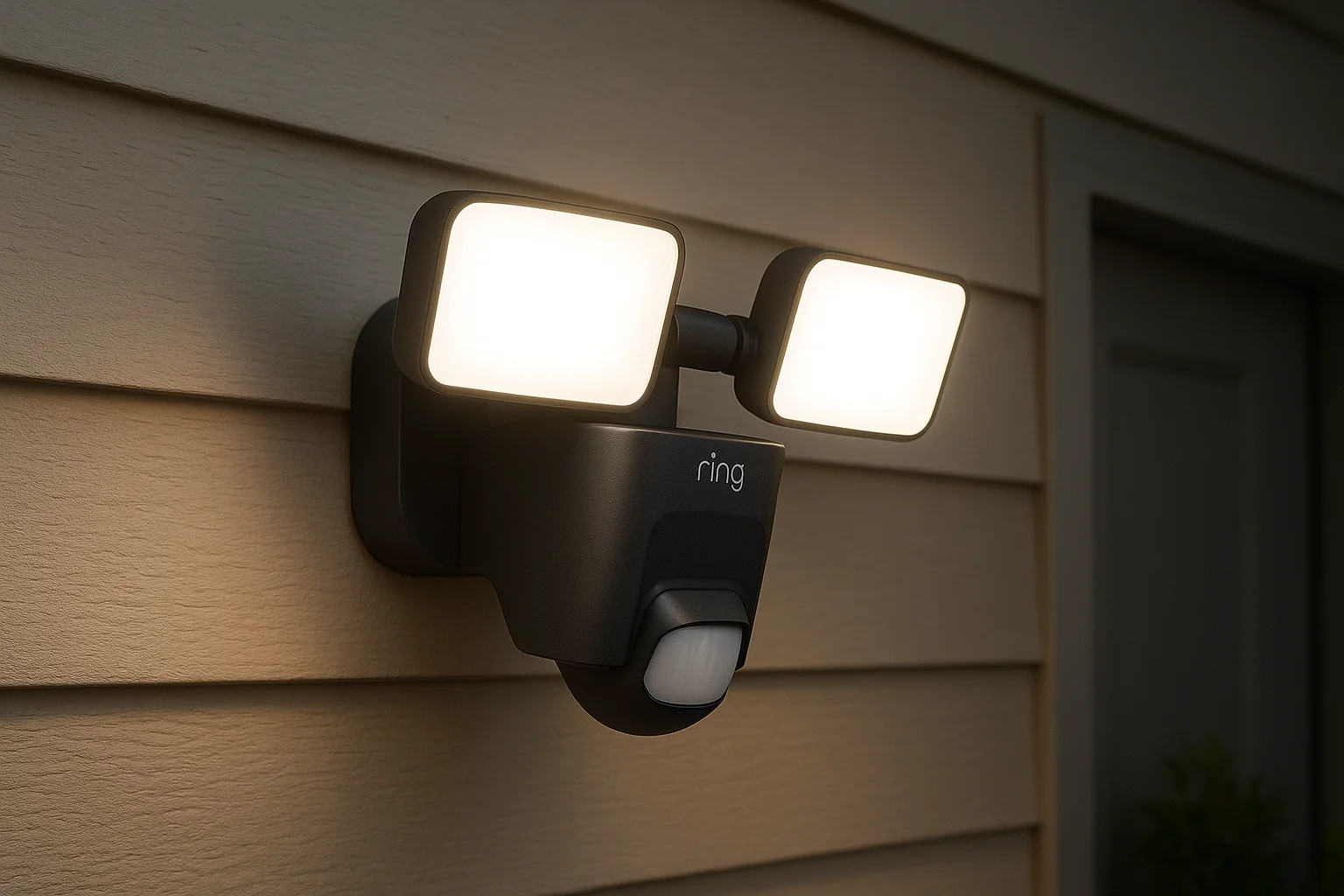
The Ring battery-powered floodlight delivers bright, motion-activated lighting without running electrical wires to remote parts of your property. Two adjustable LED panels produce up to 1,000 lumens combined, and rechargeable batteries keep the light running for months between charges. You mount it anywhere using the included bracket and control everything through the Ring app.
Key features of the Ring battery floodlight
The floodlight uses two independently adjustable light panels that let you aim illumination exactly where you need it. Motion detection triggers the lights automatically, and you can customize sensitivity, duration, and brightness levels. The device works with the ring smart lighting bridge and integrates with Ring cameras to activate recording when motion is detected.
Best locations to mount floodlights outdoors
Install floodlights 8 to 12 feet high on garage walls, back decks, or near side gates where AC power isn't available. Position them to cover driveways, shed entrances, or dark yard corners. Avoid placing them under direct roof runoff or where sunlight hits the sensor all day.
Adjust motion detection and brightness on the floodlight
Open the Ring app and select your floodlight to adjust motion zones and detection distance. Set brightness between 25% and 100%, choose how long lights stay on after motion stops, and schedule dimming for late-night hours. Test adjustments by walking through the detection area.
Battery floodlights give you bright security lighting in locations where running wires would require expensive electrical work.
Manage battery life and weather exposure
Batteries last three to six months depending on how often motion triggers the lights. Swap batteries when the app alerts you to low power, and keep a spare charged to avoid downtime. The floodlight is rated for rain and snow, but extreme cold reduces battery performance.
Floodlight pricing and value compared to wired options
Ring battery floodlights cost $70 to $90 at Amazon or Ring's website. Wired versions run about $120 but eliminate battery swaps. Battery models save installation costs when electrical access is difficult.
5. Ring smart lighting pathlight solar
Ring solar pathlights line walkways, garden paths, and driveways with motion-activated illumination powered entirely by built-in solar panels. No batteries to swap or wires to run make these lights ideal for properties where traditional electrical access is impractical. Each pathlight stands on a stake that pushes into soil or mounts to hard surfaces with included hardware.
Why Ring solar pathlights work well for walkways
Solar pathlights recharge during the day and automatically turn on when motion is detected at night. They work perfectly for front walkways, garden paths, and pool areas where you want subtle lighting without trenching for electrical lines. The solar panels handle daily recharging in most climates with adequate sun exposure.
Plan pathlight spacing and placement
Space pathlights 8 to 12 feet apart along pathways to create consistent lighting coverage without gaps. Place them within 250 feet of your Ring bridge and in spots that receive at least four hours of direct sunlight daily. Avoid shaded areas under trees or eaves where solar panels cannot charge effectively.
Connect pathlights to the bridge and app
Push pathlights into the ground or mount them on hard surfaces, then open the Ring app and select "Set Up a Device". Scan the QR code on each pathlight and follow the prompts to connect it to your bridge. Group multiple pathlights together in the app to control them as a single zone.
Balance brightness with solar battery life
Set pathlight brightness between 20% and 80% to extend nightly runtime. Higher brightness drains stored solar power faster, especially during cloudy weeks or winter months when charging is limited. Adjust motion sensitivity to prevent lights from triggering constantly.
Solar pathlights eliminate ongoing battery costs while providing reliable lighting along frequently used outdoor paths.
Pathlight pricing and kit options
Individual Ring solar pathlights cost $25 to $30 at Amazon or Ring's site. Six-pack bundles run about $140, which saves roughly $30 compared to buying singles. Bundles make sense when you need to light longer walkways or multiple paths.
6. Ring smart lighting spotlight battery
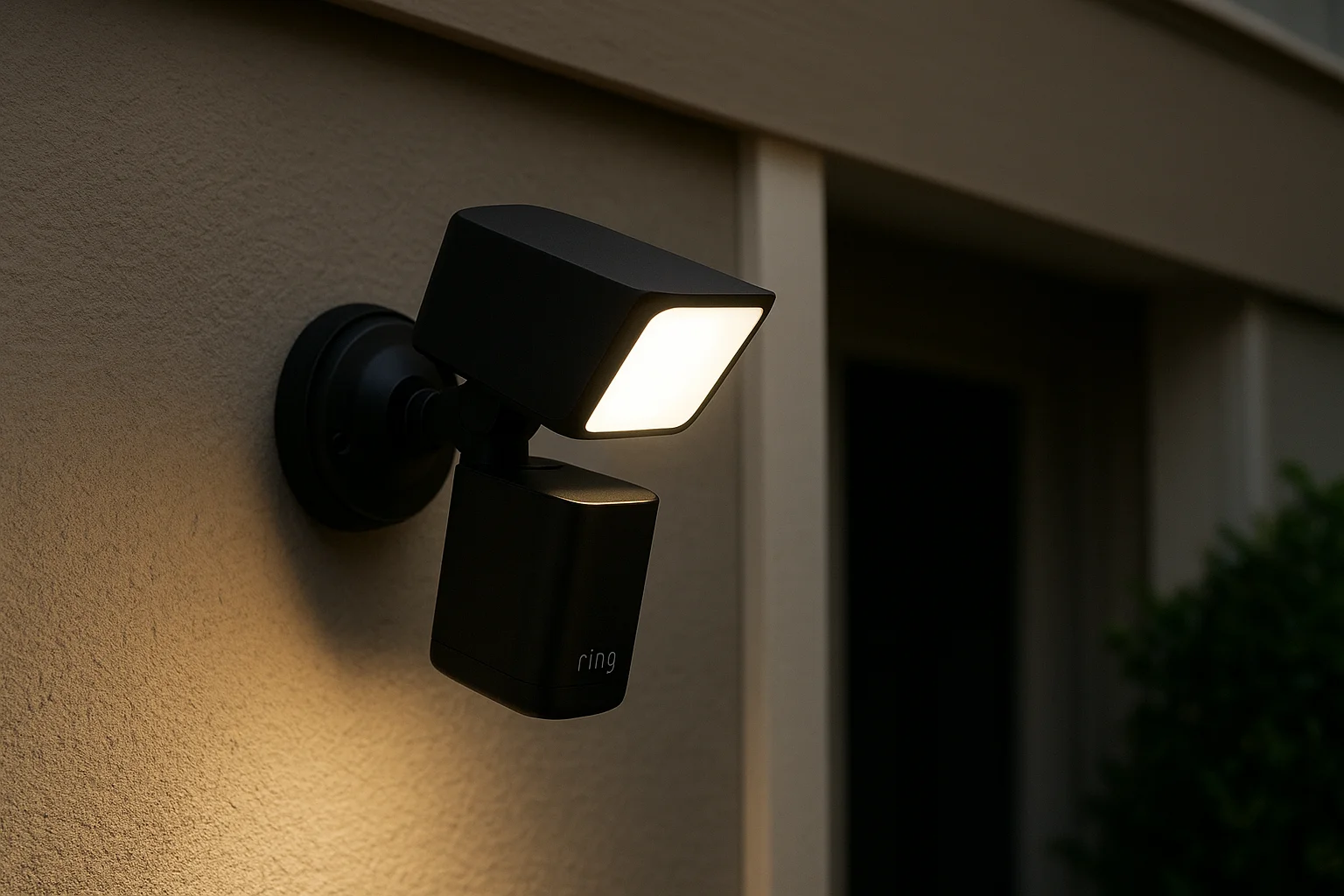
Ring battery spotlights give you focused lighting for specific outdoor zones where you need directed illumination rather than wide flood coverage. Each spotlight produces 400 lumens from a single adjustable LED panel and runs on a rechargeable battery pack that lasts three to six months per charge. You mount them quickly with the included bracket and control brightness, motion zones, and schedules through the Ring app.
What sets Ring battery spotlights apart
Battery spotlights deliver narrower, more concentrated beams compared to floodlights, making them ideal for highlighting specific areas like doorways, gates, or yard features. The single adjustable panel lets you aim light precisely where you need it without wasting illumination on empty spaces. These lights work with the ring smart lighting bridge and integrate with Ring cameras for coordinated motion detection.
Place spotlights for driveways, yards, and sheds
Install spotlights 6 to 10 feet high on garage walls facing driveways, on posts near shed entrances, or along fence lines where you want targeted security lighting. Position them to illuminate walkways, side gates, or dark yard corners without blinding approaching visitors. Keep spotlights within 250 feet of your bridge for reliable connectivity.
Tune motion zones and schedules for spotlights
Adjust motion detection zones in the Ring app to prevent false triggers from passing cars or animals. Set brightness levels between 25% and 100%, and schedule dimming after midnight to save battery power during low-activity hours. Test settings by walking through coverage areas at different angles.
Swap and charge spotlight batteries efficiently
Remove the battery pack by pulling the release tab on the spotlight's back panel. Charge batteries using the included micro-USB cable, which takes four to five hours for a full charge. Keep a spare battery charged to swap instantly when the app alerts you to low power.
Battery spotlights provide flexible placement options for targeted lighting without the cost of running electrical lines to every location.
Spotlight pricing, bundles, and multipacks
Individual Ring battery spotlights cost $35 to $45 at Amazon or Ring's website. Two-packs run about $70, saving roughly $10 compared to singles. Four-packs offer the best per-unit value when you need coverage across multiple zones.
7. Ring smart lighting motion sensor
Ring motion sensors detect movement across outdoor zones and trigger connected lights, cameras, or alarms without requiring you to manually turn anything on. These compact battery-powered devices mount anywhere using adhesive strips or screws and communicate with your ring smart lighting bridge to activate responses within seconds. Motion sensors extend your system's reach by placing detection in areas where installing lights or cameras isn't practical.
How the Ring smart lighting motion sensor detects movement
The sensor uses passive infrared technology to detect heat signatures from people, vehicles, or large animals moving through its coverage zone. Detection range extends up to 30 feet in a 120-degree arc, and you adjust sensitivity through the Ring app to reduce false triggers from small animals or swaying branches.
Place motion sensors for reliable coverage
Mount sensors 4 to 6 feet high on posts, walls, or fences where they can detect movement before someone reaches entry points. Position them to cover walkways, driveways, or side yards where lights or cameras alone might miss activity. Keep sensors within 250 feet of your bridge.
Use motion sensors to trigger lights and cameras
Connect sensors to lights in the Ring app so detection automatically activates spotlights or floodlights in linked zones. Pair sensors with Ring cameras to start recording when motion is detected, creating coordinated security responses across your property.
Add and configure sensors in the Ring app
Open the Ring app, select "Set Up a Device," and scan the sensor's QR code. Adjust detection sensitivity and delay timers to control how quickly lights respond after motion stops.
Motion sensor pricing and how many to start with
Ring motion sensors cost $30 to $35 at Amazon or Ring's site. Start with two to three sensors covering your main entry points and expand as needed.
8. Ring smart lighting A19 smart bulb
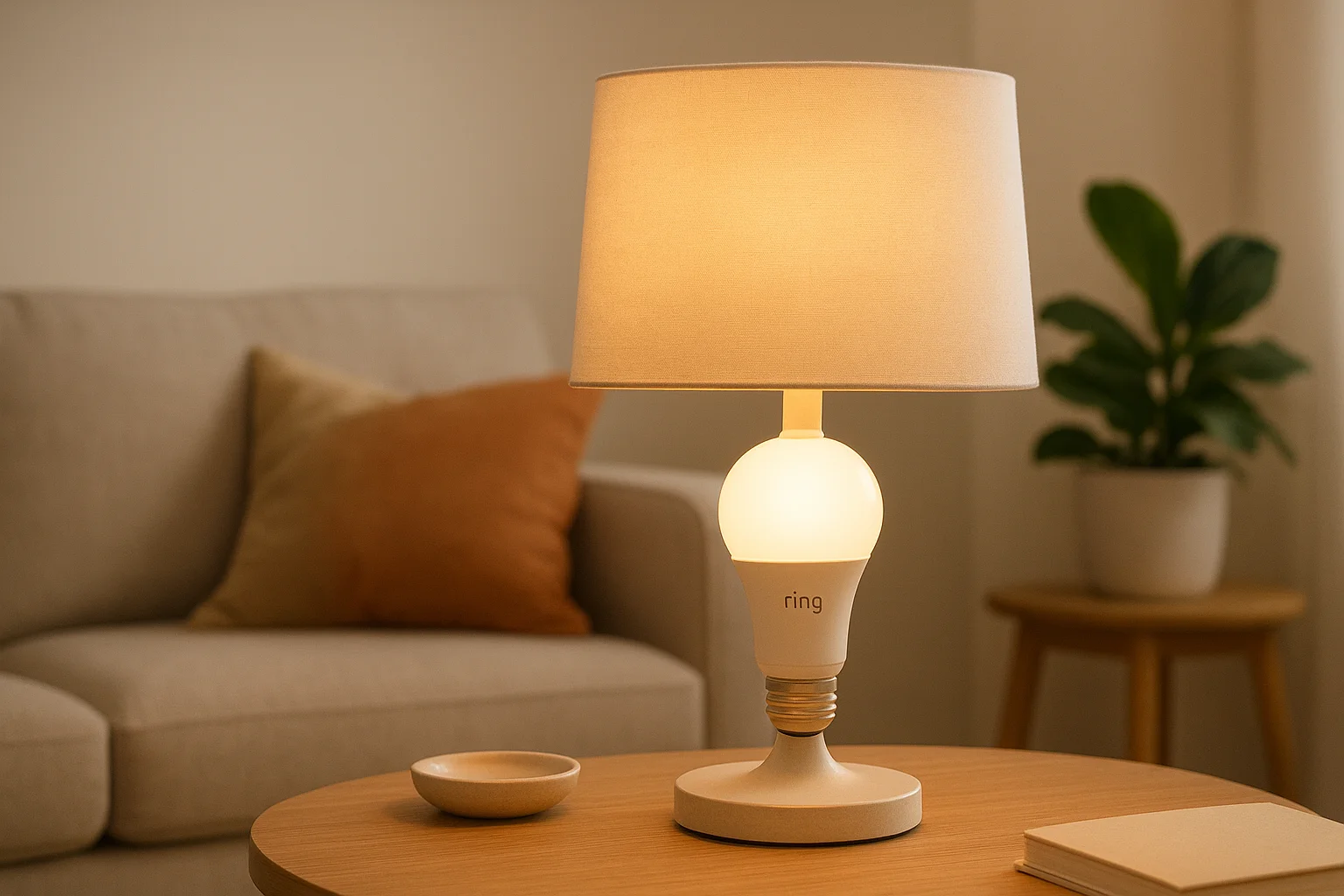
Ring A19 smart bulbs bring indoor lighting control into your ring smart lighting system by replacing standard bulbs in existing lamps and fixtures. These Wi-Fi-enabled bulbs connect directly to your home network without requiring the bridge, and you control them through the Ring app alongside your outdoor lights. You get dimmable white light, scheduling capabilities, and voice control through Alexa in a bulb that fits any standard socket.
Where Ring A19 smart bulbs fit best in your home
A19 bulbs work perfectly in table lamps, floor lamps, and ceiling fixtures where you want app-based control without installing new hardware. Use them in living rooms, bedrooms, and home offices where you adjust lighting throughout the day. They pair well with Ring outdoor systems by letting you control interior lights when exterior motion is detected.
Check fixture and dimmer compatibility for A19 bulbs
Verify your fixtures accept standard A19 bulb sizes before ordering. Remove existing dimmer switches or set them to maximum because Ring bulbs handle dimming through the app. Enclosed fixtures can trap heat and shorten bulb life.
Create lighting groups and scenes with A19 bulbs
Group multiple bulbs in the Ring app to control entire rooms with one tap. Create scenes that adjust brightness levels across multiple bulbs simultaneously for activities like watching movies or reading.
Compare A19 brightness and energy use to old bulbs
Ring A19 bulbs produce 800 lumens, matching standard 60-watt incandescent bulbs while using only 10 watts of power. This cuts energy costs by roughly 85%.
Ring A19 bulbs extend your smart lighting system indoors without requiring additional hubs or bridges.
A19 bulb pricing and starter packs
Individual Ring A19 smart bulbs cost $15 to $20 at Amazon. Two-packs run about $30, offering better value when outfitting multiple rooms.
Wrapping up
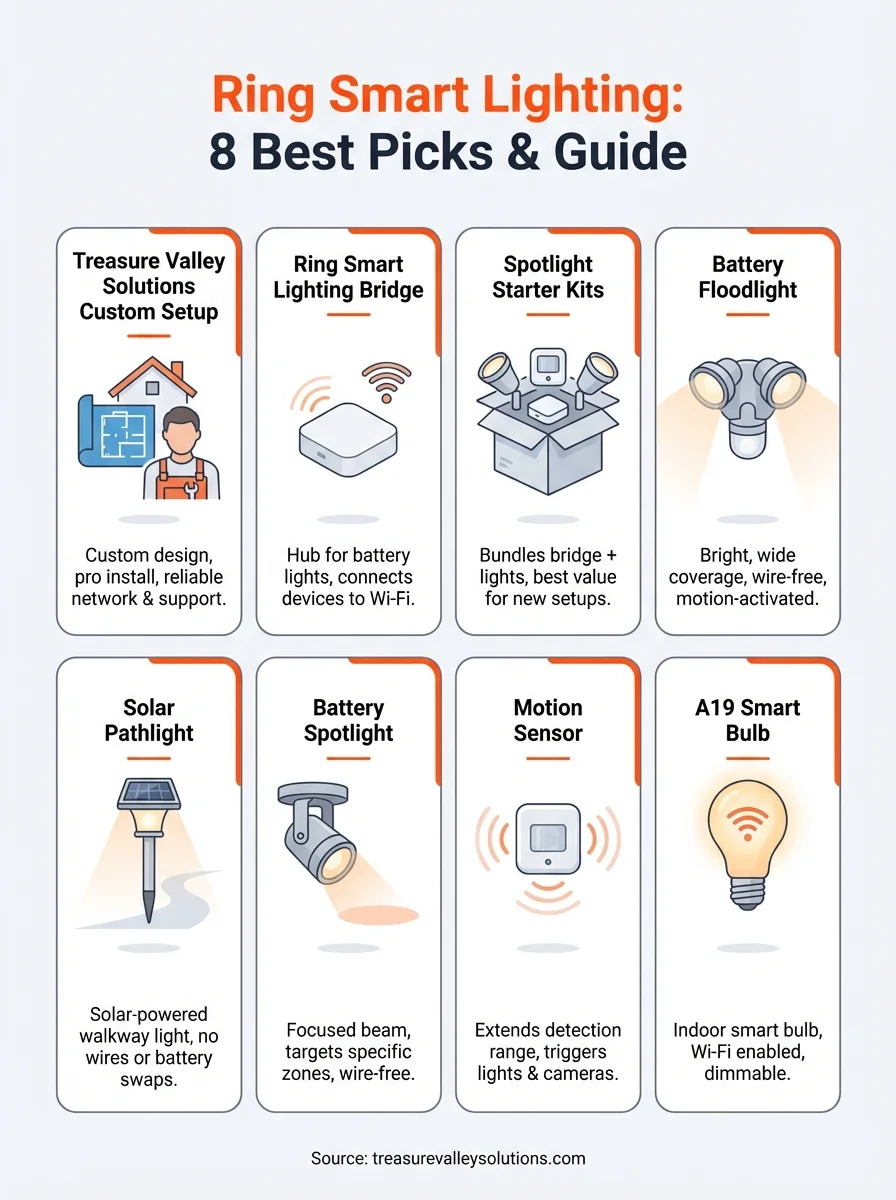
You now have clear details on the eight best ring smart lighting products, including what each device does, where to place it, and how much it costs. The bridge connects battery devices, starter kits save money on multiple products, floodlights cover large areas, pathlights line walkways, spotlights target specific zones, motion sensors extend detection, and A19 bulbs bring control indoors. Pricing ranges from $15 per bulb to $180 for complete starter kits, and every product works through the Ring app once you complete setup.
Buying the right products solves half the challenge, but installation and configuration determine whether your system actually works reliably. Professional design eliminates guesswork about placement, motion zones, and device compatibility. Treasure Valley Solutions builds complete outdoor lighting systems that integrate Ring products with your existing security setup, ensuring every light triggers at the right time and covers the areas that matter most. Contact Treasure Valley Solutions to schedule a property consultation and get a custom Ring lighting plan designed specifically for your home.
Need Expert Help?
Ready to implement these solutions in your own home or business?
Our Services

Intelligent lighting control and automation.

Complete home automation and control.

Home theater design and installation planned around your room, viewing goals, and equipment scope.

Comprehensive security solutions for home and business.
Serving the Treasure Valley
Local installation in your city