 (208) 991-3502
 Meridian, ID



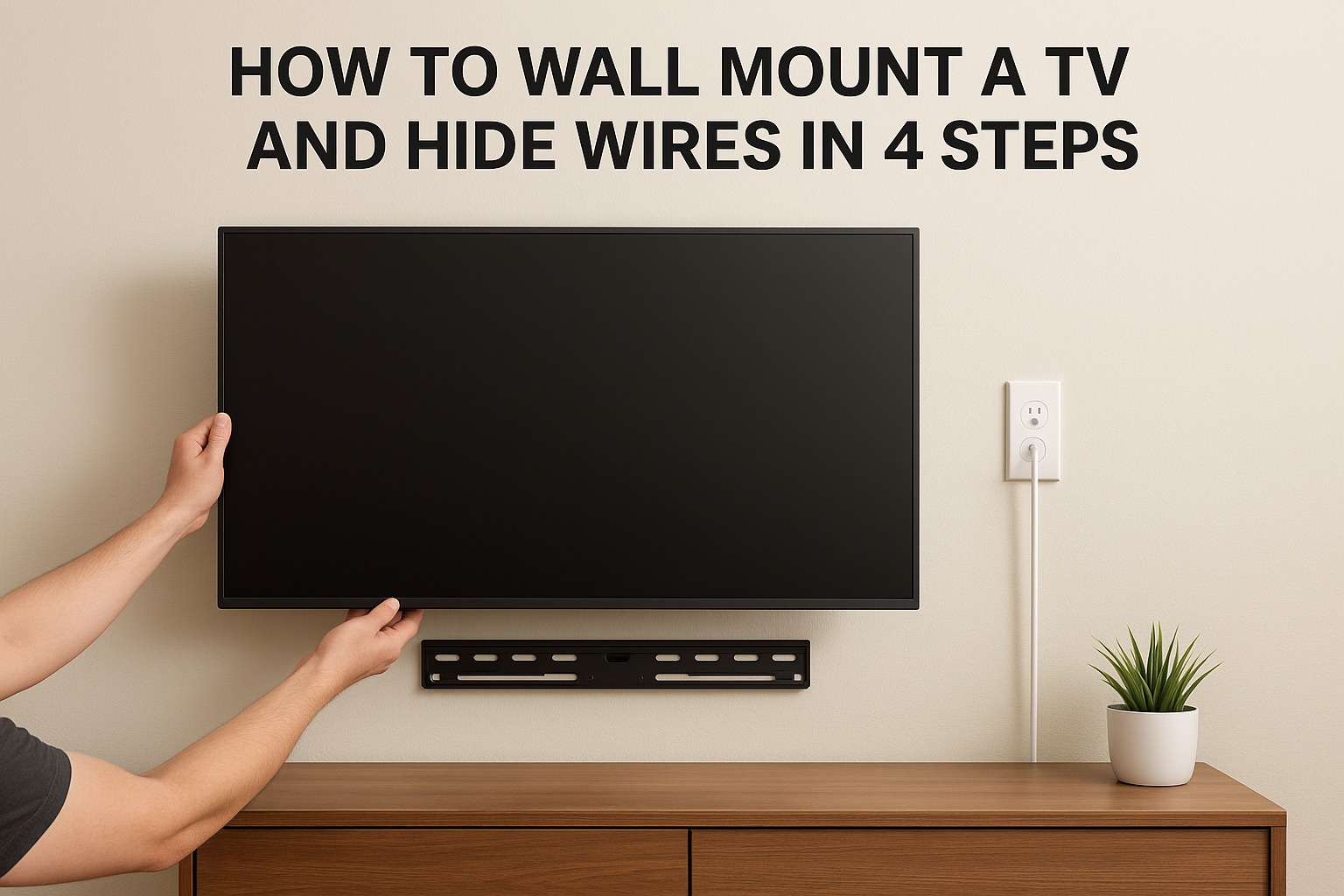

The short version of how to wall mount a TV and hide wires: anchor the mount into wall studs, then run the HDMI and other low-voltage cables through an in-wall cable kit. The kit gives you a recessed...
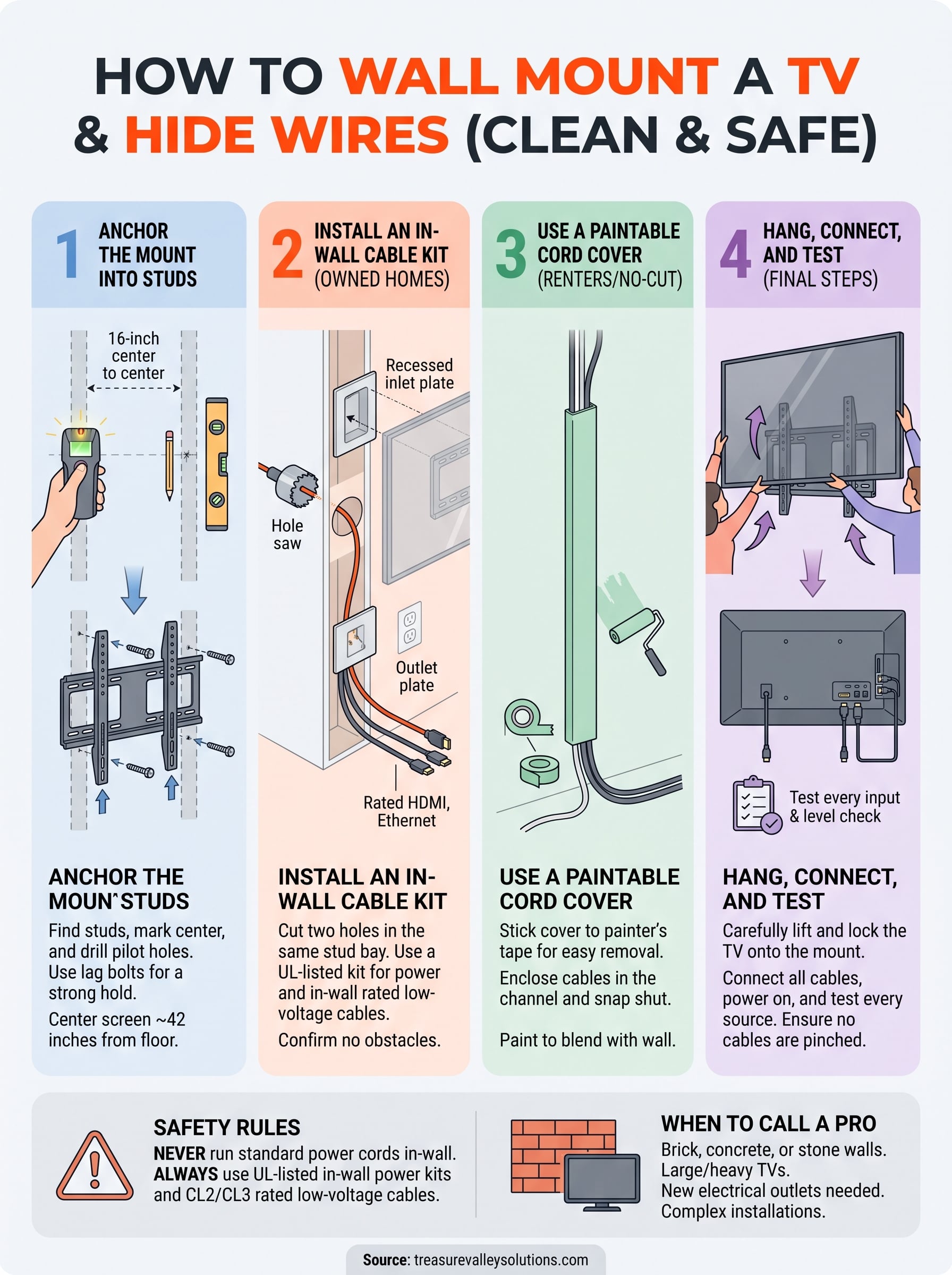
The short version of how to wall mount a TV and hide wires: anchor the mount into wall studs, then run the HDMI and other low-voltage cables through an in-wall cable kit. The kit gives you a recessed power inlet behind the TV and an outlet plate lower down. If you can't or don't want to cut the wall, stick a paintable cord cover over the cables instead. Either way, the TV hangs flat and no cord shows.
Dangling cords undo the point of mounting a TV. The obvious fix, pushing the cords into the wall, is also the dangerous one. A standard power cord inside a wall is a fire risk and breaks electrical code. Renters have a second problem, because cutting drywall is usually off limits.
This guide covers four steps: anchor the mount, install an in-wall kit, use a no-cut alternative if you need one, and hang and test the TV. It comes from Treasure Valley Solutions, a locally owned technology integrator in Meridian, Idaho, that has served the Treasure Valley since 2014. Each step says what you can do yourself and when it makes sense to call a pro.
Before you start: pick a method and know the rules
Pick your method before you drill, because it decides where the mount goes and what you buy. Cutting the wall gives the cleanest look. A cord cover is the right answer for renters and for brick or concrete walls.
Is it safe to hide TV wires in a wall?
Yes, if you use the right parts. Never run a standard power cord or power strip inside a wall. Use an in-wall power kit, which pairs a recessed inlet with an in-wall rated cord, and look for a safety listing mark such as UL on the box. Low-voltage cables like HDMI and Ethernet need an in-wall rating, usually marked CL2 or CL3 on the jacket.
Keep cuts to interior walls. Exterior walls hold insulation and vapor barriers that you don't want to disturb.
Hide low-voltage cables in the wall, and power only through a purpose-built, in-wall rated kit.
Choose your method
| Method | Cuts the wall? | Best for | Tradeoff |
|---|---|---|---|
| In-wall cable kit | Yes, two holes | Owned homes with drywall | Needs a clear stud bay |
| Paintable cord cover | No | Renters, brick, concrete | Cover stays visible, but blends in |
| Electrician-installed outlet | Yes | One clean box behind the TV | Needs a licensed electrician |
Gather your tools
You need a stud finder, drill, level, pencil, painter's tape, and a mount rated above your TV's weight that matches its VESA hole pattern. For the in-wall route, add the kit (most include a hole saw), a utility knife, and a fish tape or pull string.
Step 1. Anchor the mount into studs
Screw the wall plate into at least two studs and leave the TV off for now. Running cables is far easier without a heavy screen in the way.
Find studs and mark the height
Studs are usually 16 inches apart, center to center. Scan with the stud finder, mark both edges of each stud, and snap a vertical pencil line down the center. For comfortable seated viewing, aim to put the center of the screen at about 42 inches from the floor, then adjust for your couch height.
Fasten the plate
- Hold the plate against the wall and level it with painter's tape.
- Mark the stud holes through the plate, then remove it.
- Drill pilot holes at the size your mount's instructions specify.
- Fasten the plate with the supplied lag bolts and check it again with the level.
- Attach the brackets to the back of the TV, but don't hang it yet.
Brick, concrete, and tile walls need masonry anchors and a hammer drill. That is a good point to hand the job to a pro.
A mount is only as strong as its stud connection, so find the studs before you drill.
Step 2. Cut and install the in-wall cable kit
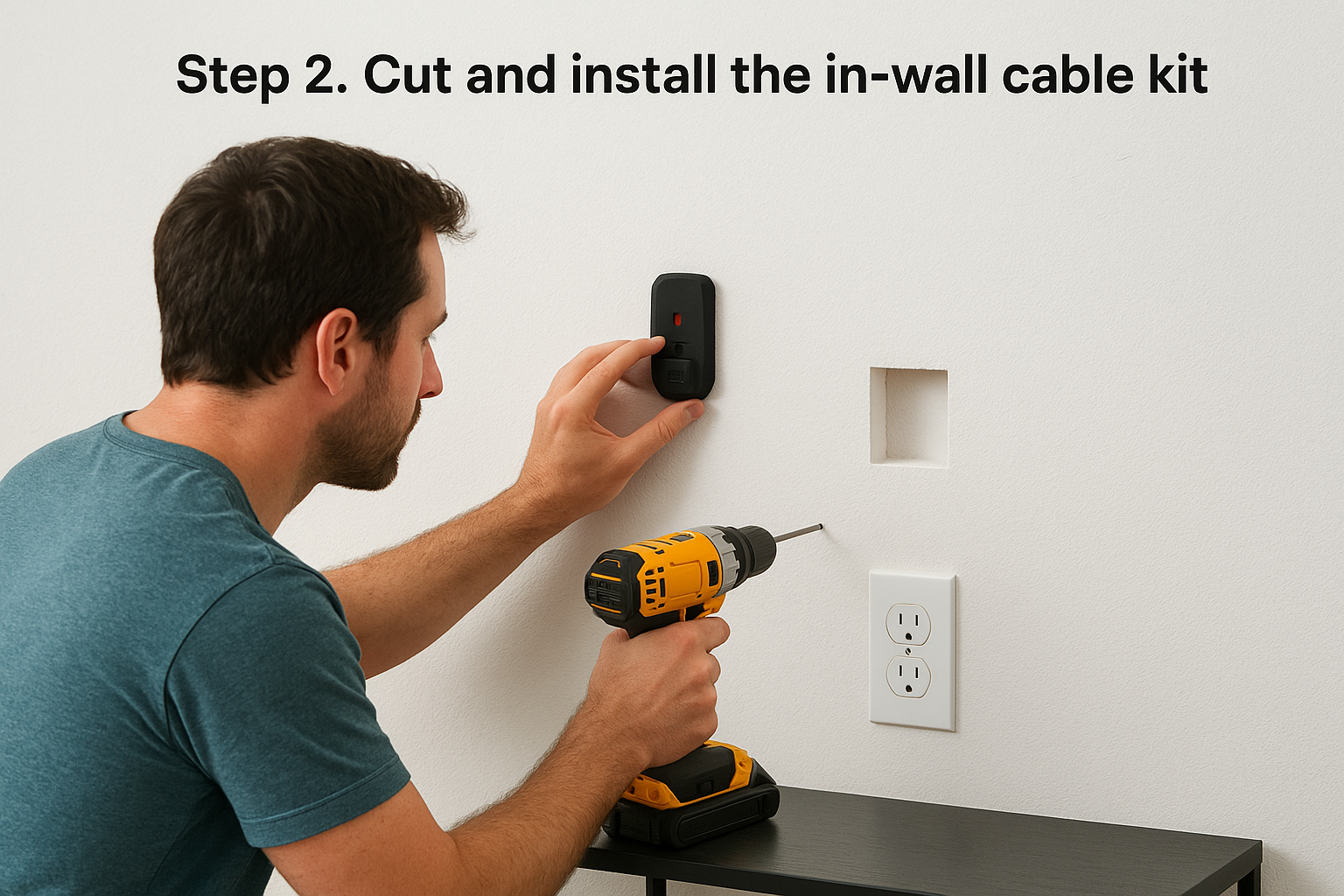
An in-wall kit needs two holes: one behind the TV and one near the outlet below. Before cutting, confirm the wall bay between them is empty.
Mark and check the holes
Place the top hole inside the area the TV will cover, in the same stud bay as the lower hole and close to a stud, but never over one. Put the lower hole behind your media console, about 3 feet below. Run the stud finder's AC detection over both spots, then drill a small pilot hole and probe with a bent wire. If you hit horizontal blocking or wiring, move over one bay or switch to Step 3.
Probe before you cut, because a surprise inside the wall costs far more than ten minutes of checking.
Install the kit and pull the cables
- Trace the template and cut both holes. Most kits include a hole saw sized for the plates.
- Drop a pull string or fish tape from the top hole to the bottom hole.
- Tape your HDMI, optical, or Ethernet cables to the string and pull them through. Leave the pull string in the wall for future upgrades.
- Fit the top plate and power inlet, then the bottom plate with the plug-in cord.
- Plug the bottom cord into your existing wall outlet.
Step 3. Hide wires without cutting the wall
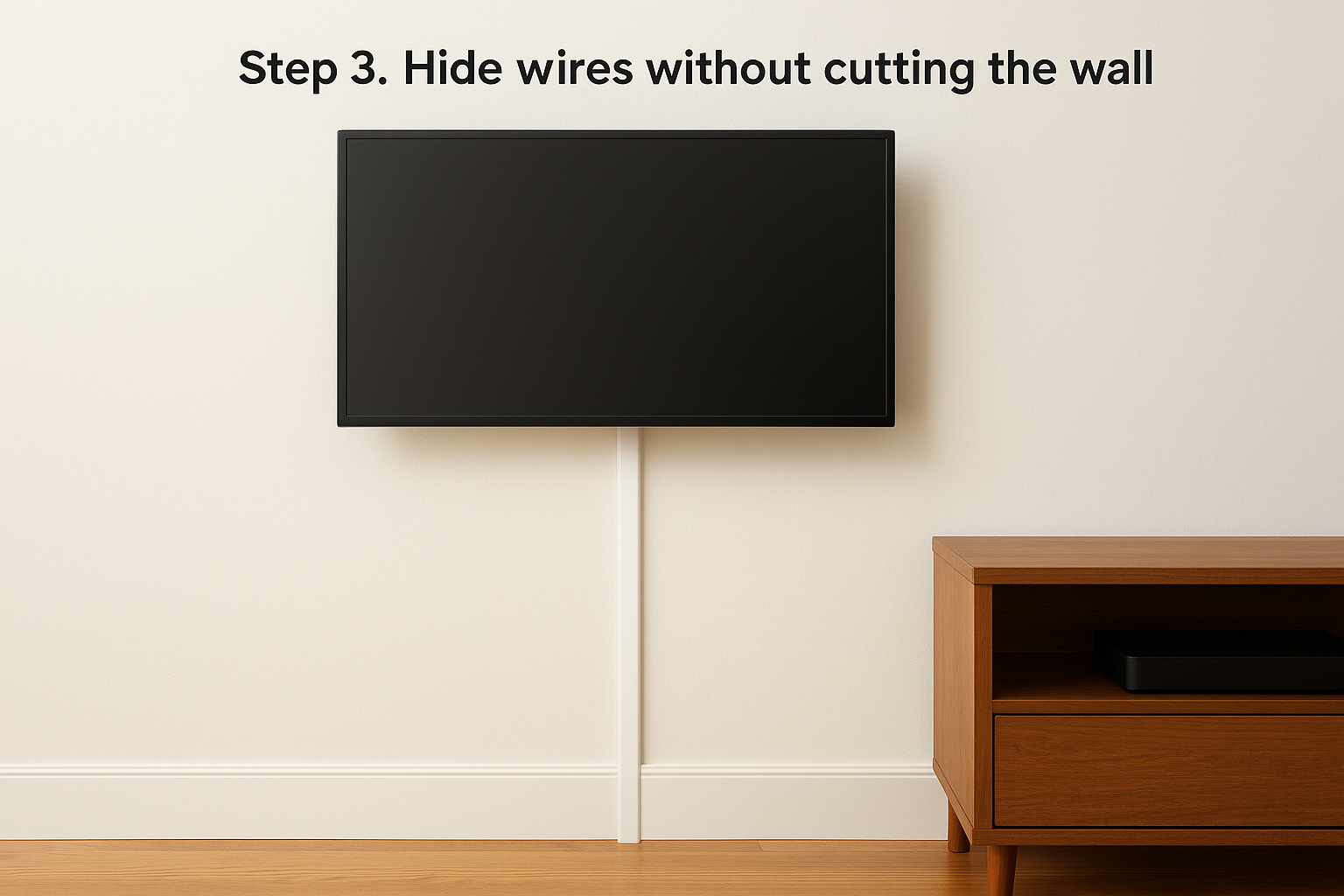
A raceway, which is a slim channel that covers the cables, hides wires with no cutting. It works on drywall, brick, and concrete. It also suits renters, since the cover can come off later.
Install a paintable cord cover
Measure from the TV's cable exit to the outlet, then cut the channel to length with a fine-tooth saw. Put painter's tape on the wall first and stick the cover to the tape. The cover comes off later without peeling paint. Press each adhesive section for about 30 seconds. Paint the cover to match the wall, then lay the cables in and snap the lid shut.
Run the cover straight down from the TV, not diagonally. A vertical line reads as trim.
A paint-matched cord cover can look nearly as clean as an in-wall kit, with no damage to the wall.
Other no-drill ideas
- Use short, flat HDMI cables so there is less slack to hide.
- Mount the power strip on the back of the media console, not on the floor.
- Plug a small infrared receiver into the cable box so it can sit in a drawer.
- Add a slim painted wood channel under the TV to hold the remaining cords.
Step 4. Hang the TV, connect, and test
Lift the TV onto the plate, lock it in, and test every input before you close up. Hang it while a second person guides the brackets.
Connect and check
Plug each cable into the TV, then power it up and test every source. Confirm that the screen is level, the locking tab on the mount is engaged, and no cable is pinched behind the TV. Leave a few inches of clearance around any gear so it can vent heat. Then tidy the lower run with the console, and add a surge protector.
Test every input before the cover goes on, because opening it again later is the real hassle.
What a pro install costs
Doing it yourself is realistic on drywall. Brick, stone, heavy TVs, and new outlets are where a pro pays off. At Treasure Valley Solutions, base labor is $139 for TVs up to 55 inches and $169 for 56 to 97 inches. A 65-inch TV on drywall with our tilting mount ($119) comes to $169 plus $119, or $288. Add 6% Idaho sales tax on the mount only, about $7.14, for roughly $295. Brick, concrete, and stone walls add $49. Base pricing includes basic external cable management, but not wall repair or soundbar installation, so ask for in-wall concealment in your estimate. A single TV mount typically takes 1 to 2 hours.
Clean cables, solid mount
A clean install comes down to anchoring into studs, choosing a safe wiring method, and testing before you finish. Use an in-wall kit and rated cables when you own the wall. Use a paintable cord cover when you can't cut it.
If the wall is brick, the TV is large, or you want a recessed outlet, let someone else do the heavy part. Our work carries a one-year warranty. You can request a free on-site estimate and we'll tell you which method fits your wall.