 (208) 991-3502
 Meridian, ID



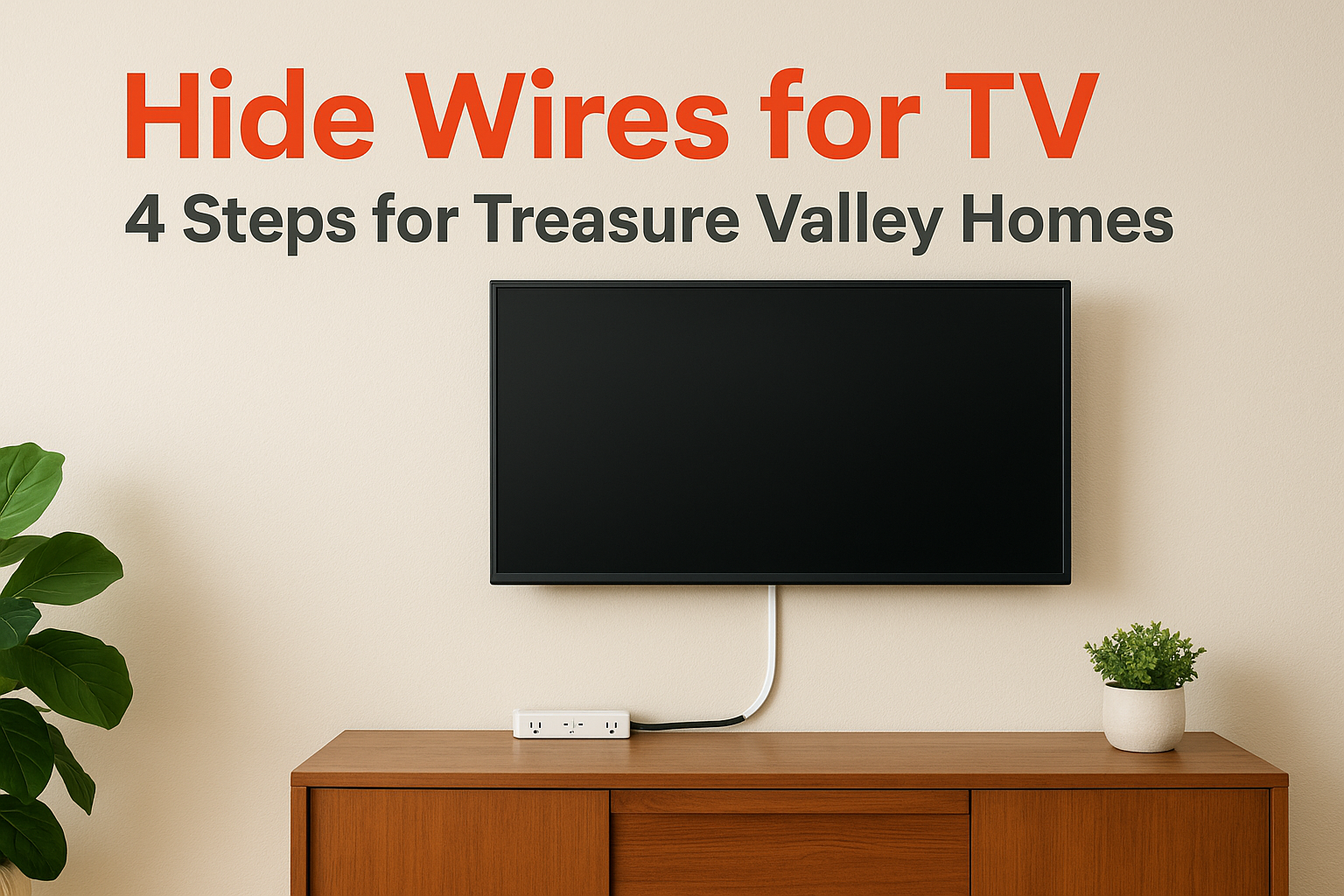

The best way to hide wires for TV setups is to match the method to your wall. Use a paintable cord cover if you rent or don't want to cut drywall. Use an in-wall kit with a recessed power outlet if yo...
The best way to hide wires for TV setups is to match the method to your wall. Use a paintable cord cover if you rent or don't want to cut drywall. Use an in-wall kit with a recessed power outlet if you own the wall and want no visible cords at all. Then move the devices, power strip and leftover slack out of sight.
A wall-mounted TV makes cords more obvious, not less. With no console behind it, the power cable and HDMI cable hang straight down the wall. The tangle on the floor below usually looks worse than the cords themselves. Many people mount a TV for the clean look and end up staring at a black cable.
At Treasure Valley Solutions, we mount TVs for homeowners across the Treasure Valley, and basic cable management is part of every standard mounting job. This guide covers four steps: pick a method, plan the route, hide the run down the wall, and clear the clutter below the screen. Each step works for a DIY job, and each one tells you where a pro saves you time.
What to know before you hide TV wires
The cables you need to hide
Most TVs have two cables to deal with: the power cord and an HDMI cable to your streaming box, game console or cable box. Add an ethernet cable, an optical cable or a soundbar cord and you have three or four. Count them before you buy anything, because the number and thickness of the cables decide which cover or kit fits.
Power is the cable that needs care. A standard power cord is not made to run inside a wall. Any in-wall method needs a kit with an in-wall rated power cord and a recessed outlet, which Step 3 covers.
Which method fits your wall
Four methods cover nearly every room. This table shows how they compare.
| Method | Cuts the wall | Renter friendly | Effort | Best for |
|---|---|---|---|---|
| Cord cover or raceway | No | Yes | About 20 to 30 minutes | Rentals, brick, quick fixes |
| In-wall kit with recessed power | Yes, two openings | No | About 1 to 2 hours | Owned drywall, cleanest look |
| Mount channels and Velcro straps | No | Yes | About 10 minutes | Hiding slack behind the TV |
| Furniture, shelf, wireless devices | No | Yes | Varies | Devices and leftover cables |
Most rooms end up using two methods. A cord cover or in-wall kit handles the run down the wall, and furniture or a shelf handles the devices and extra cable. Choose the wall method first, then fill in the rest.
The wall run decides everything: cover it if you can't cut, bury it if you can.
Step 1. Plan the route and mount the TV
Measure before you drill
Decide where the TV hangs, where the outlet is and where your devices will sit. Then measure the path from the back of the TV to the outlet, and from the TV to each device. Add a few inches of slack to each cable so nothing pulls tight when you tilt or move the TV.
If you plan to run cables in the wall, mark the top opening so it sits behind the TV. A TV hides the hole, and the cable exit disappears with it. If the TV will move on a full-motion arm, leave extra slack and a gap, since the cable has to flex.
Connect and bundle before you hang
Plug the HDMI and power cables into the TV before you lift it onto the mount. The ports are hard to reach once the TV is flat against the wall. Use right-angle HDMI connectors if the TV sits close to the wall.
Then tidy what stays behind the screen:
- Bundle the cables with reusable Velcro straps, not tight zip ties.
- Use the cable channels or clips on your mount if it has them.
- Keep the bundle behind the TV frame so it can't be seen from the side.
- Anchor the mount into wall studs, not just drywall.
Plug everything in first, then hang the TV, because the ports are easy to reach only before it's on the wall.
Step 2. Hide wires with a cord cover
Install a raceway on the wall
A cord cover, also called a raceway, is the easiest way to hide TV wires because it needs no cutting. It is a thin channel that sticks to the wall, holds the cables and snaps shut. Follow these steps:
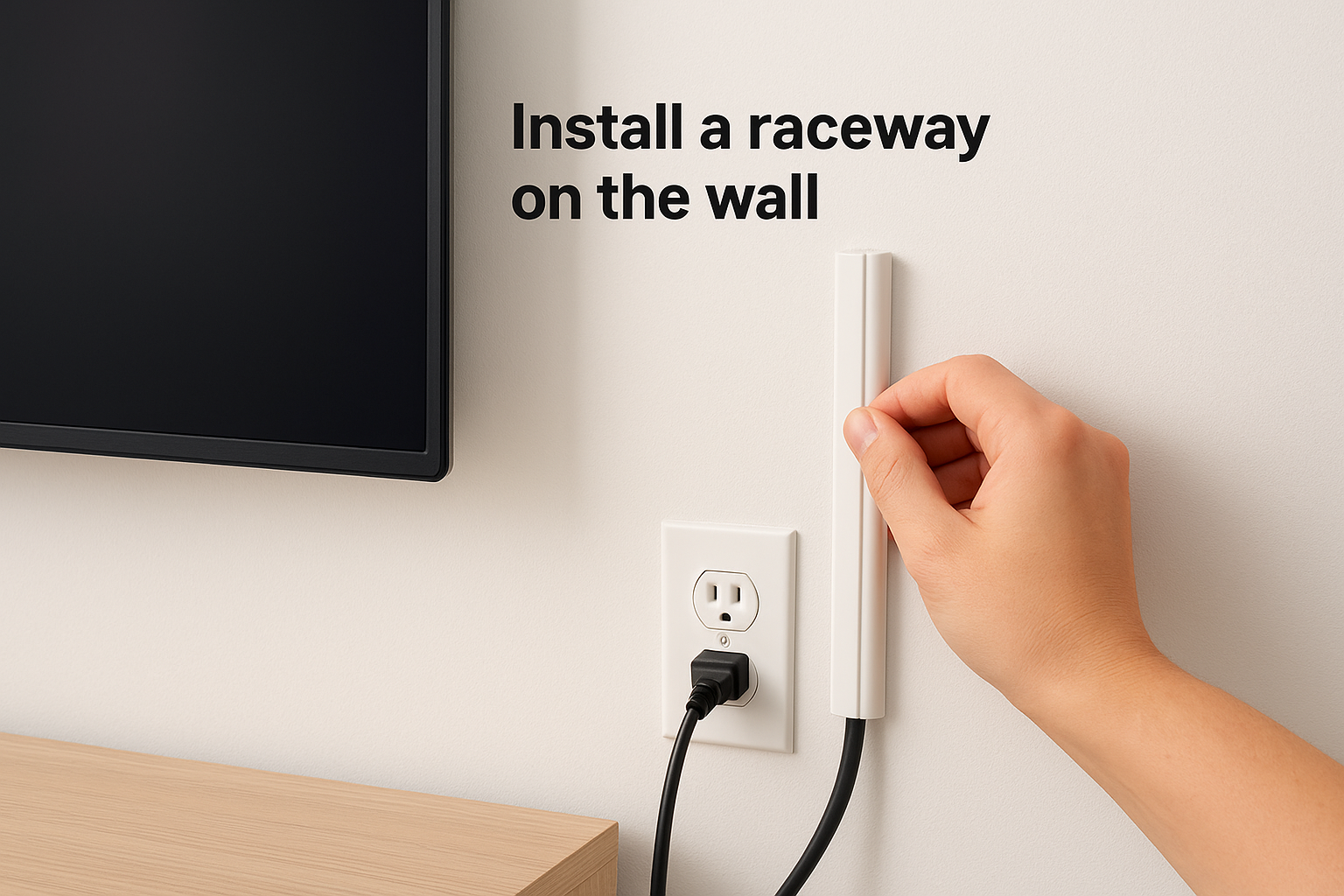
- Wipe the wall with isopropyl alcohol and let it dry.
- Hold the raceway against the wall and dry fit it from the TV to the outlet or console.
- Mark the position with a pencil and a level.
- Cut the raceway to length with a hacksaw or fine-toothed saw.
- Peel the adhesive backing, press the base to the wall and hold it for about 30 seconds.
- Lay the cables in, snap the cover on and paint it to match the wall.
Get the position right before you peel the backing. The adhesive is strong and hard to reposition once it grips. Choose a paintable raceway and use two thin coats of your wall color, and it almost disappears.
Renters and fireplace walls
Renters should pick a raceway with removable adhesive strips. Pull the strips slowly and parallel to the wall when you move out, so the paint stays on the wall. For a fireplace wall, adhesive often won't hold on brick, stone or tile. Mount the cover on the smooth wall above or beside the fireplace, or ask a pro to anchor it. A slim wood trim channel painted to match the wall also works on a flat surface.
A paintable cord cover is the fastest fix, and it works on almost any wall except rough masonry.
Step 3. Run the wires inside the wall
Choose a kit made for in-wall power
An in-wall kit with a recessed power outlet gives the cleanest result because nothing hangs below the TV. The kit includes an in-wall rated power cord, a recessed outlet plate and a pass-through plate for signal cables. Never push a regular power cord or extension cord into a wall. Use a kit made for it, and make sure any HDMI cable you run inside the wall is rated for in-wall use (look for CL2 or CL3 on the jacket).
Install the kit
The steps vary by brand, so follow your kit's instructions, but the process looks like this:
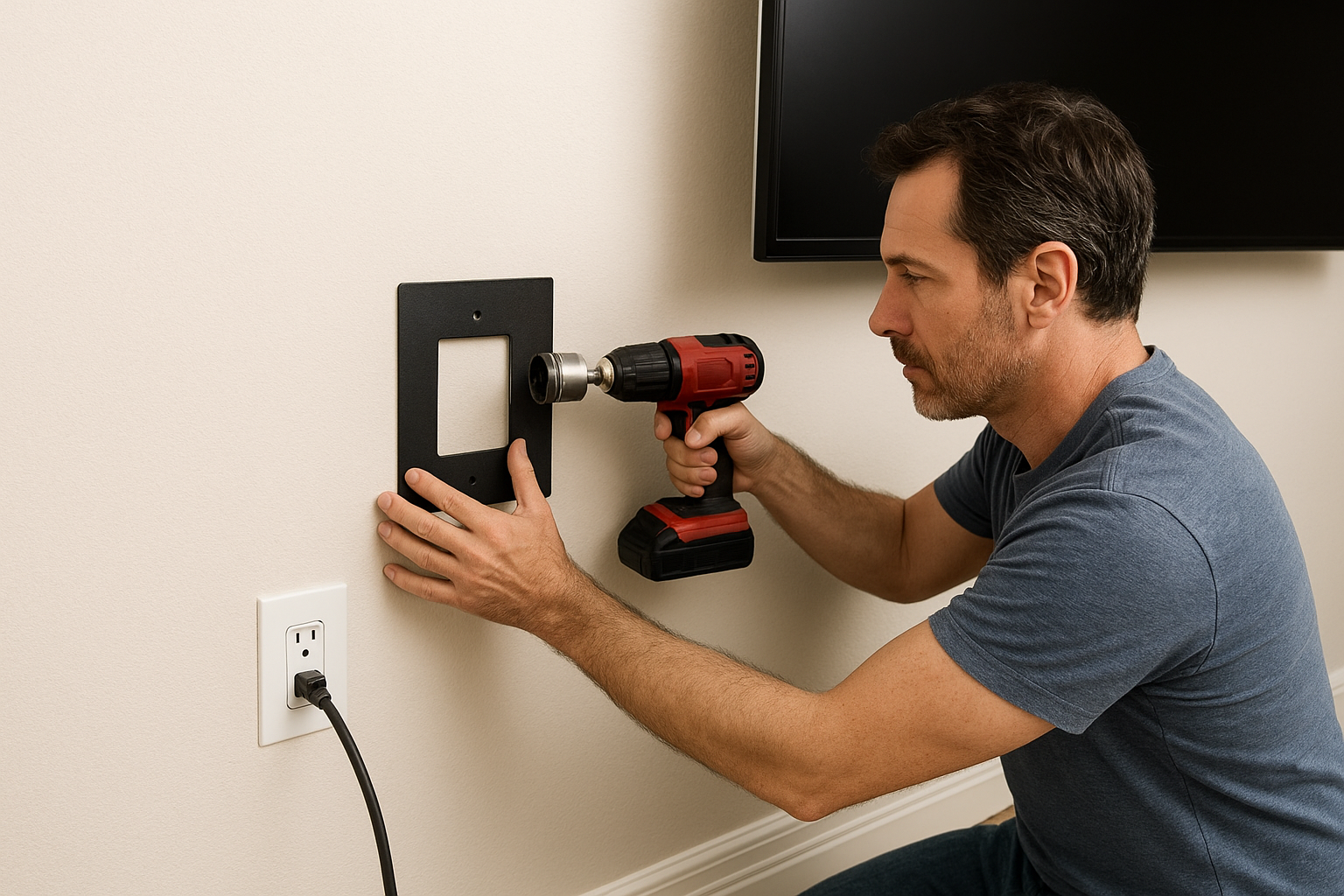
- Use a stud finder with AC detection to scan for studs, wires and pipes.
- Mark a top opening behind the TV and a bottom opening near your outlet and devices.
- Cut both openings with the template or hole saw that comes with the kit, close to a stud but not over it.
- Feed the tube or cable path between the openings.
- Secure both plates, connect the in-wall power cord and snap on the covers.
- Run the HDMI and other cables through the pass-through, then plug everything in.
Stop if you hit insulation you can't move, fire blocking inside the wall, or anything you can't identify. Those are good moments to call a pro. Our TV mounting service starts at $139 for TVs 55 inches or smaller and includes basic external cable management. If you want in-wall routing, ask about it during the free on-site estimate. Wall repair is not part of the base price.
Use a kit built for in-wall power, and never put a regular cord inside a wall.
Step 4. Clear the clutter below the TV
Get devices and the power strip out of sight
Hidden wires still look messy if they end in a pile on the floor. Mount your power strip to the back or underside of the console, since most strips have keyhole slots for screws. Put the cable box, streaming box or console inside a cabinet or on a shelf under the TV.
If you hide a cable box in a cabinet, add an infrared receiver so your remote still works. Leave airflow too. Drill a few ventilation holes, or leave the back open, so the equipment doesn't overheat. A cable management box on the floor can also hold a power strip and extra cord.
Use wireless devices and decor for what is left
Go wireless where you can. A streaming stick plugged into the TV removes a whole box and cable. A Bluetooth speaker removes a speaker wire. Then use decor for the last visible cord: a framed print, a plant, a curtain panel or a narrow shelf placed along the run.
Hide the run on the wall and the clutter on the floor, and you'll hide the cords people actually notice.
Get a clean TV wall without the guesswork
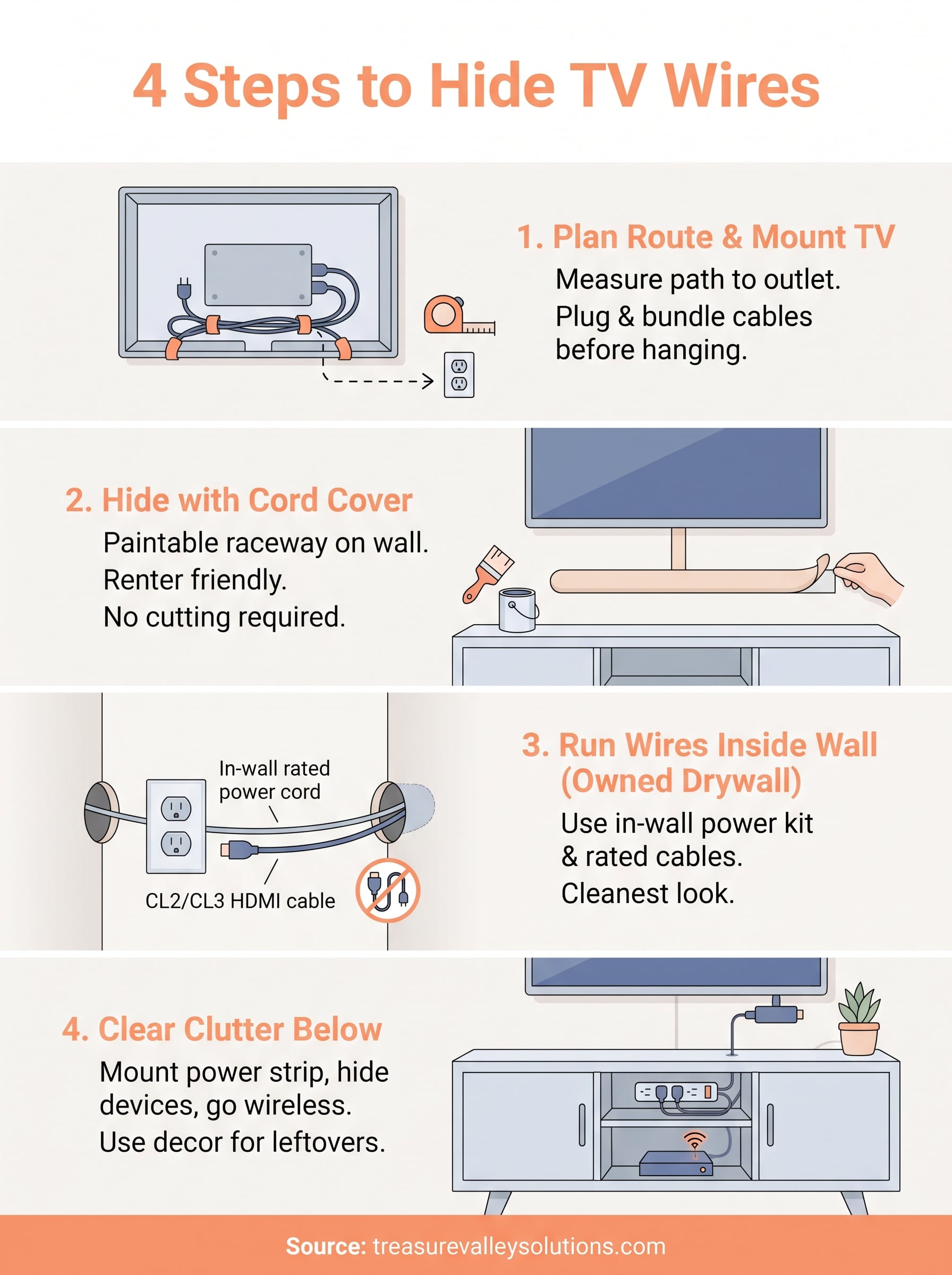
Hiding wires comes down to four moves. Pick the method your wall allows, plan the route before you mount, cover or bury the wall run, and clear the devices and power strip below the screen. A paintable raceway handles most rooms. An in-wall kit gives the cleanest finish on drywall you own.
If you'd rather have a pro handle it, request a free on-site estimate from Treasure Valley Solutions.
Recent Google reviews
Read all reviews →“Great job!!”
“Amazing customer experience. They went above and beyond installing my 2 TVs on the wall and setting up my ring doorbell. Thier price was very very reasonable. Great experience, have used their service twice now.”
“Professional, on time and the team did an outstanding job! 100% would recommend and will use again.”