 (208) 991-3502
 Meridian, ID



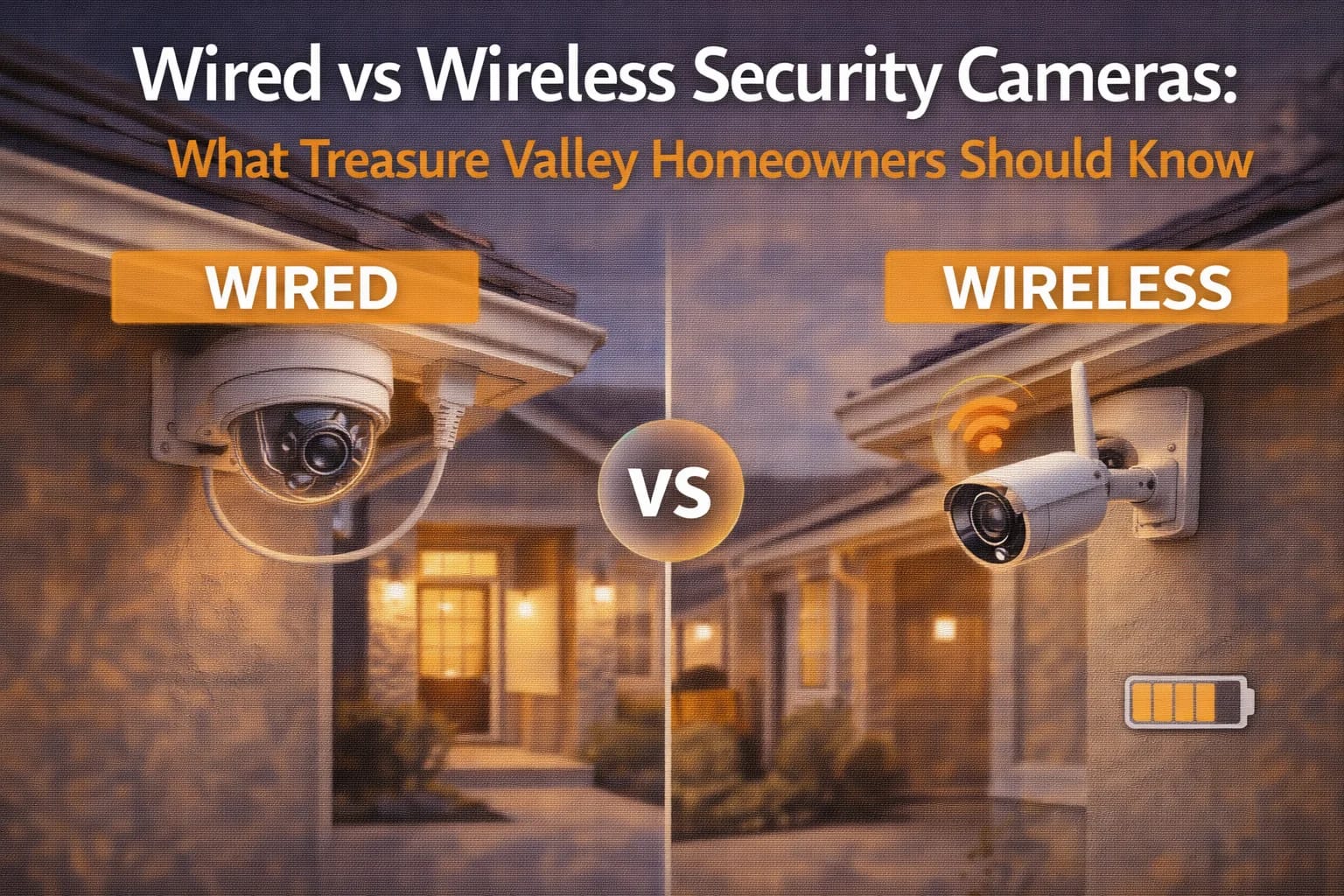

Wired and wireless security cameras each have strengths and tradeoffs. This guide explains the differences and helps Treasure Valley homeowners choose the right camera setup for their home.
When choosing security cameras, one of the most important decisions homeowners face is whether to go wired or wireless. Both options are widely available, but they behave very differently in real-world conditions—especially in Treasure Valley homes with varying layouts, weather, and connectivity.
Understanding these differences helps homeowners choose a system that remains reliable long after installation, rather than one that becomes frustrating over time.
What Are Wireless Security Cameras?
Wireless security cameras transmit video data over a Wi-Fi network. Some models are battery-powered, while others still require a power connection but rely on wireless communication for data.
Wireless cameras are popular because they:
Install quickly
Require minimal wiring
Work well for small or temporary setups
They’re often used in apartments, rentals, or limited areas where running cables isn’t practical.
Many homeowners first explore wireless options while researching broader home technology solutions available through
👉 https://treasurevalleysolutions.com/services/
What Are Wired Security Cameras?
Wired security cameras use physical cabling to transmit video data and, in many cases, receive power. These systems are typically connected to a central recorder or network infrastructure.
Wired cameras are known for:
Stable video when power, cabling, network and recorder are working
Consistent performance
No battery maintenance
They’re commonly installed in permanent residences and larger homes where reliability is a priority.
Reliability: The Biggest Difference
Reliability is where wired cameras often stand out.
Wireless cameras depend heavily on:
Wi-Fi signal strength
Network congestion
Battery charge (for battery-powered models)
In homes with many connected devices, wireless cameras may experience delays, dropped connections, or inconsistent recording.
Wired cameras avoid Wi-Fi signal and camera-battery limitations, but recording can still fail if network capacity, PoE power, cabling, storage or configuration is inadequate.
For homeowners who want cameras that “just work,” this reliability becomes a major deciding factor.
Video Quality and Recording Consistency
Wired cameras generally deliver:
Higher, more consistent video quality
Fewer compression artifacts
Continuous recording when supported and correctly configured
Wireless cameras may reduce video quality to maintain connectivity, especially when Wi-Fi conditions fluctuate.
For identifying faces, license plates, or fine details, consistency matters more than headline resolution numbers.
Maintenance and Long-Term Use
Wireless cameras often require:
Battery recharging or replacement
Periodic reconnection to Wi-Fi
Firmware updates to maintain stability
Wired cameras typically:
Require little ongoing maintenance
Operate continuously
Scale easily as systems expand
Over time, homeowners often find wired systems less demanding and more dependable.
Installation Considerations in Treasure Valley Homes
Wireless cameras:
Install quickly
Are ideal for smaller projects
May reduce data cabling, but still need mounting and power planning
Wired cameras:
Require planning and cabling
Are easiest during construction or remodels
Provide cleaner, long-term solutions
Many Treasure Valley homeowners factor these considerations into broader planning strategies outlined within
👉 /solutions/homeowner
Which Option Makes Sense for Your Home?
Wireless cameras may be a good fit if:
You need a quick setup
Coverage is limited to a few areas
Long-term permanence isn’t required
Wired cameras are often better when:
Homes are larger
Continuous recording is important
Reliability is a top priority
Expansion is planned
The best choice depends on how the home is used—not just installation convenience.
Frequently Asked Questions
Are wireless cameras less secure?
Not inherently, but they depend on network security and strong passwords.
Do wired cameras still use the internet?
Compatible wired cameras can record locally without internet while the cameras, recorder and required local network remain powered and connected. Remote viewing and internet-dependent alerts require connectivity.
Are wired systems more expensive?
Upfront costs can be higher, but long-term reliability often offsets the difference.
Can wireless cameras be used outdoors?
Yes, but battery life and weather exposure must be considered.
Is professional installation worth it?
Yes. Proper placement and setup dramatically affect performance for both types.
Choosing a Camera System That Lasts
The choice between wired and wireless security cameras isn’t about which is “better” in general—it’s about which is better for your home, your layout, and your expectations.
For Treasure Valley homeowners who value reliability and consistent performance, understanding this distinction ensures their security system continues working day after day, without constant attention.
When cameras are chosen thoughtfully and installed correctly, security becomes dependable instead of demanding.
Do security cameras work without internet or Wi-Fi?
Some do, with important conditions. Internet is the connection from the property to outside services. A local area network (LAN) connects devices inside the property. Wi-Fi is one way to connect to that LAN; Ethernet is another. Power over Ethernet (PoE) carries data and power on compatible Ethernet wiring from a powered recorder, switch or injector. Wi-Fi is not the same as internet, and wireless data does not mean wireless power.
During an internet outage
A compatible PoE camera/NVR system configured for local recording can continue recording without internet while cameras, recorder, storage and any required LAN equipment remain powered and connected. Local viewing at a recorder monitor may work. Local access through an app depends on the model, configuration and whether it requires internet login. Test the proposed offline behavior before relying on it.
Remote viewing from outside the property, cloud uploads and internet-dependent notifications or analytics will be unavailable or delayed during an internet outage. A local recording capability does not guarantee those services work offline. Cloud-only cameras may stop storing footage or offer only limited local buffering; behavior is model-specific.
During a Wi-Fi or local network failure
Wi-Fi cameras may lose their route to a local recorder even when the internet itself is working. Compatible on-camera storage may continue if configured and powered, but must be verified. Wired cameras do not need Wi-Fi for their Ethernet link, yet still depend on their required switch, PoE supply, cables, recorder and network path. Overloaded switches or failed disks can affect wired systems too.
During a power outage
An internet outage is not a power outage. PoE cameras still need power from the recorder, switch or injector; recorders and network equipment need power too. Battery cameras have different limits and do not automatically keep a powered-down recorder working. An appropriately sized backup-power design can support selected equipment for a limited duration, not indefinitely. Ask which devices are backed up and what runtime has actually been assessed.
PoE or Wi-Fi for your home?
PoE can suit permanent multi-camera recording when safe cable routes are practical. Wi-Fi may suit limited locations or retrofit constraints, but signal, interference, power and battery maintenance need review. Select image detail, placement, recording mode, retention and outage behavior first; compare architecture after that. Existing wiring should be tested rather than assumed reusable.
Plan your Treasure Valley installation
For home entrances, driveways, side gates and backyard coverage, start with our home security camera installation service. Businesses can discuss coverage, recording and permissions through commercial camera installation. For unreliable recordings or older hardware, request a camera upgrade and wiring assessment.
Compare Boise and Treasure Valley installed-system costs. Choose the matching service page to request a site-specific estimate. Camera counts are planning inputs, not a promise that every property needs the same layout.
Compare your options
Your next step
Compare Camera Installation ApproachesReady for professional help? Request an estimateOur Services

Complete home automation and control.

Intelligent lighting control and automation.
High-definition surveillance for peace of mind.
Comprehensive security solutions for home and business.
Serving the Treasure Valley
Local installation in your city