 (208) 991-3502
 Meridian, ID




A smart lock on your front door or a keycard reader at your office entrance is only as strong as the strategy behind it. Too many homeowners and businesses invest in access control hardware, then skip...
A smart lock on your front door or a keycard reader at your office entrance is only as strong as the strategy behind it. Too many homeowners and businesses invest in access control hardware, then skip the part that actually matters, setting it up correctly. Without solid access control best practices, you're left with expensive equipment that doesn't do its job.
The good news: getting this right isn't complicated. It takes a clear plan, the right technology, and a few proven principles, like multi-factor authentication, role-based permissions, and the principle of least privilege, applied consistently across every entry point.
At Treasure Valley Solutions, we design and install custom access control systems for homes and businesses across the Boise area. We've seen firsthand what works, what doesn't, and where most people leave gaps. This article breaks down nine practical best practices you can apply whether you're managing a single property or an entire commercial building. Each one is something we recommend, and implement, for our own clients every day.
1. Start with a professional access control plan
Every strong access control system starts on paper, not at the door. Before you buy hardware or install a single lock, you need a written plan that maps out who needs access, where they need it, and under what conditions. Skipping this step is the most common reason systems underperform, not because the technology is bad, but because no one defined the rules before turning it on.
What it means
A professional access control plan documents every entry point on your property, the people or groups who need to use each one, and the credentials or authentication methods you'll require. It also covers what happens when someone leaves, when credentials get compromised, or when you need to add a new user quickly. Think of it as the blueprint your system runs on, and one of the foundational access control best practices that every other step depends on.
Home setup tips
Start by listing every door, gate, and entry point in your home, including the garage and any side entrances. Then decide which family members or trusted individuals need access to each one and what method works best, such as a PIN, a smart lock app, or a key fob. Write this down so you can update it quickly when something changes, like a new babysitter or a contractor finishing a job.
A plan that lives only in your head is not a plan. Write it down so anyone managing your system can follow it without guessing.
Business setup tips
For businesses, your plan needs to define access zones and user roles from the start. Group your staff by role, such as front desk, management, or warehouse, and assign each group only the doors they actually need. Map this against your floor plan so you can spot gaps or overlaps before your installer sets anything up. Include a clear process for new hires and terminations so nothing falls through the cracks.
Quick checklist
- List every physical entry point on the property
- Define who needs access to each entry
- Choose credential types for each zone or door
- Document your user roles or groups clearly
- Write down your offboarding process for lost credentials or departing users
- Review the full plan with your installer before installation begins
2. Use least privilege with roles and zones
The principle of least privilege means every person gets access only to what they actually need, nothing more. This is one of the most effective access control best practices you can apply, and it works by limiting the damage that happens when a credential gets lost, stolen, or misused.
What it means
Least privilege works alongside role-based access control (RBAC), where you group users by their role and assign permissions to the role rather than to each person individually. Zones divide your property into areas with different sensitivity levels, so a delivery person can reach a loading dock without ever getting near your server room or private office.
The goal is straightforward: the access people get should match exactly what they need, not a master key handed out for convenience.
Home setup tips
Assign separate access levels for household members, regular service providers, and occasional guests. Your housekeeper doesn't need garage access, and a guest code shouldn't unlock every door in the home.
Business setup tips
Map your floor plan into clear access zones such as public, staff-only, and restricted. Then build roles around your org chart so that adding a new employee means selecting a role, not manually configuring every door from scratch.
Quick checklist
- Define access zones by sensitivity level
- Create roles for each user group
- Remove any blanket permissions that grant more than necessary
- Review role assignments when job duties change
3. Require strong authentication for every door and app
Strong authentication means requiring more than one factor before granting access, whether that's a door, a mobile app, or an admin panel. A PIN alone or a single password gives you only one barrier, and one barrier is easy to defeat.
What it means
Multi-factor authentication (MFA) combines something you know, such as a PIN, with something you have, like a key fob or a smartphone, or something you are, such as a fingerprint. This is one of the core access control best practices because even if one factor is compromised, the second one still blocks unauthorized entry.
One factor is a lock. Two factors is a locked door with a guard.
Home setup tips
Pair your smart lock app with biometric login or two-step verification on your phone. For your main entry, combine a keypad PIN with a mobile app approval so that knowing the code alone is not enough to get inside.
Business setup tips
Require MFA for every system admin account and any door leading to restricted zones. For staff entry points, combine key fobs with PIN pads so a lost card cannot open a door on its own.
Quick checklist
- Enable MFA on all access control apps and admin accounts
- Pair physical credentials with a second factor at sensitive entry points
- Disable single-factor access to restricted or high-value areas
- Test each authentication layer before going live
4. Choose secure credentials and avoid shared access
The credential someone uses to open a door is only as secure as how carefully you manage it. Shared PINs, generic keycards, and group passwords are some of the biggest gaps we see in otherwise solid systems. Every person who needs access should have their own individual credential tied directly to their identity.
What it means
A secure credential is unique to one person, hard to duplicate, and easy to revoke without disrupting anyone else's access. This is one of the access control best practices that sounds obvious but gets skipped the moment convenience takes over. When credentials are shared, you lose the ability to track who actually opened a specific door, and revoking access from one person means cutting off everyone using the same code.
Individual credentials turn your access log into a reliable record. Shared ones make that record worthless.
Home setup tips
Give each household member and regular service provider their own unique PIN or app-based access rather than a single household code. Delete a specific credential the moment someone no longer needs it, so you avoid changing every code in the house just to remove one person.
Business setup tips
Assign individual keycards or mobile credentials to every employee and require credential check-in when someone leaves the organization. Never allow staff to share a single swipe card, even for low-traffic or low-risk doors, since shared access removes individual accountability entirely.
Quick checklist
- Create individual credentials for every user
- Audit for and remove any shared PINs or keycards in active use
- Collect credentials from departing employees on their last day
- Review access logs regularly and flag entries that look out of pattern
5. Build layers with cameras, alarms, and lighting
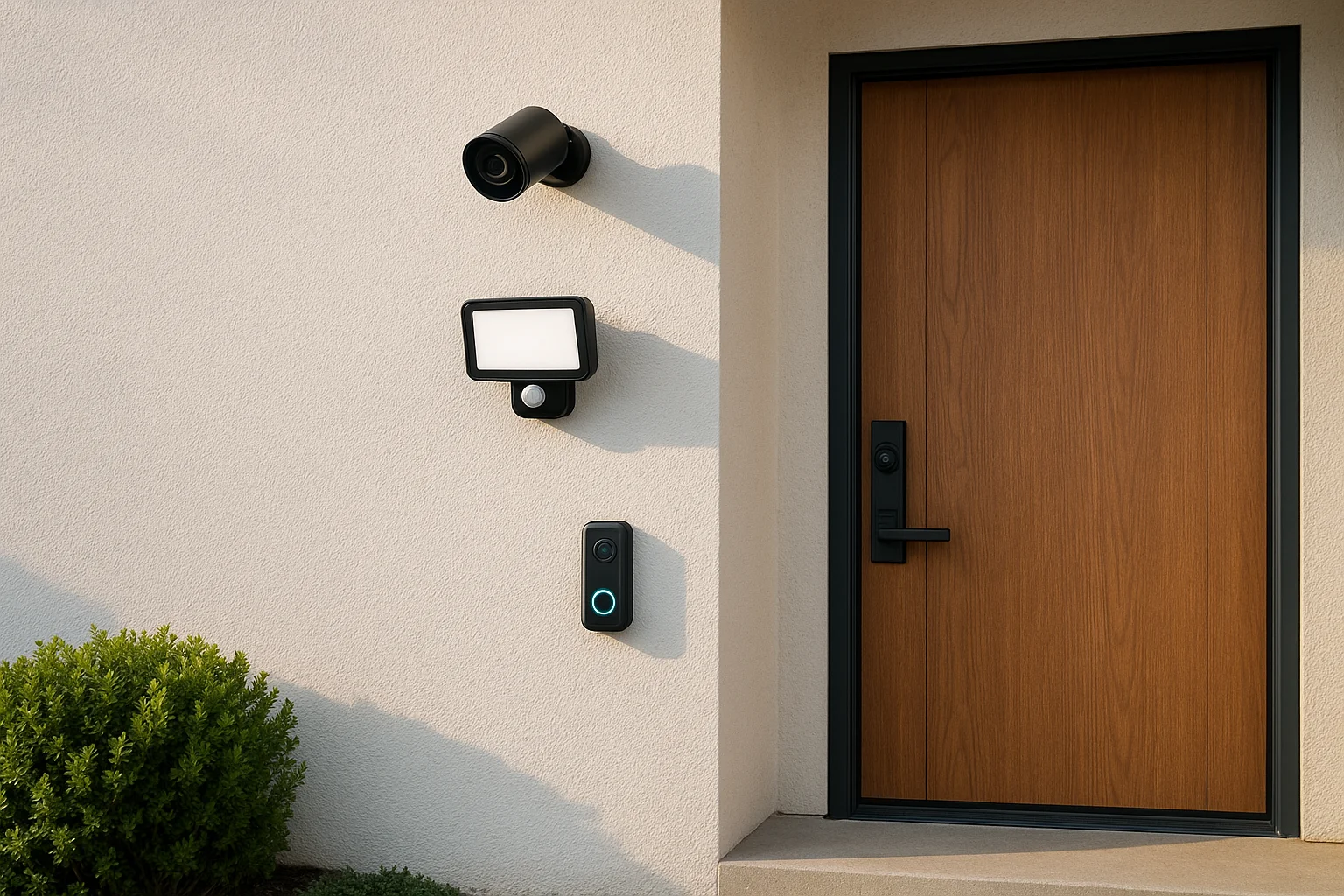
Access control doesn't stop at the lock. A single credential check at the door leaves you blind to what happens before or after someone swipes in. Combining your access control system with cameras, alarms, and lighting means each layer compensates for what the others miss.
What it means
Layered security is one of the core access control best practices because it eliminates single points of failure. If someone tailgates through a door behind an authorized user, a camera captures the event and an alarm can trigger if motion is detected in a restricted area after hours. Each layer adds friction and visibility that credentials alone cannot provide.
A lock stops the honest person; layers slow everyone else and leave a record behind.
Home setup tips
Place motion-activated cameras at every exterior entry point and connect them to your smart home system for instant alerts when someone approaches. Pair your front door with a video doorbell and automatic lighting that activates on motion, since a well-lit entry discourages unauthorized attempts before they start.
Business setup tips
Install cameras with overlapping fields of view so there are no blind spots around your entry points. Connect your alarm system to your access control panel so that forced entry or door-held-open events trigger an immediate response, whether that's a staff notification or a call to a monitoring service.
Quick checklist
- Cover every entry point with overlapping camera angles
- Connect motion lighting to all exterior access points
- Link alarm triggers directly to your access control panel
- Test camera coverage and alarm response monthly
6. Secure the network that carries access traffic
Modern access control systems run on your network. That means a weak Wi-Fi password or an unpatched router can become the easiest way for someone to bypass every physical lock you've installed. Securing the network is one of the access control best practices that people overlook most often, because it feels like an IT problem rather than a security one.
What it means
Your access control hardware, whether that's a smart lock, a keypad, or a door controller, communicates over your local network or the internet. If that network is compromised, an attacker can intercept credentials, disable devices, or manipulate access logs without ever touching a door. Protecting the network protects every device connected to it.
A secure door on an insecure network is not a secure door.
Home setup tips
Place your smart home devices on a dedicated network segment or guest network, separate from your personal computers and phones. Enable WPA3 encryption on your router and change the default admin credentials immediately after setup.
Business setup tips
Segment your access control system onto its own VLAN so that a breach in another part of your network cannot reach your security hardware. Work with your IT team to apply firmware updates regularly and monitor network traffic for unusual device behavior around entry points.
Quick checklist
- Separate access control devices onto a dedicated network segment
- Enable WPA3 encryption and strong router credentials
- Apply firmware updates to all connected access hardware
- Monitor network logs for unexpected activity from access devices
7. Manage visitors, vendors, and temporary access
Temporary access is one of the easiest gaps to create and one of the hardest to notice. When a contractor finishes a job or a guest checks out, their credentials often stay active simply because no one remembered to remove them. Following access control best practices means treating temporary access as its own category with its own rules, separate from how you handle permanent users.
What it means
Temporary credentials are time-limited, tied to a specific person, and set to expire automatically. This keeps your permanent access list clean and removes the risk of forgotten codes sitting in your system for months after the need for them ended.
An expired credential that no one removed is an open door waiting to be used.
Home setup tips
Create time-limited PIN codes for housekeepers, repair technicians, and guests rather than sharing your main household code. Most smart lock platforms let you set an access window down to a specific date and hour, so the code stops working the moment the visit ends without any follow-up action required on your part.
Business setup tips
Set up a visitor management process that issues temporary badges or mobile credentials tied to a scheduled time window. Require vendors to sign in, link their credential to a specific zone, and confirm that access is automatically revoked when their appointment ends. Never let a vendor credential carry over to the next visit without a fresh review and approval.
Quick checklist
- Issue time-limited credentials for all visitors and vendors
- Set automatic expiration windows at the time of creation
- Restrict temporary access to specific zones only
- Confirm credential removal after each visit closes out
8. Automate onboarding, offboarding, and code resets
Manual processes fail at the worst times. Someone leaves the company on a Friday afternoon, and their keycard stays active through the weekend because no one got around to deactivating it. Automating your onboarding and offboarding steps removes that gap entirely.
What it means
Automation ties credential creation and removal to a trigger rather than a task. When someone joins your HR system or books a rental, the access credential generates automatically. When they leave or check out, it expires on its own. This is one of the access control best practices that saves time and closes the gaps that manual steps leave open.
The best offboarding process is one that runs without anyone remembering to start it.
Home setup tips
Connect your smart lock platform to your calendar or booking system so that rental guest codes generate and expire with each reservation. Set automatic code resets after every stay so you never carry over credentials from one guest to the next.
Business setup tips
Link your access control system to your HR or identity management platform so that new hire provisioning and termination both trigger automatically. This removes the delay between an employee's last day and the moment their credential becomes inactive.
Quick checklist
Use this list to confirm your automation triggers are configured and tested before you rely on them.
- Automate credential creation through HR or booking system triggers
- Set expiration dates at the time of provisioning
- Configure automatic code resets between guest or vendor visits
- Test your offboarding trigger with a dummy account before going live
9. Audit, test, and maintain the system regularly
A system you install and forget is a system that will eventually fail without warning. Regular audits and testing are what keep your access control best practices effective over time, because hardware wears out, software needs updates, and your list of authorized users changes constantly.
What it means
Auditing means reviewing your access logs, user lists, and credential assignments on a scheduled basis to confirm everything still reflects reality. Testing means physically verifying that each entry point behaves the way your settings say it should, so you catch failures before an incident exposes them.
A vulnerability you find during a planned test costs far less than one someone else finds first.
Home setup tips
Run a quick credential audit every three to six months and remove any codes or users that no longer apply. Test each smart lock and camera manually after firmware updates to confirm nothing changed in the configuration during the update process.
Business setup tips
Schedule quarterly access reviews where managers confirm that each team member's permissions still match their current role. Assign a specific person to own this process so system maintenance never falls through the cracks during busy periods.
Quick checklist
- Review user lists and permissions on a set schedule
- Test every entry point after any firmware or software update
- Pull access logs monthly and flag anything unusual
- Document each audit so you have a clear maintenance record
Final takeaways
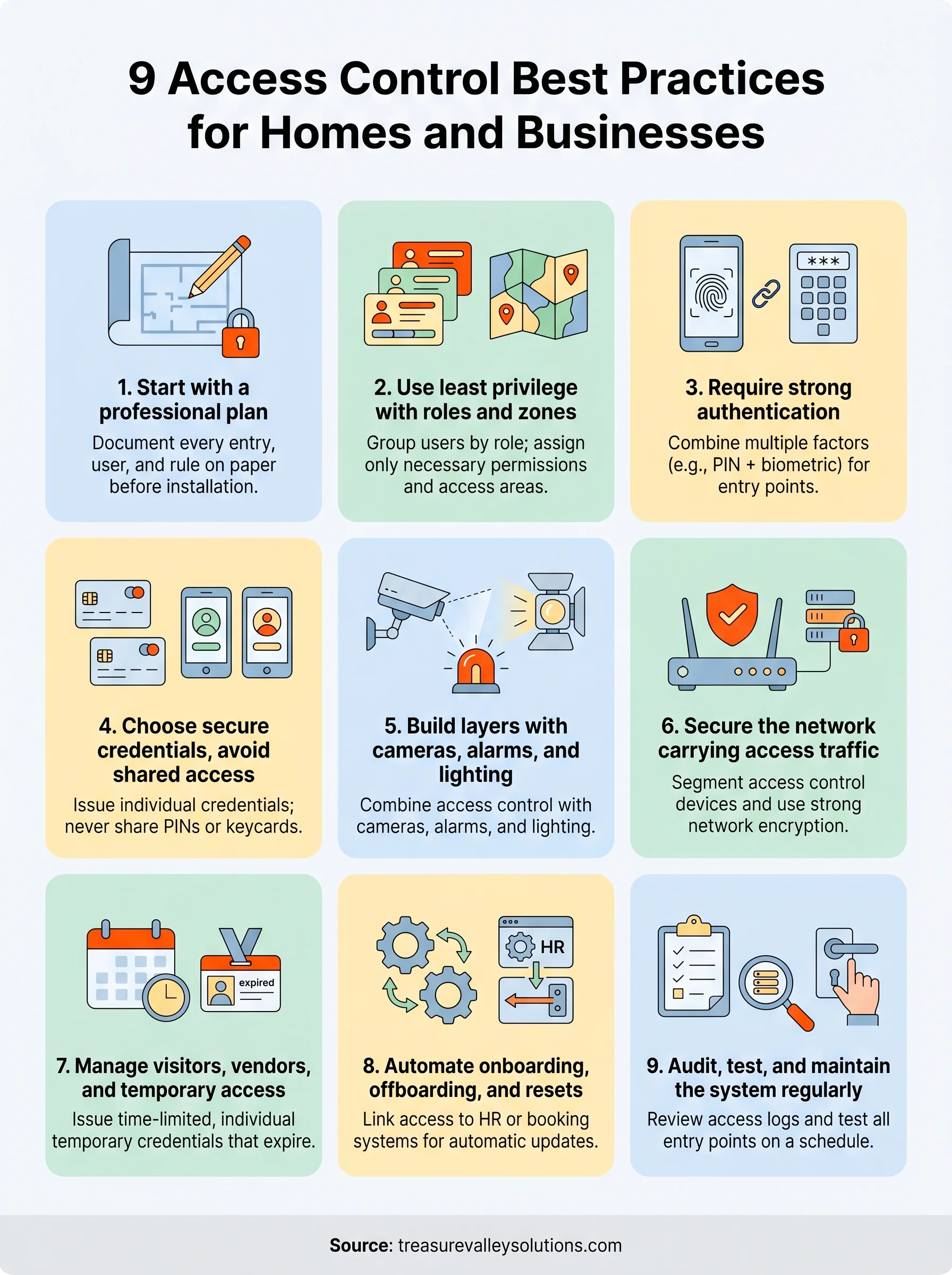
Following access control best practices doesn't require a complete overhaul of your property overnight. Each of the nine steps in this article works on its own and gets stronger when you combine them. Start with a written plan, assign credentials individually, layer your security, and build in automation so the system keeps working even when no one is actively managing it.
The biggest risk isn't a sophisticated attack. It's the small gaps that build up over time, like a code that never got removed or a camera angle that was never tested. Regular audits and consistent maintenance close those gaps before they become problems.
If you're in the Treasure Valley area and want a system designed and installed by people who handle this every day, contact the Treasure Valley Solutions team to talk through what your property actually needs.
Need Expert Help?
Ready to implement these solutions in your own home or business?
Our Services

Complete home automation and control.

Intelligent lighting control and automation.

Comprehensive security solutions for home and business.

High-definition surveillance for peace of mind.
Serving the Treasure Valley
Local installation in your city