 (208) 991-3502
 Meridian, ID



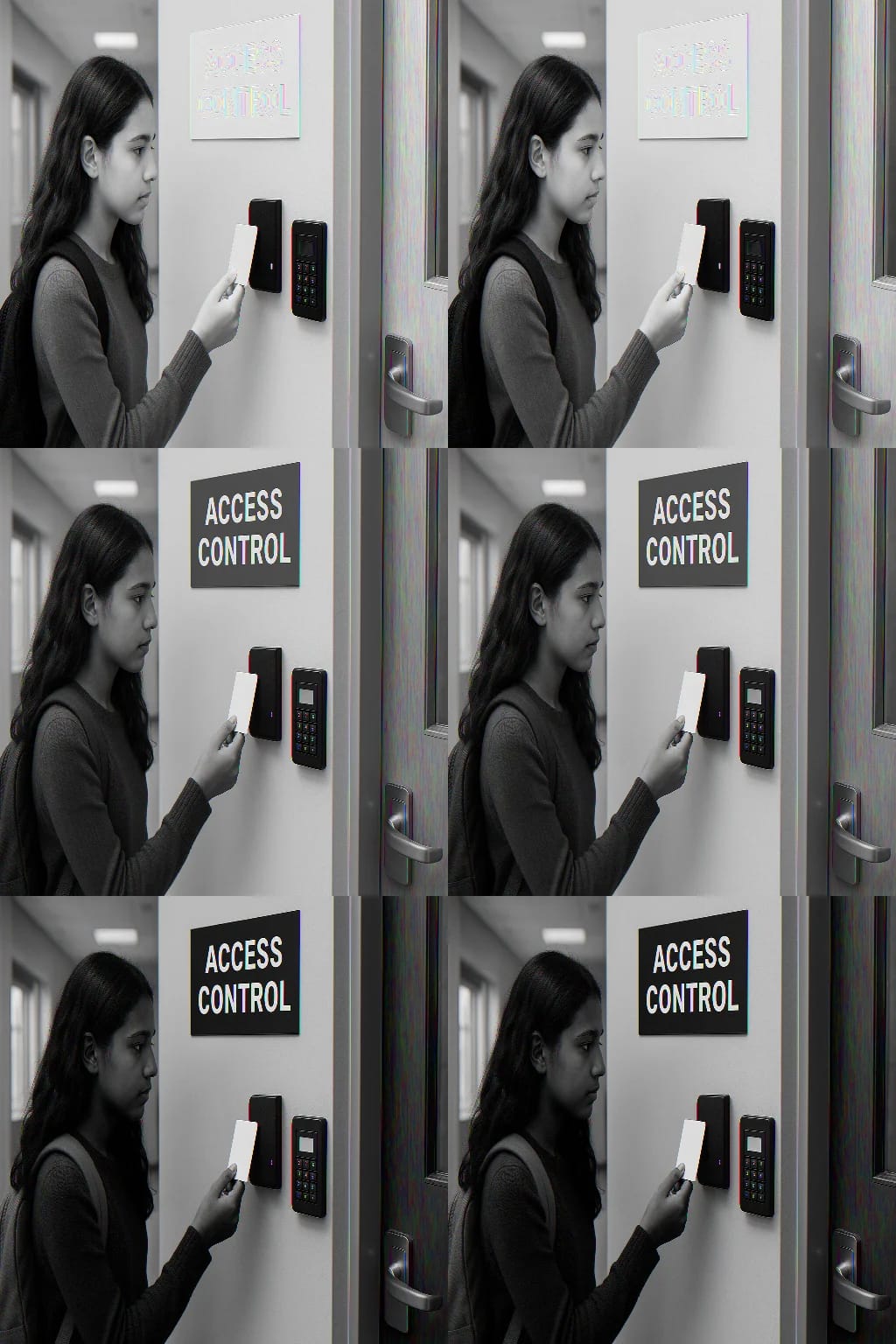

When a parent drops their child off at school, they trust that the building is secure. That trust depends on systems working behind the scenes, systems that determine who can enter, when, and through...
When a parent drops their child off at school, they trust that the building is secure. That trust depends on systems working behind the scenes, systems that determine who can enter, when, and through which doors. Access control for schools has become a critical layer of protection, replacing outdated methods like simple locks and sign-in sheets with technology that actively manages building security.
Schools face unique challenges. They need to welcome students, staff, parents, and approved visitors while keeping unauthorized individuals out. They must prepare for emergencies, manage multiple entry points, and maintain detailed records of who enters the building. Traditional security measures simply can't keep up with these demands.
This article explains what school access control systems are, how they function, and what features matter most for educational environments. Whether you're a school administrator, a facilities manager, or part of a district security committee, you'll find practical information to guide your decisions about upgrading your building's security.
At Treasure Valley Solutions, we design and install security systems for educational institutions throughout Idaho. From elementary schools to larger campuses, we understand that every building has different requirements, and that protecting students and staff is always the priority.
Why access control matters in schools
Your school building serves hundreds of students, dozens of staff members, and countless visitors every day. Each person entering your facility represents a security decision you need to make correctly, every single time. Schools have become targets for threats that previous generations never imagined, and outdated security measures leave you vulnerable in ways that put your entire community at risk.
Preventing unauthorized entry
You can't protect students if you don't know who's walking through your doors. Traditional lock-and-key systems give you minimal control over who enters your building, and lost or copied keys create security gaps that you might never discover until something goes wrong. When a former employee keeps a key or a contractor makes an unauthorized copy, your entire security system becomes compromised.
Access control for schools eliminates these vulnerabilities by requiring proper credentials for entry and allowing you to instantly revoke access when someone no longer needs it. You control exactly which doors each person can unlock, during which hours, and on which days. If a staff member leaves or if a vendor's contract ends, you deactivate their credentials with a few clicks instead of changing physical locks.
Modern access control systems give you the ability to deny entry before someone reaches your students, rather than responding after they're already inside.
Managing multiple entry points throughout campus
Schools typically have numerous doors that serve different purposes: main entrances for visitors, side doors for staff, gym entrances for after-hours events, and emergency exits that must remain functional. Each door represents a potential security weakness if you can't monitor and control it effectively.
You need to lock some doors while keeping others operational. You need to allow different access levels for different groups. Teachers need access to their classrooms but not to administrative areas. Maintenance staff need broader building access but only during their scheduled shifts. Managing this complexity with physical keys becomes impossible at scale.
Emergency response capabilities
When an emergency occurs, every second counts. You need to lock down your building immediately, not spend precious minutes running from door to door or making phone calls to each classroom. Access control systems give you the ability to secure your entire facility from a central location with a single action.
These systems also allow you to unlock specific doors remotely when emergency responders arrive. You can create designated safe zones by controlling which areas remain accessible during different types of emergencies. Fire codes require certain doors to unlock automatically during fire alarms, while security threats require the opposite response.
Accountability and documentation
You need to know who entered your building, when they arrived, and which doors they used. This information becomes critical during investigations and helps you identify security patterns that require attention. Physical logs and sign-in sheets provide incomplete records that rely on people following procedures perfectly every time.
Your access control system creates automatic, detailed records of every entry attempt, successful or not. You can review these logs to spot unusual activity, verify that contractors worked when they claimed to, or prove that specific doors remained locked during certain hours. This documentation protects you legally and helps you make informed decisions about future security improvements.
How school access control works day to day
Your access control system operates continuously, making security decisions every time someone approaches a door. Staff members arrive in the morning, students enter through designated entrances, parents visit the office, and contractors perform maintenance work. Each interaction follows specific protocols that your system enforces automatically, creating layers of protection that work without requiring constant manual oversight.
Morning arrival and building access
Teachers and staff present their credentials at designated entrances before students arrive, typically using cards, key fobs, or mobile credentials on their phones. Your system recognizes each person, unlocks the appropriate door, and logs the entry with a timestamp. Staff members who arrive late or need access outside normal hours still gain entry through the same process, but your system flags these entries for review if needed.
Students enter through doors that remain unlocked during arrival windows but lock automatically once the school day begins. Your system allows you to program different access schedules for different entrances, ensuring that the main lobby remains accessible while side doors stay secured. This protects students without creating bottlenecks during busy arrival times.
Managing visitor entry during school hours
Visitors press an intercom button at your main entrance, where office staff can see them through integrated cameras before granting access. Your system keeps all other doors locked, forcing everyone to enter through this monitored checkpoint where they check in at the office. Parents picking up sick children, delivery drivers, and maintenance contractors all follow this single entry point procedure.
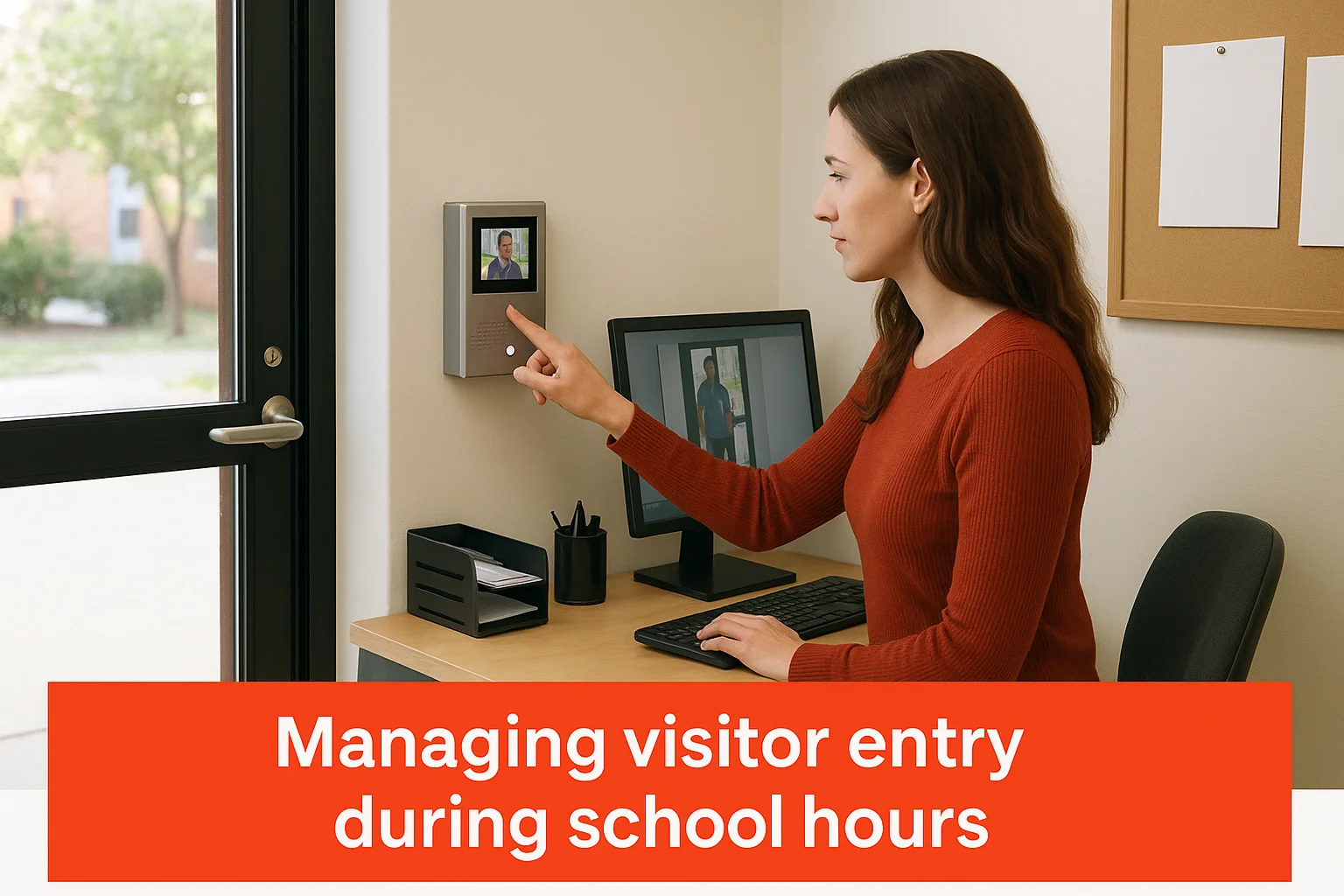
Access control for schools creates accountability by ensuring that every visitor's entry is authorized, recorded, and monitored before they proceed beyond the office.
Your front office staff use their system interface to remotely unlock doors for approved visitors without leaving their desks. This eliminates the need to physically walk to doors or rely on unsecured prop-open methods that compromise your entire building.
After-hours access for activities and events
Evening activities require flexible access for coaches, club advisors, and event staff while keeping the rest of your building secure. Your system allows you to grant temporary credentials to volunteers helping with the basketball game or grant time-limited access to the gym entrance while keeping hallways and classrooms locked.
Custodial staff work after students leave, and their credentials provide broader building access during their scheduled shifts. Your system automatically adjusts their permissions based on the time of day, preventing after-hours entry during school operations.
Core components and key features to know
Your access control system consists of interconnected hardware and software components that work together to secure your building. Understanding these elements helps you make informed decisions about what your school needs and how different pieces fit together. Each component serves a specific security function, and choosing the right combination determines how effectively your system protects students and staff.
Electronic locks and door hardware
Electromagnetic locks and electric strikes replace traditional mechanical locks on your controlled doors. Electromagnetic locks hold doors closed using powerful magnets that release when the system grants access, while electric strikes allow the door latch to retract when authorized. Your system controls these locks electronically, letting you secure or unlock doors remotely without anyone physically touching hardware.
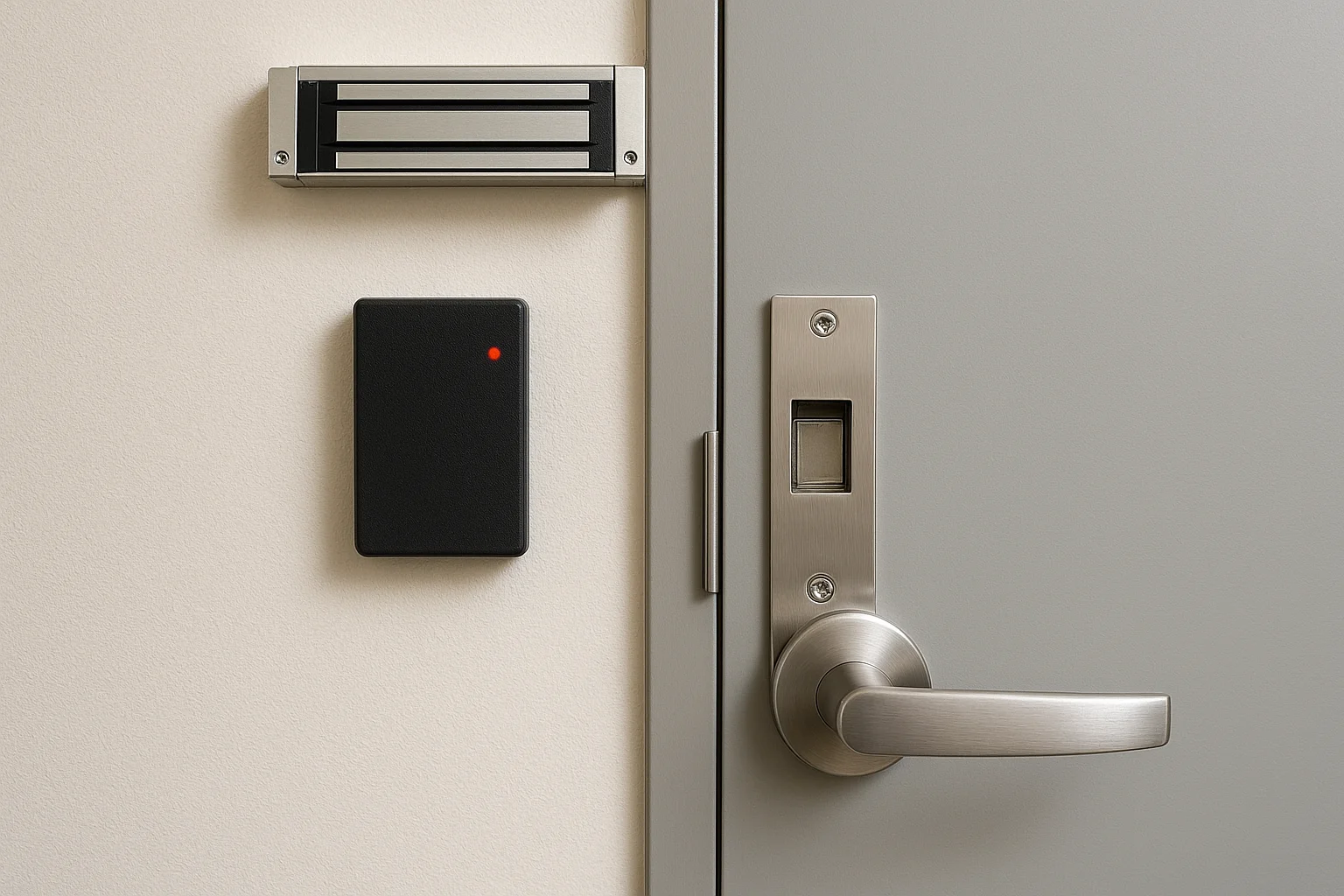
Door position sensors tell your system whether doors are open, closed, or propped open. These sensors alert you to security breaches when someone props a door that should remain closed or when a door stays open longer than permitted. Request-to-exit sensors detect when someone approaches a door from inside, allowing them to leave without triggering alarms while still preventing unauthorized entry from outside.
Card readers and credential scanners
Card readers mounted near doors scan the credentials people present for entry. Proximity readers detect cards held near them without requiring physical contact, while smart card readers require insertion or direct contact with the credential. Some schools use keypad readers that require PIN codes either alone or combined with cards for additional security.
Access control for schools becomes more secure when you combine something people have (cards) with something they know (PIN codes) for high-security areas like server rooms or medication storage.
Weatherproof readers at exterior doors withstand rain, snow, and temperature extremes common in Idaho. Indoor readers near sensitive areas provide the same security functions without requiring weather protection.
Control panels and system software
Central control panels process all access decisions, communicating with locks, readers, and your management software. These panels store credential information, enforce access schedules, and log every entry attempt. Your system needs backup power supplies that keep security active during electrical outages, ensuring doors remain locked when regular power fails.
Management software lets you program access rights, review entry logs, and respond to security events from computers or mobile devices. You add new staff credentials, remove departing employees, and adjust access schedules through intuitive interfaces that don't require technical expertise.
Integration capabilities
Your access control system connects with security cameras to capture images of everyone who enters or attempts entry. Video verification confirms that the person using credentials is authorized to have them. Integration with fire alarm systems automatically unlocks doors during fire emergencies while maintaining security during other threats.
Credential types and access control methods
Your school can choose from multiple credential technologies that determine how people prove their identity to gain entry. Each method offers different security levels, convenience factors, and costs that affect your daily operations. The credentials you select influence everything from how quickly teachers enter the building to how easily you can manage lost or stolen access devices.
Physical credentials and card-based systems
Proximity cards remain the most common credential type in schools because they're affordable, durable, and simple to use. Staff members hold these cards near readers to unlock doors without inserting anything or making physical contact. You purchase cards in bulk, program them with unique identifiers, and assign them to specific people with predetermined access rights.
Key fobs work identically to proximity cards but attach to keychains, making them harder to misplace. Smart cards contain embedded chips that store encrypted information, providing stronger security than basic proximity cards for areas requiring extra protection. You might issue proximity cards to most staff while reserving smart cards for administrators who access sensitive data or financial records.
Mobile credentials and smartphone access
Mobile access control lets staff use their smartphones as credentials instead of carrying separate cards or fobs. Teachers download your access control app, receive digital credentials through the system, and present their phones to readers equipped with Bluetooth or NFC technology. This eliminates the cost of purchasing and replacing physical cards while giving you the ability to instantly revoke access remotely.
Mobile credentials for access control for schools reduce administrative burden because you issue, modify, and cancel access without handling physical devices or waiting for people to return cards.
Biometric verification methods
Fingerprint scanners verify identity by reading unique patterns on fingertips, preventing credential sharing between staff members. You program the system to recognize authorized fingerprints, and people gain access by placing their finger on the scanner. Facial recognition systems use cameras to identify people by their facial features, allowing touchless entry that proves particularly valuable during health concerns.
Biometric methods cost more than card systems but eliminate problems with lost, stolen, or shared credentials. Some schools combine biometrics with cards, requiring both for maximum security in critical areas.
PIN codes and keypad entry
Numeric keypads require people to enter personal identification numbers to unlock doors. You assign unique PIN codes to each person and program the system to grant access when someone enters the correct sequence. Keypads work well for areas that need security but don't justify the expense of card readers, such as storage rooms or equipment closets.
How to plan and implement access control at a school
Planning access control for schools requires you to evaluate your specific building layout, understand your security priorities, and coordinate multiple stakeholders before installation begins. You can't simply purchase equipment and expect it to work effectively without addressing how people actually use your building. Your implementation plan determines whether your system provides genuine security or creates frustration that leads staff to circumvent safety measures.
Assessing your building security needs
You start by mapping every entrance your building contains, including doors that staff might not consider main access points. Walk your entire perimeter and identify which doors require electronic control versus those that can remain as emergency-only exits. Count exterior doors, classroom doors that open to outside areas, and interior doors protecting sensitive spaces like server rooms or medication storage.
Your assessment needs to account for how many people require access and when they need it. Teachers arrive before students, custodial staff work after hours, and contractors need temporary entry during specific projects. You document these patterns to determine which access schedules your system must support and whether you need different credential types for different groups.
Access control for schools works best when your planning process involves teachers, administrators, maintenance staff, and local emergency responders who understand your building's unique security challenges.
Selecting vendors and scheduling installation
Professional installers evaluate your building's existing wiring, power supplies, and network infrastructure to determine what modifications your access control system requires. They identify where you need new electrical circuits, network connections to central control panels, and backup power systems. Your installer should provide detailed proposals that explain exactly what hardware goes where and how long installation takes.
Installation typically happens during summer breaks or extended holidays to minimize disruption to classes. Your contractor schedules work in phases, often starting with exterior doors and high-priority areas before moving to secondary locations. They test each component before considering the job complete.
Training staff and establishing procedures
Your system only works if people understand how to use it correctly. You train office staff to operate remote door releases for visitors, monitor entry logs for unusual activity, and respond to security alerts. Teachers learn how to use their credentials and understand what to do when someone without proper access requests entry.
You create written procedures that explain who grants temporary access to contractors, how to report lost credentials, and what steps to follow during lockdown situations. These procedures become part of your school's security manual.
Key takeaways and next steps
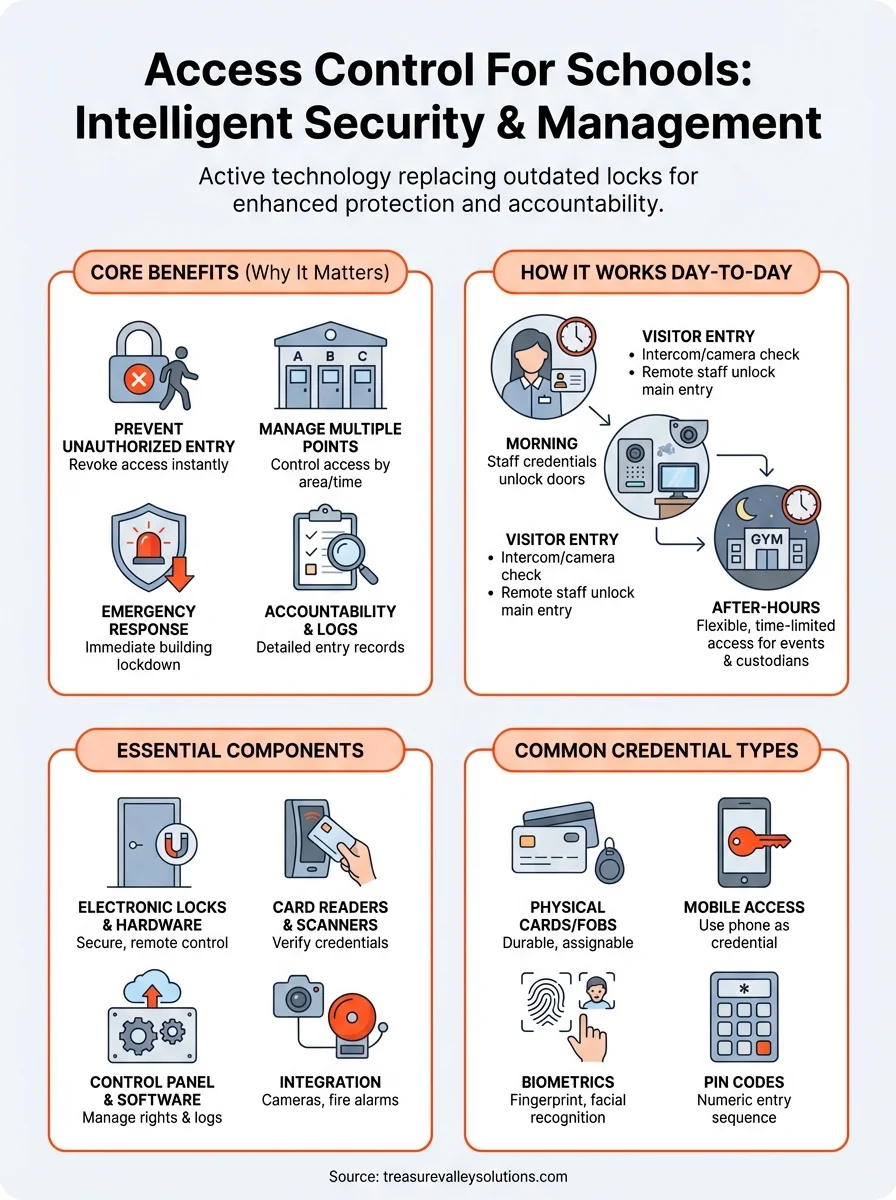
Access control for schools transforms building security from reactive to proactive by managing who enters, when they gain access, and through which doors. Your system creates detailed entry records, enables instant lockdown capabilities, and eliminates vulnerabilities that physical keys create. Electronic locks, card readers, control panels, and integrated software work together to protect students and staff while maintaining operational flexibility for activities and events.
Your next step involves evaluating your building's specific security requirements and consulting with professionals who understand educational facility needs. You need installers who recognize that schools face unique challenges with multiple entry points, varying access schedules, and emergency response requirements. Documentation of your current vulnerabilities helps you prioritize which areas require immediate attention and which upgrades you can phase in over time.
Treasure Valley Solutions designs and installs security systems for educational institutions throughout Idaho. Contact us to discuss your school's security needs and learn how we can create a customized access control solution that protects your students, staff, and community.
Need Expert Help?
Ready to implement these solutions in your own home or business?
Our Services

Comprehensive security solutions for home and business.

High-definition surveillance for peace of mind.

Conference-room AV design and installation for commercial meeting spaces, sized to the room and project scope.
Serving the Treasure Valley
Local installation in your city