 (208) 991-3502
 Meridian, ID



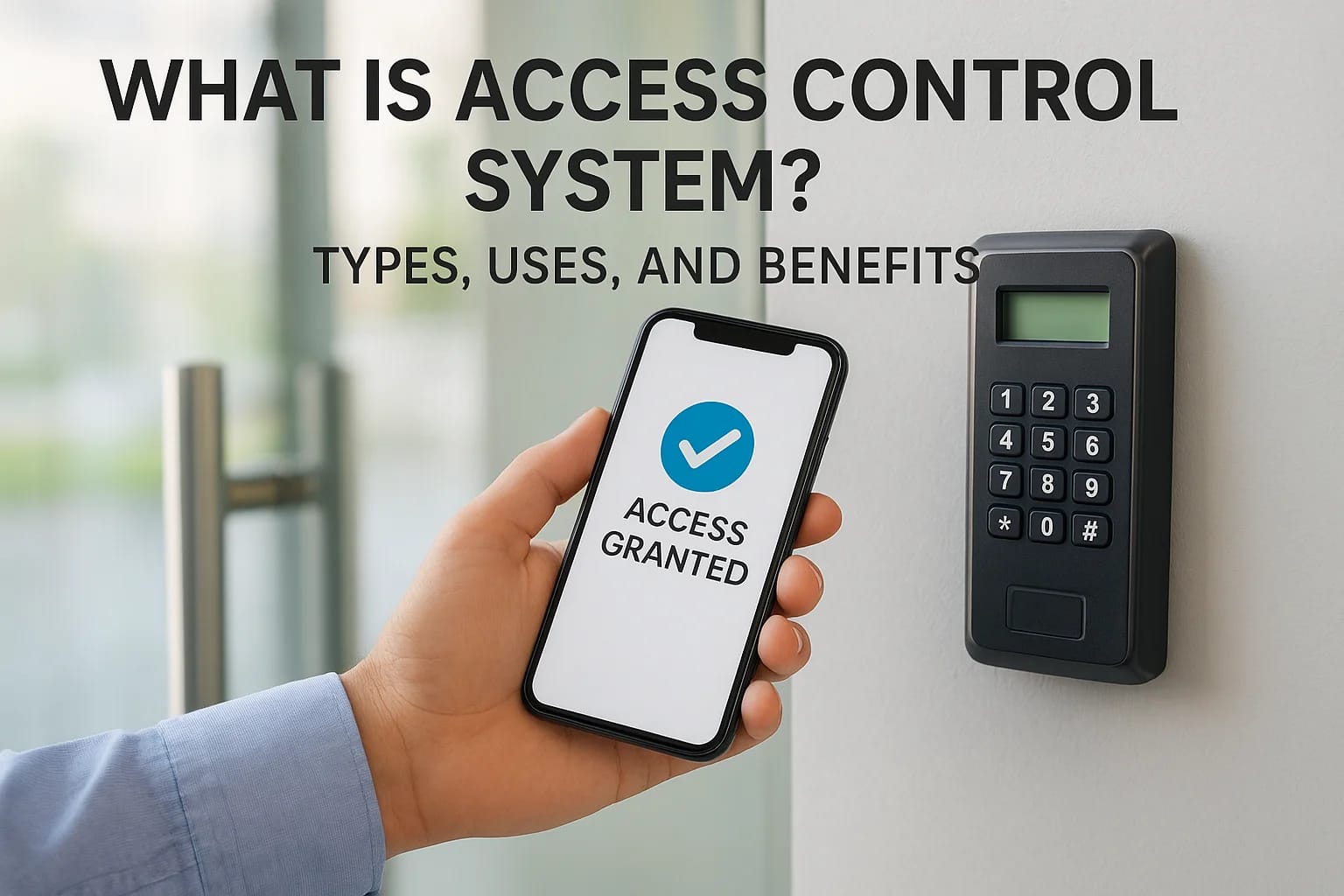

Every door, gate, and entry point at your property is a decision point: who gets in, when, and under what conditions. An access control system answers those questions automatically, replacing traditio...
Every door, gate, and entry point at your property is a decision point: who gets in, when, and under what conditions. An access control system answers those questions automatically, replacing traditional keys and manual locks with technology that gives you precise control over who enters your spaces.
Whether you manage a commercial building, oversee a multifamily property, or want to secure your home, understanding how these systems work is the first step toward making a smart investment. Access control covers everything from simple keypads and card readers to biometric scanners and mobile-credential platforms, and the right setup depends entirely on your specific security needs and goals.
At Treasure Valley Solutions, we design and install custom access control systems for homes, businesses, and property managers across the Boise and Meridian area. We've seen firsthand how the right system transforms security from a daily hassle into something that runs quietly in the background. This article breaks down the types, common uses, and real benefits of access control so you can determine exactly what makes sense for your situation.
Why access control systems matter
Traditional lock-and-key setups work until they don't. A lost key, a copied credential, or a terminated employee who still has building access can turn a minor oversight into a serious security incident. Once you understand what an access control system is and what it can do, it becomes clear why organizations of every size are replacing passive locks with technology that actively manages and records who enters every space on their property.
The real cost of unauthorized access
Most businesses and property managers underestimate how often unauthorized access creates financial and operational damage. A single security breach can result in theft, liability exposure, or regulatory penalties, and in many cases the root cause is simply that the wrong person held the wrong credential at the wrong time. Unlike a deadbolt, a modern access control system logs every entry and exit, so you always have a clear record of who accessed a space and exactly when.
When you can prove who was in a space at a specific time, you shift from reacting to security incidents to preventing them.
Unauthorized access also extends beyond physical theft. In commercial settings, sensitive equipment, confidential records, and restricted server rooms all require layered protection that traditional locks cannot reliably provide. The moment a key gets copied or passed between employees without your knowledge, your security model breaks down in ways you may not detect until something has already gone wrong. Physical keys offer no audit trail, no timestamps, and no way to verify who actually used them.
Beyond security: efficiency and day-to-day control
Access control systems also solve operational problems that have nothing to do with criminal activity. If you manage multiple properties or a facility with dozens of employees, rekeying locks every time someone leaves is expensive and time-consuming. With a digital system, you revoke a credential in seconds from a central platform, and that access disappears immediately across every door tied to that credential.
For property managers, the ability to grant time-limited or zone-specific access to vendors, maintenance crews, and tenants removes the coordination overhead that physical keys create. You can schedule when a contractor can enter, restrict them to specific areas, and pull access reports without making a single phone call or cutting a single key.
Homeowners benefit from the same logic on a smaller scale. Remote locking and unlocking, paired with real-time alerts when someone enters, gives you visibility over your property that a standard deadbolt cannot match. Whether you manage a short-term rental or need to let a service provider into your home while you are at work, access control puts you in direct charge of who moves through your doors and when. That combination of security and convenience is exactly why these systems have become a standard feature in well-designed residential and commercial properties alike.
How an access control system works
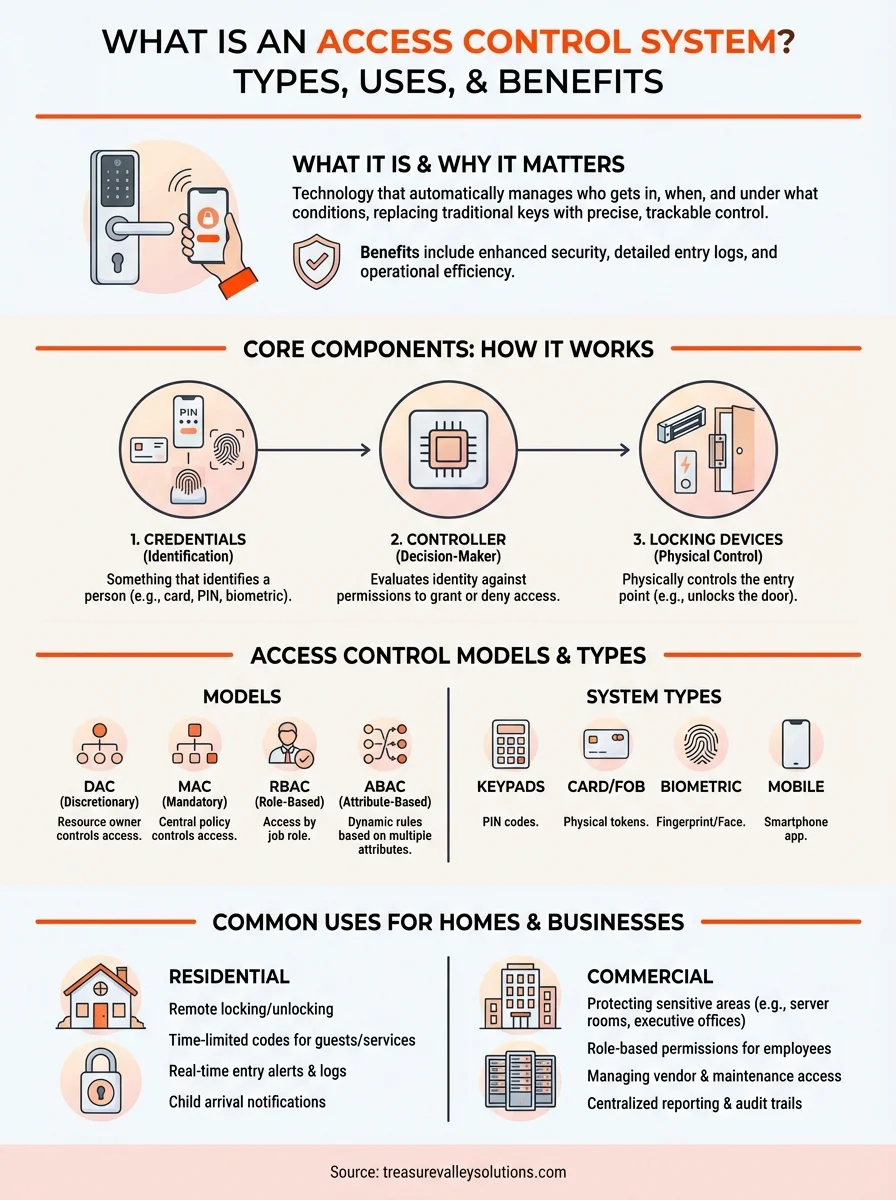
When you ask what is access control system at its core, the answer comes down to three elements working together: something that identifies a person, something that evaluates that identity, and something that physically controls the entry point. Every system, regardless of complexity, operates on this same fundamental model. Understanding how those pieces connect helps you make better decisions about what your property actually needs.
The three core components
An access control system links credentials, a controller, and a locking device to manage entry at each point you choose to protect. The credential is what a person presents to request access, whether that is a keycard, a PIN, a fingerprint, or a mobile app. The controller acts as the decision-maker: it receives the credential data, checks it against your configured list of approved users and rules, and sends a signal to either unlock or hold the door. The locking device, typically a magnetic lock or electric strike, responds to that signal in an instant.
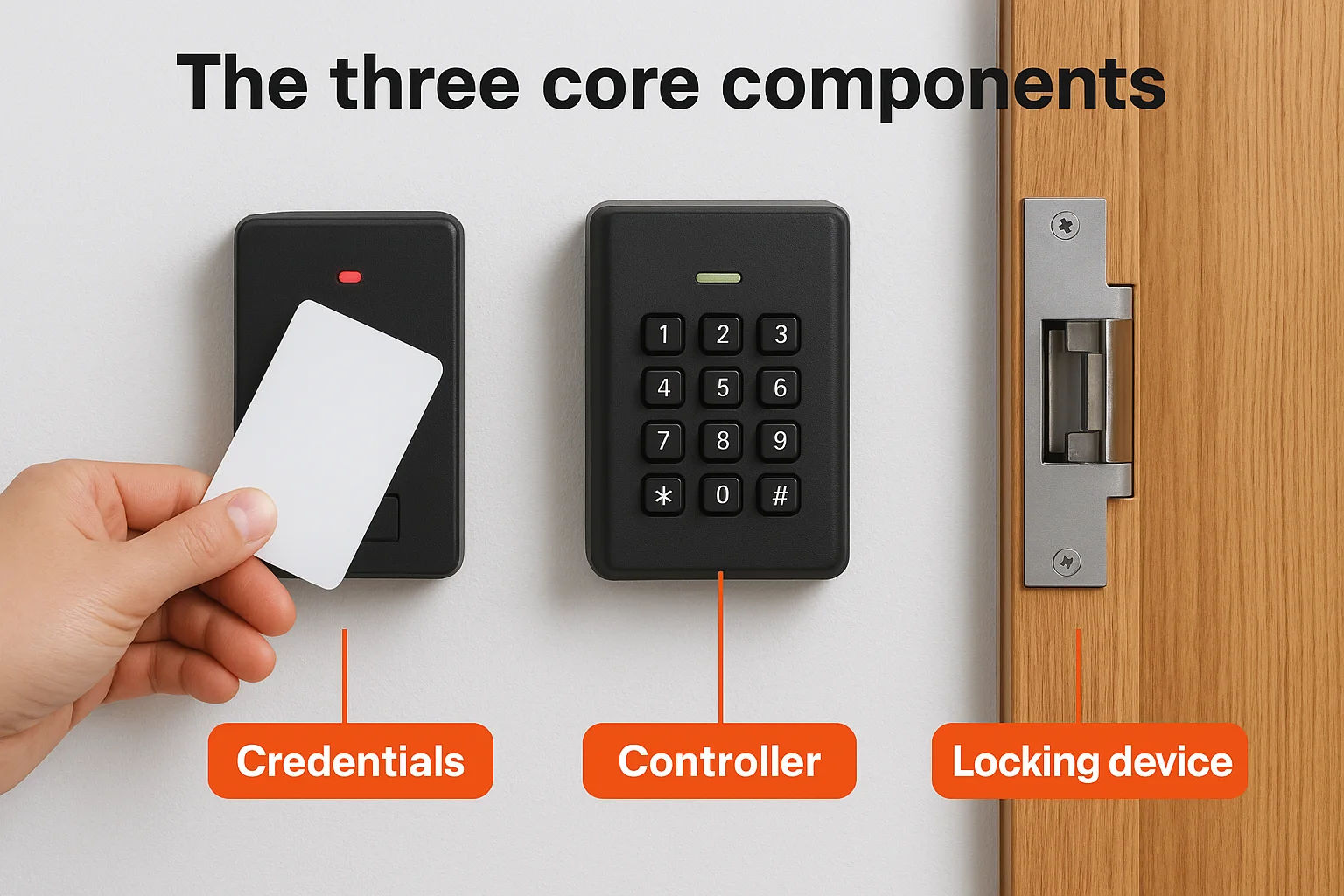
- Credentials: keycards, fobs, PIN codes, biometrics, or smartphone-based access
- Controllers: on-site hardware panels or cloud-connected platforms that process requests
- Locking devices: electric strikes, magnetic locks, and electronic deadbolts
What happens when someone requests access
The sequence happens fast, but each step is deliberate. When you present a credential, the reader captures the data and forwards it to the controller within milliseconds. The controller compares that data against your access rules, which you set based on user permissions, door assignments, and time schedules. If everything matches, the door unlocks. If it does not, the door stays secured and the attempt still gets recorded.
That log is what separates a smart access system from a standard lock: every attempt, successful or denied, creates a timestamped record tied to a specific credential.
Your system can also stack additional verification layers for restricted zones, requiring both a card and a PIN or a biometric scan before granting entry. This multi-factor setup raises the bar for anyone attempting to gain unauthorized access.
Types of access control systems and models
When people ask what is access control system, they often discover that the term covers several distinct technology types and underlying permission models. Choosing the right combination determines how seamlessly your system fits your property, your users, and your specific security requirements.
Credential-based system types
The hardware you interact with daily falls into four main categories, each suited to different environments and security levels. Keypad systems use PIN codes and work well for low-traffic entry points where you do not need individual user tracking. Card and fob readers are the most common commercial choice, offering easy credential issuance and revocation without touching the hardware. Biometric systems use fingerprints, facial recognition, or retinal scans for high-security zones where you need to verify identity directly, not just possession of a credential. Mobile-based systems turn a smartphone into the credential itself, giving users a convenient option that is hard to lose or clone.
Biometric and mobile credentials are harder to share or duplicate than a physical card, which is why high-security environments favor them over standard keycards.
Access control models
Beyond the hardware, every system runs on a permission model that defines how access rules get assigned and managed. The four most common models each take a different approach to who holds the authority to grant or restrict entry.
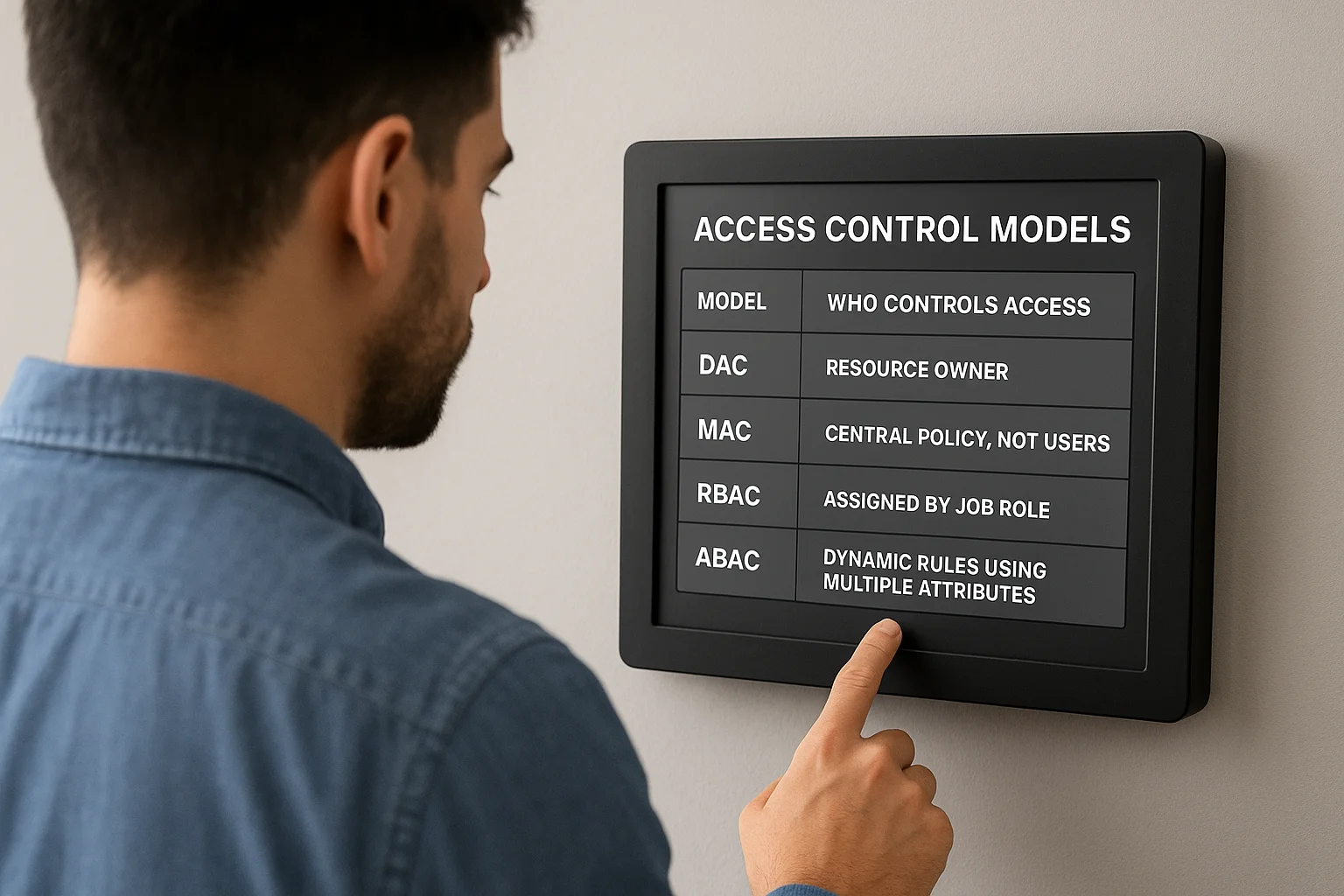
| Model | Who controls access | Best fit |
|---|---|---|
| DAC (Discretionary) | Resource owner | Small businesses, simple setups |
| MAC (Mandatory) | Central policy, not users | Government, high-security facilities |
| RBAC (Role-Based) | Assigned by job role | Most commercial and enterprise settings |
| ABAC (Attribute-Based) | Dynamic rules using multiple attributes | Complex environments, large organizations |
Role-based access control is the most practical model for most businesses and property managers because it ties permissions to what a person does, not who they are individually. When someone changes roles or leaves, you update the role assignment, and every door connected to it adjusts automatically.
Common uses for homes and businesses
Once you understand what is access control system and how it operates, the practical applications become obvious across nearly every property type. The technology scales from a single smart lock on a front door to a fully integrated network of readers covering every entrance, elevator, and server room in a commercial facility. Your specific use case shapes which features and models actually make sense.
Residential applications
Homeowners use access control to replace standard locks with credentials that can be created, shared, and revoked remotely. If you manage a short-term rental, you can issue a time-limited code to each guest and have it expire automatically at checkout without ever exchanging a physical key. For everyday household use, remote unlock and real-time entry alerts let you grant access to a delivery driver or service provider while you are away, with a full log of who entered and when.
Smart locks paired with a mobile app give you the same level of control over your front door that a commercial security team has over an office building.
Families with children or elderly relatives also benefit from access control. You can receive an instant notification when a child arrives home from school or monitor whether an aging parent has moved through the home normally, adding a layer of awareness that a standard lock simply cannot provide.
Commercial and property management applications
Businesses use access control to protect sensitive zones like server rooms, storage areas, and executive offices while keeping general spaces open to the broader team. Role-based permissions mean a new hire gets access to exactly the areas their job requires, nothing more, and you adjust or remove that access from a central dashboard the moment their role changes.
Property managers rely on the same technology to handle vendor access, maintenance schedules, and tenant permissions across multiple units or buildings without distributing physical keys. Restricting a contractor to specific floors during specific hours eliminates guesswork and keeps your liability exposure low.
How to choose and implement access control
Knowing what an access control system is gives you the foundation, but selecting and deploying the right one requires a clear process. Before you contact a vendor or pick a product, spend time mapping your property's entry points and defining who needs access to what. That inventory shapes every decision that follows, from credential type to the permission model you run.
Assess your property and define your access rules
Start by listing every entry point you want to control: exterior doors, interior zones, storage areas, and any space that holds sensitive equipment or information. For each point, decide which users or roles need access and whether any time-based restrictions apply. A contractor who works Tuesday through Friday mornings does not need weekend access, and a role-based system lets you encode that rule once rather than managing it manually every week.
The clearer your access rules are before installation, the faster your system goes live and the fewer adjustments you need to make after the fact.
Once you have your list, match the credential type to the security level each zone requires. High-traffic, low-risk entries work well with keycards or PIN pads. Restricted zones benefit from biometric verification or multi-factor requirements that raise the barrier to unauthorized entry significantly.
Choose a system that scales with your needs
A well-chosen system should handle your current footprint and grow with it. Cloud-based platforms let you add doors, users, and locations from a single dashboard without replacing core hardware. If you manage multiple properties or expect your team to expand, prioritize systems that support remote management and centralized reporting from day one.
Work with an installer who handles the full process, from design through programming and post-installation support. A system configured correctly at setup avoids the common problems that come from generic, off-the-shelf installations that treat every property the same way.
Next steps
Now that you understand what is access control system and how it functions across different properties and use cases, the next move is straightforward: assess your current entry points and identify where your existing setup leaves gaps. Think about which zones hold your most valuable assets, who actually needs access to them, and whether you have any way to verify or log that access today. Most property owners who go through that exercise quickly realize their current locks give them far less control than they assumed.
Treasure Valley Solutions designs and installs custom access control systems for homes, businesses, and property managers throughout the Boise and Meridian area. Every installation starts with a conversation about your specific property and goals, not a generic product recommendation. If you manage multiple units or a commercial facility, our Property Manager Partner Program is built specifically for your situation. Reach out and we will help you build a system that fits.
Need Expert Help?
Ready to implement these solutions in your own home or business?
Our Services

Comprehensive security solutions for home and business.

High-definition surveillance for peace of mind.
Serving the Treasure Valley
Local installation in your city