 (208) 991-3502
 Meridian, ID



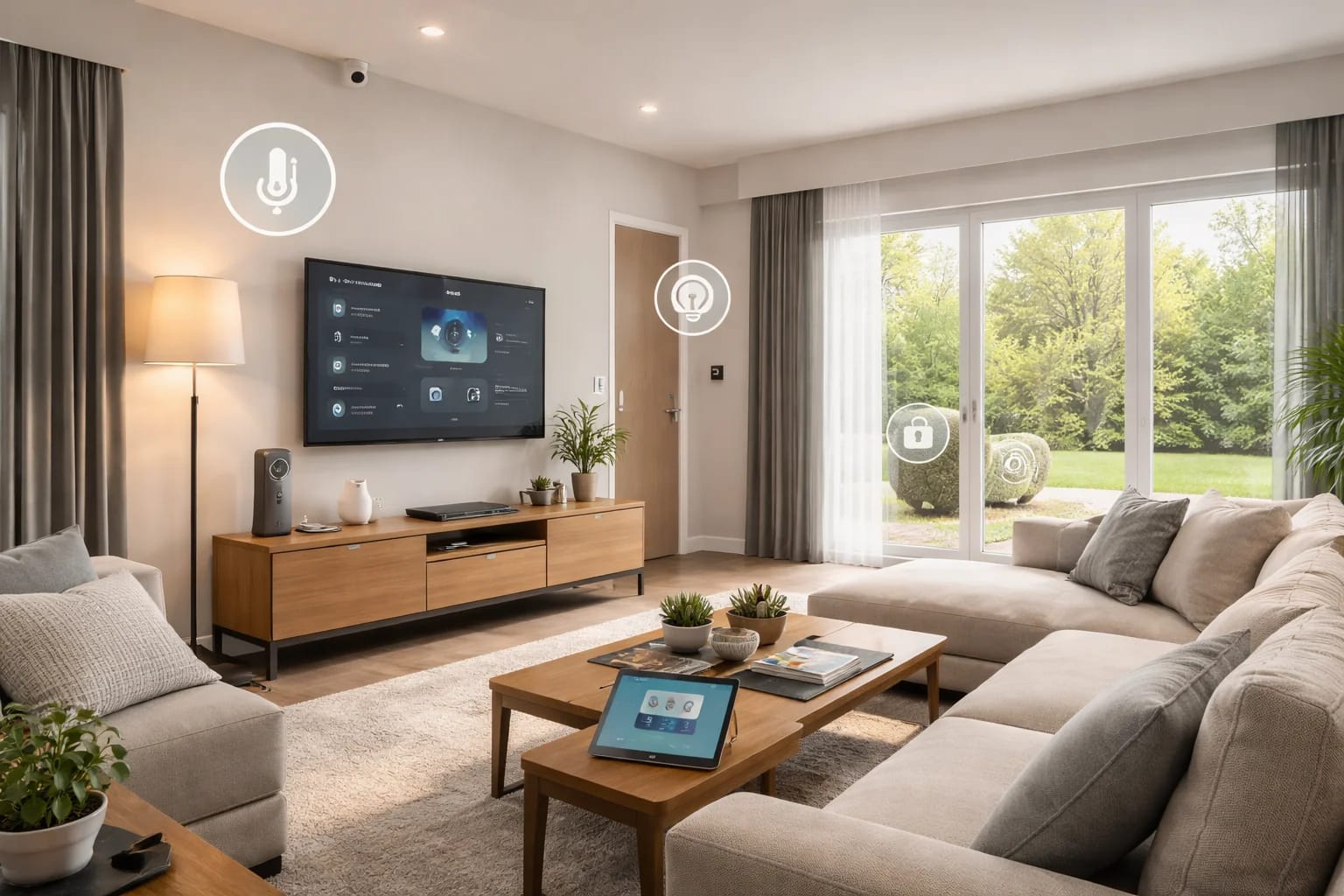

A smart home uses connected technology to automate lighting, security, comfort, and entertainment—making daily life easier, safer, and more efficient without adding complexity.
Introduction: Why Smart Homes Are Everywhere Now
The idea of a smart home has been around for decades, but only recently has it become practical, reliable, and accessible for everyday homeowners. What once felt futuristic or complicated is now quietly becoming the standard—especially in new homes and major renovations.
At its core, a smart home is not about gadgets or showing off technology. It is about designing your home so it works with you. Lights turn on when you need them. Doors lock automatically. Your home stays comfortable without constant adjustments. Security systems work in the background, giving you peace of mind without extra effort.
Understanding what a smart home really is—and what it is not—helps homeowners make better decisions, avoid costly mistakes, and plan for the future.
What Is a Smart Home?
A smart home is a house where systems such as lighting, security, climate, entertainment, and safety are connected and controlled through a centralized platform. These systems can be managed manually or automated to respond to your routines, preferences, and environment.
A true smart home focuses on integration, not individual devices. Instead of managing multiple apps and remotes, systems work together as one cohesive environment.
When designed properly, a smart home feels intuitive. The technology fades into the background, and daily life becomes smoother, quieter, and more efficient.
How Smart Homes Work: The Three Core Components
Every smart home—no matter how simple or advanced—relies on three foundational elements.
1. Connected Devices
Connected devices are the visible parts of a smart home. These include:
Smart lighting and dimmers
Thermostats and climate controls
Security cameras and alarm systems
Smart locks and doorbells
Televisions and audio systems
Sensors for motion, doors, water leaks, and temperature
These devices gather information and carry out actions based on commands or automation rules.
2. The Control System
The control system is the brain of the smart home. It allows devices to communicate with each other and be controlled from a single interface.
Control can happen through:
Wall-mounted keypads
Mobile and tablet apps
Voice assistants
Touchscreens
A professionally designed control system ensures consistency, reliability, and ease of use for everyone in the household.
3. Automation and Scenes
Automation is what separates a smart home from a collection of smart gadgets.
Automation allows your home to respond automatically to:
Time of day
Motion or occupancy
Door and window activity
Environmental changes
Custom schedules
Scenes group multiple actions into a single command. For example:
“Good Morning” adjusts lighting, opens shades, and sets the thermostat
“Away” locks doors, arms security, and reduces energy use
“Movie Night” dims lights and activates the home theater
Smart Home vs DIY Smart Devices
Many homeowners begin with DIY smart devices, such as smart plugs or Wi‑Fi light bulbs. While these products offer convenience, they do not automatically create a smart home.
DIY Smart Devices
Typically operate independently
Often rely heavily on Wi‑Fi
Require multiple apps
Limited automation and scalability
Professionally Designed Smart Homes
Devices communicate through reliable systems
One unified control interface
Designed for long-term use
Scalable as needs change
The difference becomes more noticeable as homeowners add more devices or expect higher reliability.
What Can You Control in a Smart Home?
A well-designed smart home can manage nearly every system in your house.
Lighting
Automatic schedules
Motion-activated control
Scene-based lighting for different activities
Security
Cameras and monitored alarm systems
Smart locks and video doorbells
Remote access and real-time alerts
Climate
Smart thermostats
Zoned temperature control
Energy-efficient scheduling
Entertainment
Whole-home audio
Home theaters
Seamless TV and streaming control
Window Shades
Automated privacy and daylight control
Temperature and glare management
Scheduled or sensor-based operation
Safety and Monitoring
Water leak detection
Power monitoring
Smoke and CO alerts
Are Smart Homes Hard to Use?
A properly designed smart home should be easier to use than a traditional home.
When systems are planned and installed correctly:
Controls are consistent
Automation reduces manual effort
Guests and family members can use the home easily
Complexity usually comes from poor design, not from the technology itself.
Do Smart Homes Increase Home Value?
Smart homes can increase home value when systems are professionally installed and thoughtfully integrated.
Buyers increasingly look for:
Reliable security systems
Strong internet and wiring infrastructure
Energy-efficient automation
Clean, well-documented installations
Homes with these features are often seen as more modern and future-ready.
Smart Homes for Different Lifestyles
Smart home technology adapts to different needs.
Families
Improved safety
Easier routines
Parental controls
Seniors
Fall and activity monitoring
Emergency alerts
Simple, familiar controls
Short-Term Rentals
Remote access
Automated entry
Energy management
Common Smart Home Myths
Myth: Smart homes are only for tech enthusiasts
Myth: Automation replaces manual control
Myth: Smart homes require constant maintenance
In reality, smart homes are designed to simplify life, not complicate it.
Is a Smart Home Right for You?
A smart home is about improving comfort, safety, and efficiency in ways that match your lifestyle.
Whether you start with one system or plan a fully automated home, success comes from proper planning and professional guidance.
Final Thoughts
A smart home should feel natural, reliable, and easy to live with. When technology is designed around people—not products—it quietly enhances everyday life.
Understanding the fundamentals helps homeowners make informed decisions and build homes that are ready for both today and tomorrow.
Need Expert Help?
Ready to implement these solutions in your own home or business?
Our Services

Complete home automation and control.

Intelligent lighting control and automation.
Serving the Treasure Valley
Local installation in your city