 (208) 991-3502
 Meridian, ID



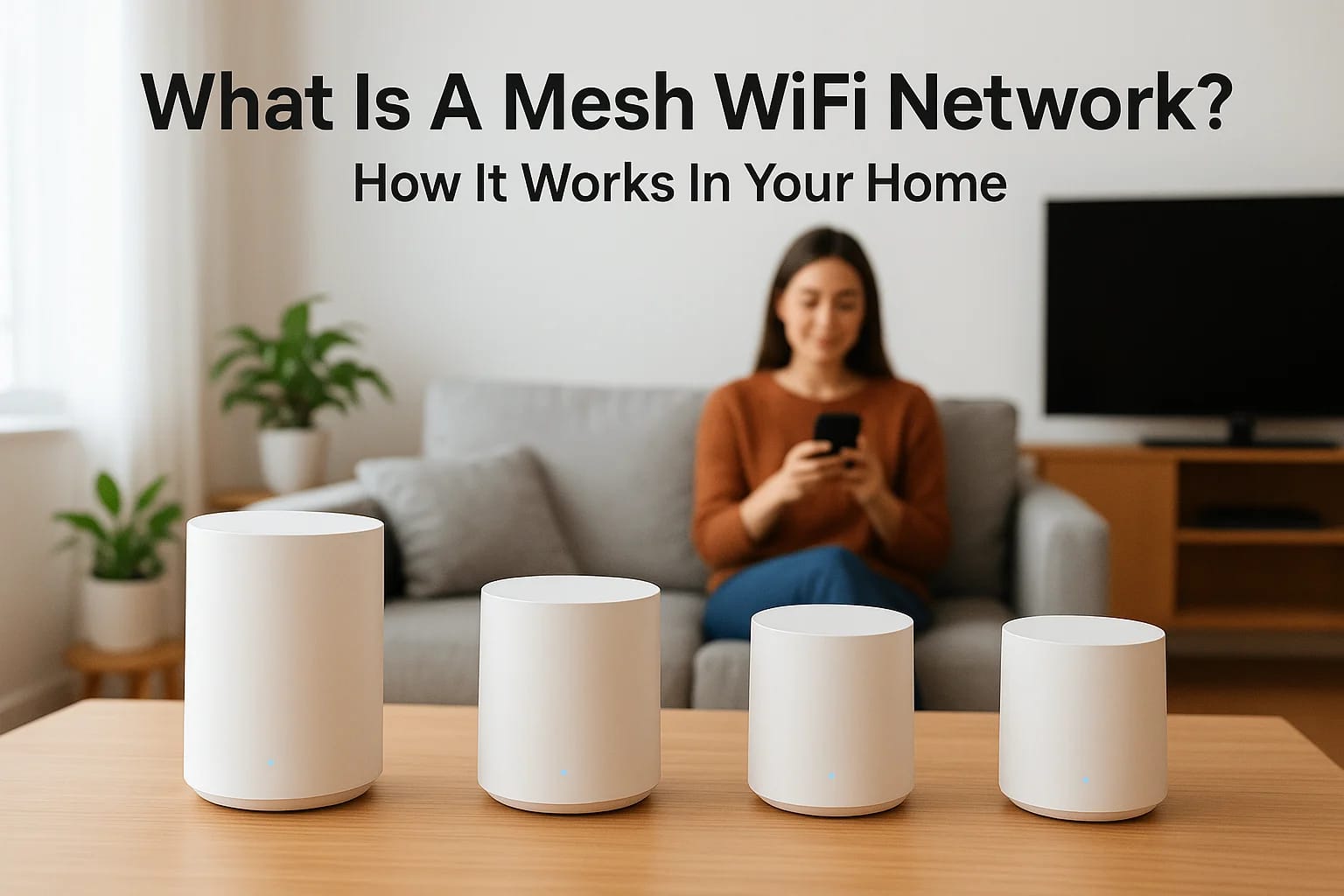

You've probably noticed it yourself, WiFi works great in the living room, but the moment you step into a back bedroom or out onto the patio, the signal drops. Buffering videos, failed smart lock comma...
You've probably noticed it yourself, WiFi works great in the living room, but the moment you step into a back bedroom or out onto the patio, the signal drops. Buffering videos, failed smart lock commands, security cameras going offline. If you've ever searched what is a mesh WiFi network, chances are you're dealing with exactly this kind of frustration. The good news: mesh WiFi exists to solve it, and it does so in a way that's fundamentally different from the traditional router sitting on your desk.
At Treasure Valley Solutions, we design and install connected technology systems across homes in the Boise and Meridian area, everything from smart lighting and whole-home audio to security cameras and voice control. Every one of those systems depends on a strong, reliable WiFi backbone. That's why we talk about mesh networking with our clients constantly: it's the foundation that makes smart home technology actually work the way it should.
This article breaks down how mesh WiFi works, how it compares to a standard router setup, and how to tell whether it's the right fit for your home. We'll keep it practical, no jargon dumps, no filler, just what you need to make a confident decision about your home network.
Why mesh WiFi matters in real homes
Most homes weren't built with WiFi in mind. Walls, floors, large appliances, and physical distance all chip away at signal strength the moment it leaves your router. The further a device sits from that single source, the weaker and less reliable the connection becomes. If you live in a two-story house, a home over 1,500 square feet, or a property with thick concrete or brick walls, a single router almost certainly creates weak spots somewhere in your space. Those weak spots aren't just annoying for streaming. They cause real problems when you're running smart home technology that depends on constant connectivity.
Dead zones hit harder than you think
A dead zone isn't just a place where your phone loads slowly. It's where your smart doorbell misses an alert, your security camera drops offline, or your voice assistant stops responding in the middle of a command. When clients ask us what is a mesh WiFi network, the situation is almost always the same: something in their home stopped working reliably, and the WiFi signal is the culprit. Dead zones are the single most common reason smart home systems underperform, and they're more predictable than most people expect once you understand how radio signals move through a building.
If your home has more than one floor, a detached garage, a backyard patio, or rooms far from your router, you almost certainly have coverage gaps affecting your devices right now.
Why smart homes demand more from your network
Smart home technology has fundamentally changed what your WiFi needs to handle. A decade ago, you might have had a laptop and a phone on your home network. Today, the average connected home runs 15 to 25 devices simultaneously, including thermostats, lights, smart locks, cameras, speakers, and televisions. Every one of those devices needs a stable, low-latency connection to function correctly. A spotty signal doesn't just slow things down. It causes devices to drop off the network entirely, respond with delays, or fail to talk to each other.
Security cameras require consistent upload bandwidth to record and send footage. Smart locks and access control systems need instant response times to work safely. Whole-home audio depends on a reliable signal in every room where you have a speaker. None of that works well when your network has gaps. A strong WiFi foundation isn't optional in a well-designed smart home. It's the baseline that every other connected system depends on.
How a mesh WiFi network works
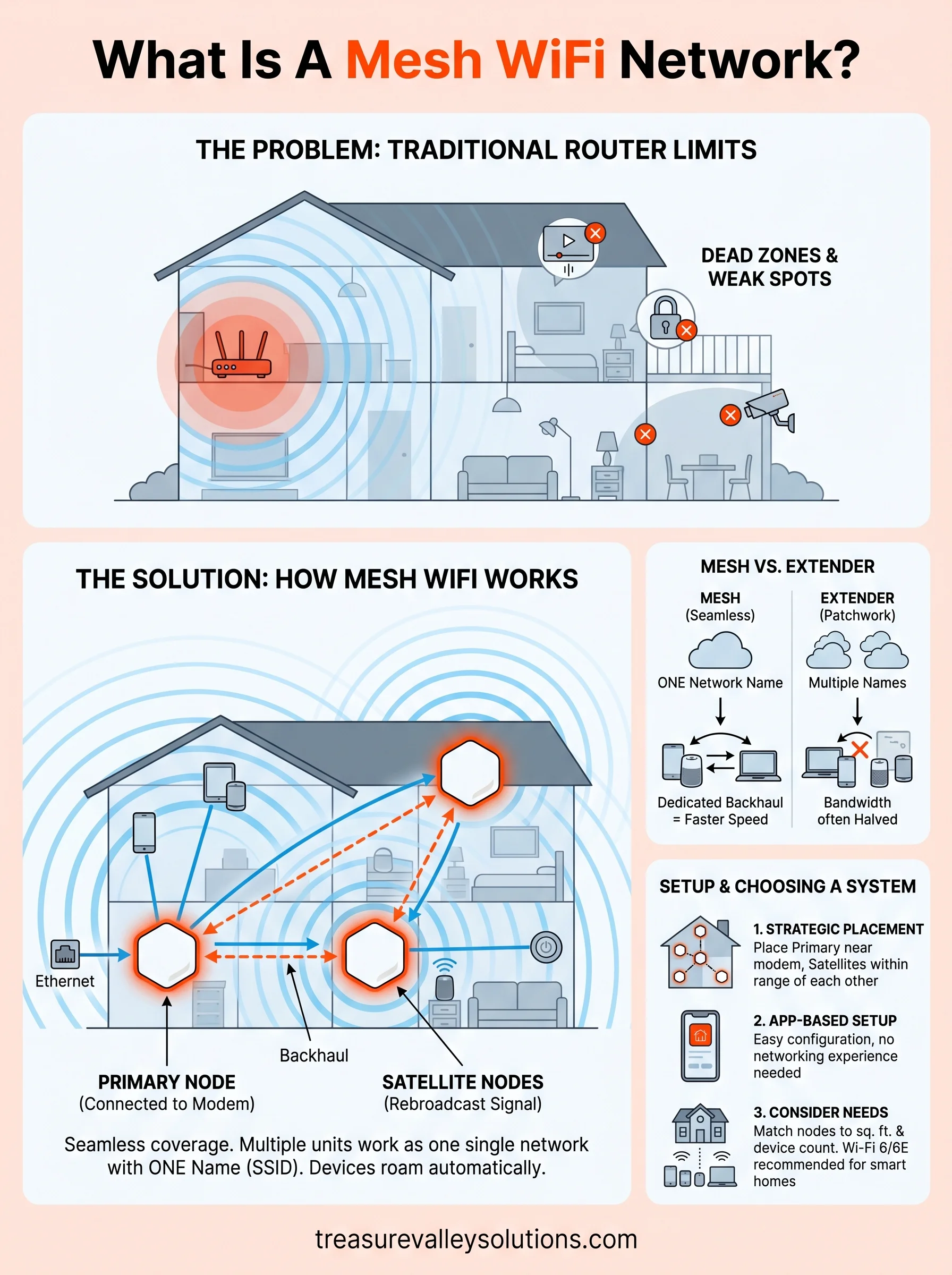
When people ask what is a mesh WiFi network, the short answer is this: a mesh system uses multiple hardware units that work together as a single network rather than competing access points. One unit connects directly to your modem and acts as the primary node. The rest, called satellite nodes or access points, spread throughout your home and communicate wirelessly with each other to extend coverage seamlessly.
The primary node and satellite nodes
Your primary node handles the internet connection from your modem. The satellite nodes you place in other rooms pull the signal from the primary node and rebroadcast it, filling in the gaps your router alone cannot reach. Each node talks to the others on a dedicated wireless channel, which means the backhaul traffic between nodes doesn't compete with the traffic your devices use to browse, stream, or trigger a smart lock.
The key difference from a single router is that all nodes in a mesh system share one network name (SSID), so your devices stay connected automatically as you move from room to room.
How devices connect and roam
Your phone, tablet, or smart home device connects to whichever node gives it the strongest signal at any given moment. This handoff happens automatically in the background, without you switching networks or reconnecting manually. For smart home systems, this seamless roaming matters because devices like cameras, thermostats, and smart locks hold stable connections even in rooms far from your main modem.
Practically speaking, your network behaves like one large, continuous zone rather than a patchwork of separate signals. You get consistent, reliable performance whether you're in the kitchen, a back bedroom, or out on the patio.
Mesh WiFi vs router vs extender
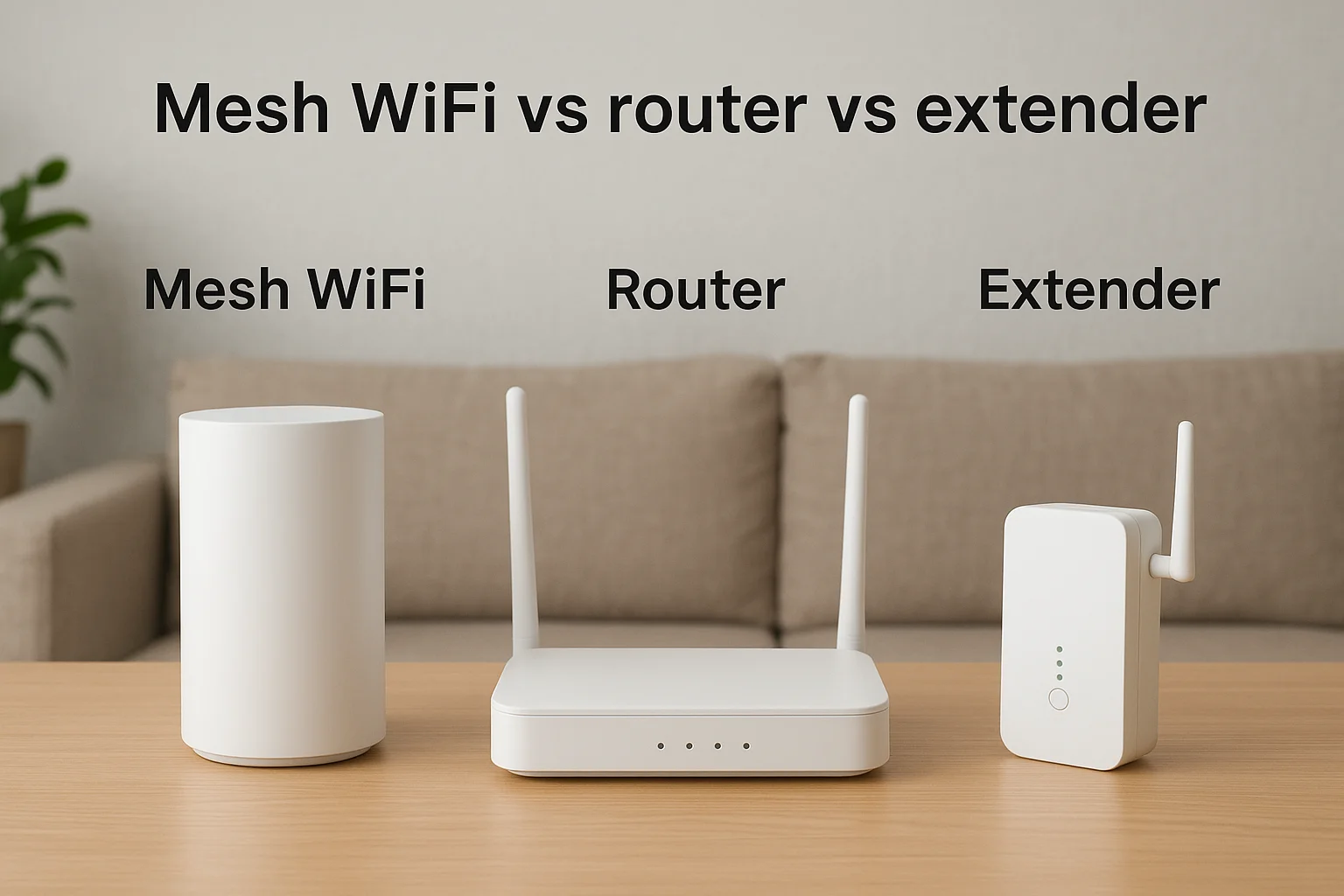
Understanding what is a mesh WiFi network gets easier when you line it up against the other options. A single router broadcasts from one fixed point and loses strength as the signal travels through walls and distance. A WiFi extender rebroadcasts that signal from a second location to push coverage further, but it comes with real trade-offs in speed and network management.
Single router limitations
A traditional router works well in a small apartment or a compact single-story home where every room sits within a short distance of the hardware. In larger spaces, walls, floors, and distance cause the signal to fall off quickly. Devices near the edge of the router's range compete for a weak connection, and that creates slowdowns and dropped connections across everything on the network.
Larger homes with multiple floors or rooms far from the modem nearly always develop dead zones with a single router. There's no way to extend the signal without adding a second piece of hardware, and a single router gives you no flexibility to scale as your device count grows.
What WiFi extenders actually do
Extenders pick up your router's signal and rebroadcast it from a halfway point. The problem is that most extenders cut your usable bandwidth by roughly half because they use the same radio channel to receive and transmit at the same time. You also end up with a separate network name, so your devices don't automatically hand off as you move through your home.
Mesh systems solve both issues by using a dedicated backhaul channel between nodes and sharing one network name across your entire home.
How to set up mesh WiFi in your home
Now that you understand what is a mesh WiFi network and how it works, the actual setup is more straightforward than most people expect. Most systems ship with a companion app that walks you through the entire process step by step, from plugging in your primary node to adding satellites. You don't need prior networking experience to get a basic system running in your home.
Place your nodes strategically
Node placement makes or breaks your coverage. Position your primary node close to your modem, typically in a central room or near your home's main entry point for the internet connection. Place satellite nodes within a reasonable distance of each other so they maintain a strong backhaul signal between them. A good rule of thumb: each node should be able to reach at least one other node without more than one or two walls in between.

Placing a node too far from its nearest neighbor weakens the connection between them, which reduces speeds across your entire network even in rooms close to other nodes.
Connect and configure
Once you position your nodes, the setup process runs through your mesh system's app. You'll connect the primary node to your modem with an Ethernet cable, power on each satellite node, and follow the in-app prompts to bring them online. Most systems complete full setup in under 30 minutes.
The app handles the core configuration automatically, including:
- Network name and password setup
- Node placement verification
- Device prioritization settings
After setup, your devices connect to the single network name and roam seamlessly between nodes as you move through your home.
How to choose the right mesh system
Once you understand what is a mesh WiFi network, choosing the right system comes down to your home's square footage, your total device count, and your smart home requirements. Buying more coverage than you need wastes money, and buying too little leaves you with the same dead zones you started with. Taking a few minutes to assess your space before you purchase saves you from returning hardware or adding nodes after the fact.
Match coverage to your square footage
Most mesh systems list a maximum coverage area on the packaging or product page. Treat that number as a generous estimate, not a guarantee. Walls, floors, and physical interference reduce real-world coverage below the listed spec. For a home around 2,000 square feet, a two-node system typically handles the space well. Homes above 3,000 square feet, or those with multiple floors, usually need at least three nodes to maintain solid performance in every room.
If your home has a detached garage, a finished basement, or an outdoor patio where you use connected devices, count those spaces when calculating the total coverage you need.
Consider your device count and smart home needs
Device count matters more than most buyers expect. If you run a full smart home setup with cameras, locks, lights, speakers, and thermostats, you need a system rated for high device loads. A budget two-node system built for a small apartment will struggle in a home running 30 or more connected devices, even if the physical coverage area looks adequate on paper.
Your best option is a system that supports Wi-Fi 6 or Wi-Fi 6E, which handles more simultaneous connections more efficiently than older standards. Tri-band systems with a dedicated backhaul channel between nodes keep your device traffic fast and separate from the node-to-node communication running behind the scenes.
Next steps for stronger WiFi coverage
Now that you understand what is a mesh WiFi network and how it works in your home, the next move is straightforward: assess your current setup honestly. Walk your home and note where signals drop, where smart devices go offline, and where your coverage feels unreliable. Those gaps are your starting point, not an obstacle.
If you're planning a new smart home system or upgrading an existing one, your network needs to be part of that conversation from the beginning. A professionally designed system accounts for your layout, device count, and coverage requirements before a single device gets installed. That planning is what separates a smart home that works from one that frustrates you daily.
Ready to see what a well-planned connected home looks like? Browse examples of our smart home installations to find out how we've built reliable, fully integrated systems for homeowners across the Treasure Valley.
Need Expert Help?
Ready to implement these solutions in your own home or business?
Our Services
Future-proof fiber optic infrastructure.

Complete home automation and control.
Serving the Treasure Valley
Local installation in your city