 (208) 991-3502
 Meridian, ID



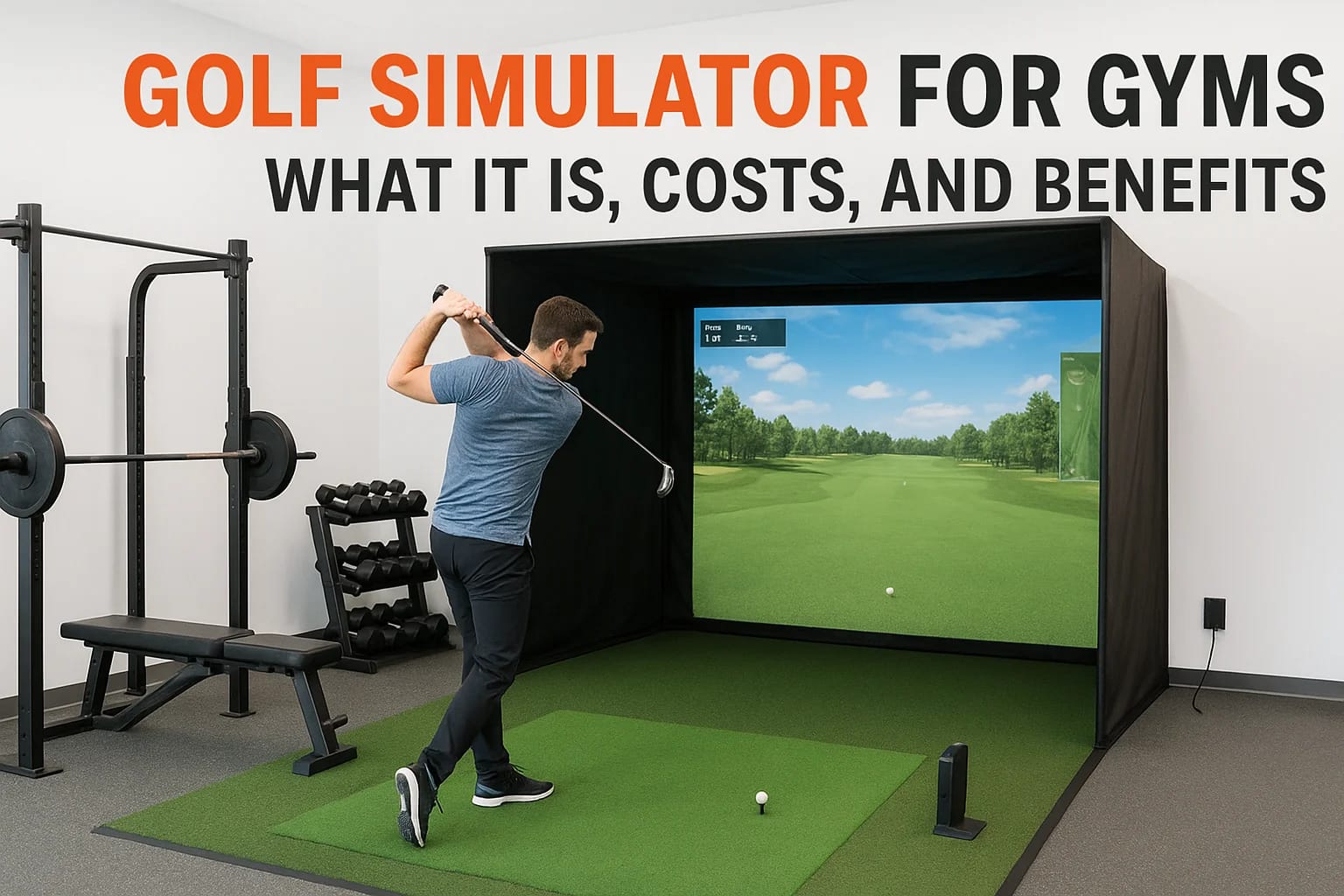

If you run a gym in Boise, Meridian, or anywhere in the Treasure Valley, you have probably noticed members asking for more than treadmills and free weights. A golf simulator for gyms gives you a way t...
If you run a gym in Boise, Meridian, or anywhere in the Treasure Valley, you have probably noticed members asking for more than treadmills and free weights. A golf simulator for gyms gives you a way to add year-round golf practice without building a range, and it turns an underused corner of your facility into a revenue driver members will pay extra for.
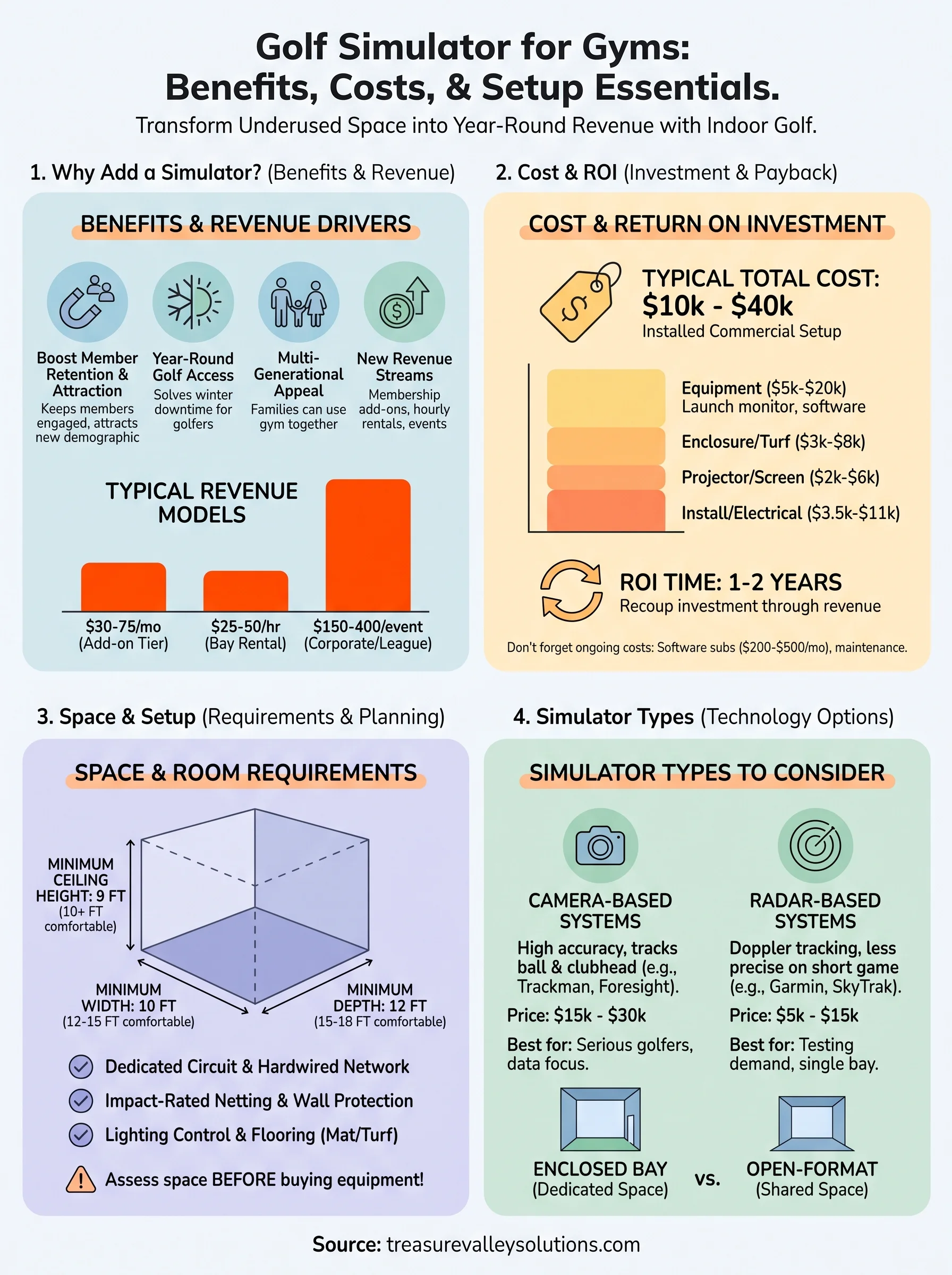
At its core, a gym golf simulator is a projector, launch monitor, and screen setup that tracks ball flight and swing data indoors, letting members play virtual rounds or work on their swing regardless of weather. Costs vary widely depending on launch monitor accuracy and screen size, but most commercial setups land between $10,000 and $40,000 installed, with membership add-ons or hourly bay rentals helping owners recoup that investment within a year or two.
This article breaks down exactly what a golf simulator setup includes, what you can expect to spend on equipment and installation, and the real benefits for fitness facilities looking to attract golfers, retain members, and open a new income stream. We will also cover space and connectivity requirements so you know what your building needs before you commit to a bay.
Why golf simulators are a smart addition to gyms
Gyms live and die by member retention, and a golf simulator gives you a sticky amenity that keeps people renewing instead of shopping around. Idaho winters shut down outdoor ranges for months at a time, so golfers in Boise, Meridian, and Eagle are hungry for a place to keep their swing sharp between November and March. A gym that installs even one bay solves that problem and becomes the default answer when a member asks, "where can I hit balls tonight?"
A revenue stream that doesn't compete with your floor space
Most gyms already have an underused room, an old racquetball court, or a corner that never gets busy during peak hours. A golf simulator turns that square footage into billable time instead of dead weight. You can charge in a few different ways depending on your membership structure and how much staff oversight you want to provide.
| Revenue model | Typical price | Best for |
|---|---|---|
| Membership add-on tier | $30 to $75 per month | Gyms wanting predictable recurring revenue |
| Hourly bay rental | $25 to $50 per hour | Facilities open to non-member walk-ins |
| League or corporate event rental | $150 to $400 per event | Filling slow weeknights or off-hours |
A single golf simulator bay can generate more monthly revenue per square foot than almost any other gym amenity.
That's not an exaggeration when you run the math. A 200-square-foot simulator bay booked for even 15 hours a week at $35 an hour brings in over $2,000 a month, which beats most cardio equipment on a dollars-per-square-foot basis by a wide margin.
Attracting a demographic your gym probably isn't reaching
Golfers skew toward higher household incomes, and many of them aren't currently gym members because they don't see a reason to join. Adding a simulator changes that calculation instantly. You're no longer just a place to lift weights, you're a place where a golfer can get a workout in and then spend twenty minutes working on their short game before heading home. That combination is hard to find anywhere else in the Treasure Valley, and it's exactly the kind of differentiated offering that shows up in Google searches and word-of-mouth referrals alike.
Families benefit too. Parents who golf can bring teenagers along for a lesson while younger kids use the gym's other amenities, turning a single visit into a multi-generational outing. That kind of flexibility is a big reason golf simulators have become a fixture in higher-end fitness clubs across the country, not just as a novelty but as a legitimate member acquisition tool.
Standing out in a crowded local market
The Treasure Valley has no shortage of gyms, but very few offer indoor golf. That gap is your opportunity. Once one facility in Boise or Meridian adds a simulator, competitors scramble to catch up, and being first gives you a marketing story that writes itself: press coverage, social media buzz, and a genuine reason for local golf leagues to hold their winter events at your facility instead of a dedicated golf entertainment venue.
Owners who've made the jump report that the simulator becomes a talking point in every tour they give prospective members, often closing the sale on its own. It's the kind of amenity a prospective member remembers when comparing your gym against three others down the road, and that memory translates directly into signed contracts.
Keeping current members engaged longer
Retention matters more than acquisition for most gym owners, and a golf simulator gives existing members another reason to show up on days they might otherwise skip. Instead of losing motivation after a plateau in their fitness routine, they can break up the monotony with a round of virtual golf, which keeps their overall gym visits, and their subscription, active. Gyms that pair strength training with recreational amenities like this consistently report longer average membership tenures, which is the single biggest lever for improving lifetime member value.
How to add a golf simulator to your gym
Getting a golf simulator for gyms up and running is less complicated than most owners expect, but skipping steps costs you money later. The process breaks down into four stages: assessing your space, picking equipment, hiring the right installer, and planning your launch to members. Rushing the first step is the most common mistake gym owners make, since a room that looks big enough on paper often isn't once you account for swing clearance and screen distance.
Start with a facility assessment
Before you buy anything, walk your space with a tape measure and check ceiling height, wall material, and electrical access. Ceiling height below 9 feet rules out most swings for taller golfers, and concrete or brick walls need extra planning for mounting screens and enclosures. You also need at least one dedicated circuit for the projector and launch monitor, plus reliable Wi-Fi if your software pulls course updates or leaderboard data.
Pick equipment that matches your member base
Once you know your space works, match the launch monitor and simulator package to how your members will actually use it. A gym focused on quick swing checks between workouts doesn't need the same setup as one building a lounge for full 18-hole rounds. This is where a needs assessment pays off, since overbuying features nobody uses wastes budget you could put toward a second bay later.
Hire a licensed integrator instead of a DIY kit
Most gym owners underestimate how much work goes into a clean install: running conduit, calibrating the launch monitor, tuning projector alignment, and testing the enclosure netting under real swing conditions. A professional integrator handles all of that in a few days instead of the weeks it takes to troubleshoot a big-box kit yourself.
The gyms that get the most from their simulator are the ones that treat installation as a system to be engineered, not a box to unpack.
Questions worth asking any installer before you sign a contract:
- Do you carry liability insurance for commercial installs?
- Can you show a completed gym or commercial installation nearby?
- What's the warranty on the launch monitor and projector?
- Who handles software updates and troubleshooting after install?
- How long does a typical bay take from signed contract to opening day?
Plan your member rollout
Time your launch around a slow season or a membership drive so the simulator gets immediate visibility. Send a message to your email list, post before-and-after photos of the build, and offer a free hour to your top-tier members during the first week. Staff should also get comfortable running the software before members show up, since nothing kills excitement faster than a bay that's down on opening day.
Types of golf simulators to consider for your gym
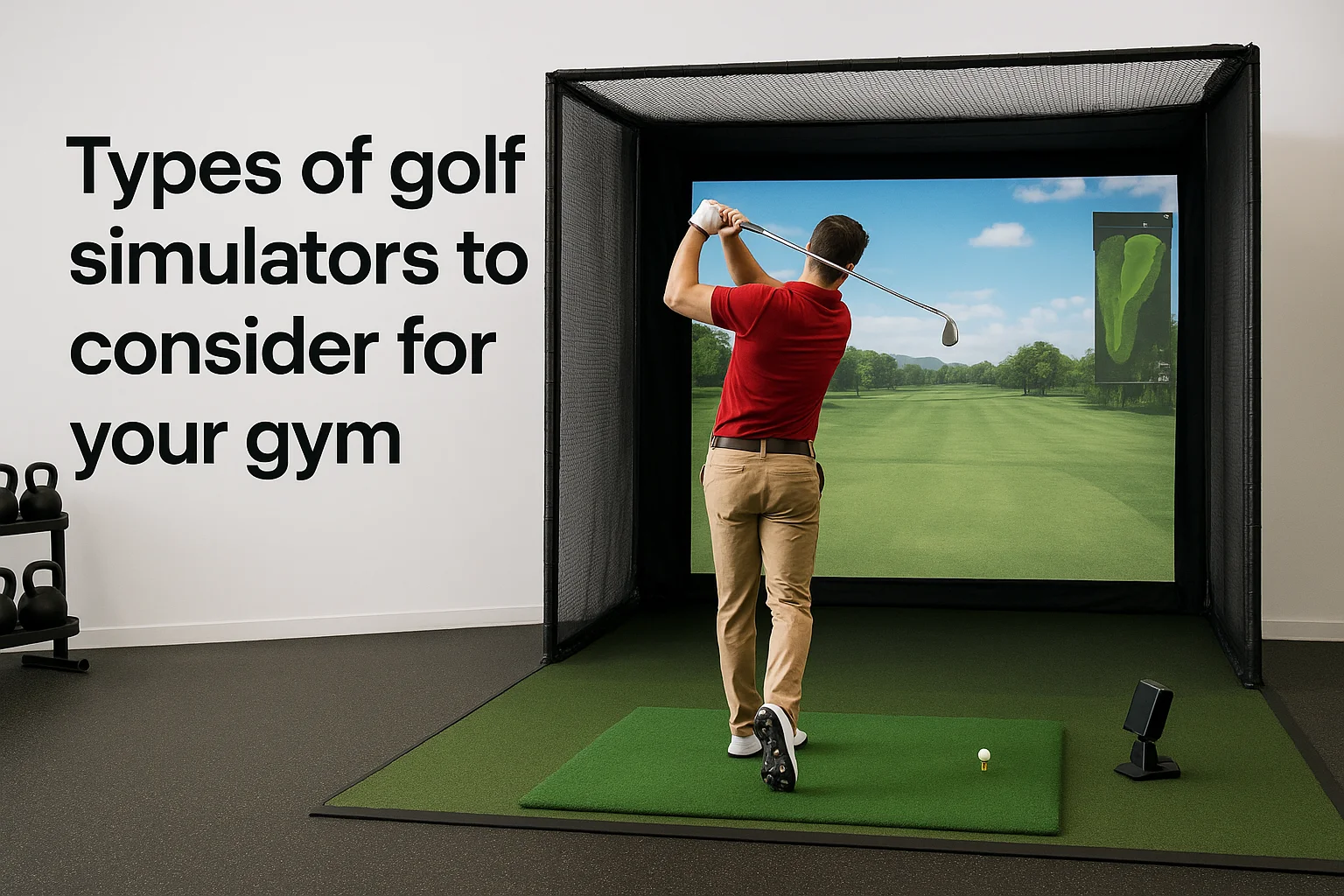
Not every simulator package fits every gym, and picking the wrong category means either overspending on features nobody uses or installing something members outgrow in a year. Entry-level and premium systems differ mostly in launch monitor accuracy, screen quality, and how many golfers can use the bay at once, so matching the type to your member base matters more than chasing the flashiest specs.
Camera-based launch monitor systems
Camera systems track the ball and clubhead through high-speed imaging, and they've become the standard choice for gyms because they balance accuracy with a reasonable price point. Brands like Trackman and Foresight Sports dominate this category, and both hold up well under the repeated daily use a commercial bay demands. These systems work well for gyms that want members to trust the data enough to actually improve their swing, not just swing for fun.
Radar-based systems
Radar units track ball flight using Doppler technology similar to what's used in FAA-regulated tracking systems, and they tend to cost less upfront than premium camera setups. Garmin's Approach R10 and similar radar units are popular for gyms testing the waters with a single bay before committing to a bigger buildout. The tradeoff is slightly less precision on short game shots, which matters if your members care about wedge distances more than driver numbers.
Full swing bay enclosures vs. open-format setups
Some gyms build a fully enclosed bay with netting, turf, and a hitting mat, while others opt for an open-format room that doubles as a golf space and a general practice or stretching area. Enclosed bays protect your walls and equipment but take up dedicated square footage full time. Open formats save space but limit how often the room gets used for golf specifically, since you're sharing it with other gym functions.
| Simulator type | Approximate equipment cost | Best fit |
|---|---|---|
| Camera-based (Trackman, Foresight) | $15,000 to $30,000 | Gyms prioritizing data accuracy and serious golfers |
| Radar-based (Garmin, SkyTrak) | $5,000 to $15,000 | Gyms testing demand with a single bay |
| Enclosed dedicated bay | Add $3,000 to $8,000 to equipment cost | Facilities with a spare room or unused court |
| Open-format shared space | Minimal added cost | Gyms without room for a dedicated bay |
Choosing the right simulator type isn't about buying the most expensive option, it's about matching accuracy and format to what your members will actually use.
Whichever direction you choose, plan for growth. A radar-based single bay today can become a second camera-based bay in eighteen months if demand holds, and building your electrical and network infrastructure with that expansion in mind saves you a second round of construction costs later.
How much does a golf simulator cost for a gream a gym
Budgeting for a golf simulator for gyms means looking past the sticker price on a launch monitor and accounting for every line item that gets it running for members. Most commercial installs land between $10,000 and $40,000, but where you fall in that range depends on equipment tier, room modifications, and how much you outsource versus handle in-house. Owners who only budget for the projector and mat almost always get surprised by the electrical, networking, and construction costs that show up once installation actually starts.
Breaking down the real cost categories
Equipment is only one piece of the total spend, and gym owners often underestimate how much the surrounding infrastructure adds to the final invoice. A realistic budget separates hardware from labor and site prep so you can see where the money actually goes.
| Cost category | Typical range | Notes |
|---|---|---|
| Launch monitor and simulator software | $5,000 to $20,000 | Radar units cost less than premium camera systems |
| Projector and screen | $2,000 to $6,000 | Higher lumens needed for rooms with ambient light |
| Enclosure, netting, and turf | $3,000 to $8,000 | Skip this for open-format shared rooms |
| Electrical and network upgrades | $1,500 to $5,000 | Depends on existing panel capacity |
| Professional installation labor | $2,000 to $6,000 | Varies by room complexity and integrator rates |
Ongoing costs most owners forget
Gyms budgeting only for the initial install often skip past the recurring expenses that keep a bay profitable long term. Software subscriptions for course libraries and swing analytics typically run $200 to $500 a month, and you should also plan for annual projector bulb replacement, netting repairs from mishit shots, and periodic recalibration after heavy use.
The gyms that budget for ongoing software and maintenance costs upfront are the ones that avoid an unpleasant surprise six months after opening.
How fast the investment pays for itself
Recovering your investment depends entirely on utilization, but the math works in your favor faster than most fitness equipment purchases. A single bay generating $2,000 a month in add-on membership fees or hourly rentals pays back a $25,000 installation in about thirteen months, and every month after that is close to pure margin against maintenance costs.
Setting realistic expectations before you sign a contract also protects you from underpricing your own service. A quick pre-purchase checklist keeps costs from spiraling:
- Get quotes from at least two licensed integrators before committing
- Ask whether electrical and network upgrades are included in the quote
- Confirm what's covered under warranty versus what counts as a service call
- Build a 10 to 15 percent contingency into your budget for unexpected room prep
Working through these numbers before construction starts gives you a clear picture of your break-even point, which matters more for long-term profitability than the sticker price on any single piece of equipment.
Space and room requirements for an indoor setup
Getting the room right matters more than any single piece of equipment you buy. A golf simulator for gyms only works if the space can safely handle a full swing, absorb mishit shots, and keep the projector image clean under gym lighting. Skip this step and you'll end up retrofitting walls or moving the bay entirely, which costs more than getting it right the first time.
Minimum ceiling height and room dimensions
Most golf simulator manufacturers recommend at least 9 to 10 feet of ceiling clearance, since taller golfers and steep swing planes need room above the clubhead at the top of the backswing. Width and depth matter just as much as height, and skimping on any dimension limits who can actually use the bay comfortably.
| Dimension | Minimum | Comfortable |
|---|---|---|
| Ceiling height | 9 feet | 10+ feet |
| Room width | 10 feet | 12-15 feet |
| Room depth (hitting to screen) | 12 feet | 15-18 feet |
A cramped bay drives members away faster than any equipment problem ever will.
Builders sometimes assume an old racquetball court or storage room automatically qualifies, but low ductwork, sprinkler heads, or support beams can eat up clearance you thought you had. Measure at the exact spot where a golfer will stand, not just the room's tallest point.
Flooring, wall protection, and lighting control
Concrete floors work fine as a base, but you'll still need a hitting mat rated for repeated commercial use and turf that matches the feel golfers expect from an outdoor lie. Walls facing the swing path need protection too, since even careful golfers occasionally shank a shot hard enough to dent drywall.
- Install impact-rated netting on side and rear walls, not just behind the screen
- Use matte, dark paint or curtains to cut glare on the projector image
- Add blackout shades if the room has windows facing the hitting area
- Choose flooring that drains or wipes clean, since sweat and spilled drinks are inevitable in a gym setting
Noise matters here too. A simulator enclosure dampens the sound of impact for members lifting weights nearby, which keeps the golf bay from becoming a distraction elsewhere in your facility.
Electrical and connectivity needs
Beyond swing clearance, your room needs a dedicated electrical circuit for the projector, launch monitor, and any audio components, plus a hardwired network connection instead of relying on gym Wi-Fi that might drop during a busy class schedule. Running conduit before drywall goes up saves you from cutting into finished walls later, so loop your integrator in during the design phase rather than after construction starts.
Choosing the right technology and features
Picking the right tech stack for a golf simulator for gyms comes down to matching software depth and connectivity to how your members actually want to play, not to whichever demo impressed you at a trade show. Gyms that overspend on tour-level graphics while skimping on reliable networking end up with a flashy bay that freezes mid-round, which frustrates members faster than a bare-bones setup ever would.
Software and course libraries
Every major launch monitor pairs with its own software ecosystem, and the course library size varies enormously between brands. Some platforms ship with a handful of virtual courses and swing-analysis tools, while others offer hundreds of licensed courses plus League play modes members can join from home and finish at your gym. Ask your integrator which software subscription tier unlocks multiplayer and league features, since that's usually what keeps members coming back weekly instead of using the bay once and forgetting about it.
The software your members interact with matters more to their experience than the launch monitor sitting behind the screen.
Connectivity and data accuracy
Accuracy claims vary by brand, and it's worth checking manufacturer specs against independent testing rather than marketing copy alone. The PGA of America has published guidance on launch monitor use in coaching settings that's useful background if you're marketing the bay as a training tool, not just entertainment. Beyond accuracy, your network setup determines whether course updates and leaderboard syncing happen instantly or lag during peak gym hours, so a hardwired connection beats relying on shared Wi-Fi every time.
Audio-visual and member experience add-ons
Sound and screen quality shape how immersive the bay feels, and a few add-ons make a noticeable difference without blowing your budget:
- 4K short-throw projector instead of standard HD for sharper course graphics
- Built-in speakers or a soundbar synced to swing feedback and course ambiance
- A tablet mount for scorekeeping apps or live leaderboards during league nights
- Adjustable lighting so daytime members and evening members both get a clean image
Deciding between tiers is easier when you compare what each feature level actually delivers:
| Feature tier | What's included | Best for |
|---|---|---|
| Basic | Radar unit, standard projector, single course package | Single-bay gyms testing demand |
| Mid-range | Camera-based monitor, 4K projector, expanded course library | Gyms building a dedicated golf membership tier |
| Premium | Tour-level accuracy, multi-bay networking, league software | Facilities positioning golf as a signature amenity |
Whatever tier you land on, confirm your equipment supports firmware updates remotely, since a technician visit for every software patch adds cost and downtime you don't need.
Keeping your gym's simulator running smoothly
A golf simulator for gyms only stays profitable if it stays running, and downtime during peak hours costs you both revenue and member trust. Building a simple maintenance routine from day one prevents the small issues, a loose net anchor, a dusty lens, a stale calibration, from turning into a bay that's closed for a week while you wait on a technician.
Build a maintenance checklist your staff actually follows
Gyms that treat the simulator like any other piece of equipment on a maintenance log tend to avoid the worst breakdowns. Daily checks take less than five minutes, but they catch problems before a member does.
- Wipe the launch monitor lens or sensor window before opening hours
- Check netting and turf for loose seams or worn spots
- Confirm the projector image is sharp and aligned, not just powered on
- Test connectivity to course software before the first booking
- Log any error messages or performance issues for your integrator
Schedule calibration and software updates on a set cadence
Rather than waiting for a member to complain about inaccurate yardages, put calibration on your calendar the same way you'd schedule equipment inspections elsewhere in the gym. Monthly recalibration keeps launch monitor data trustworthy, and software updates should run during closed hours so a mid-round crash never happens in front of a paying member. Firmware updates matter here too, since manufacturers regularly patch bugs that affect tracking accuracy on mishit shots.
A simulator that drifts out of calibration quietly loses member trust long before anyone files a complaint.
Train staff to handle common issues before calling for support
Staff who can restart a frozen system or recalibrate a launch monitor themselves save you from paying a service call for something fixable in five minutes. Walk your front desk team through a short troubleshooting guide during onboarding, and post a laminated quick-reference card near the bay for after-hours issues.
| Issue | First step | Escalate if |
|---|---|---|
| Frozen or lagging software | Restart simulator PC | Issue persists after reboot |
| Inaccurate yardages | Run quick recalibration | Numbers stay off after recalibration |
| Projector image dim or blurry | Check lens for dust, adjust focus | Bulb needs replacement |
| Netting sags or tears | Tighten anchor points | Structural repair needed |
Know when to bring in a professional
Some problems aren't worth troubleshooting yourself. Sensor recalibration outside normal drift, electrical issues, or enclosure damage from a hard mishit all call for a licensed integrator rather than a guess from staff. Partnering with the company that installed your bay for an annual service visit catches wear issues before they become expensive repairs, and keeps your warranty coverage intact if equipment ever needs replacement.
Is a golf simulator right for your facility?
A golf simulator makes sense once you've confirmed your space, budget, and member base line up with what a bay actually demands. If you've got the ceiling height, the electrical capacity, and a member base hungry for something beyond treadmills, a golf simulator for gyms pays for itself faster than most equipment you'd otherwise buy. The gyms that hesitate usually regret waiting once a competitor down the road opens their bay first.
Getting the room, wiring, and equipment right the first time is what separates a profitable amenity from an expensive mistake, and that's exactly where a local installation partner earns their fee. Treasure Valley Solutions has handled the design, wiring, and calibration work that makes bays run smoothly from day one. If you're weighing a golf simulator for your Boise, Meridian, or Eagle facility, reach out to our team and we'll walk your space with you.
Need Expert Help?
Ready to implement these solutions in your own home or business?
Our Services
View All Services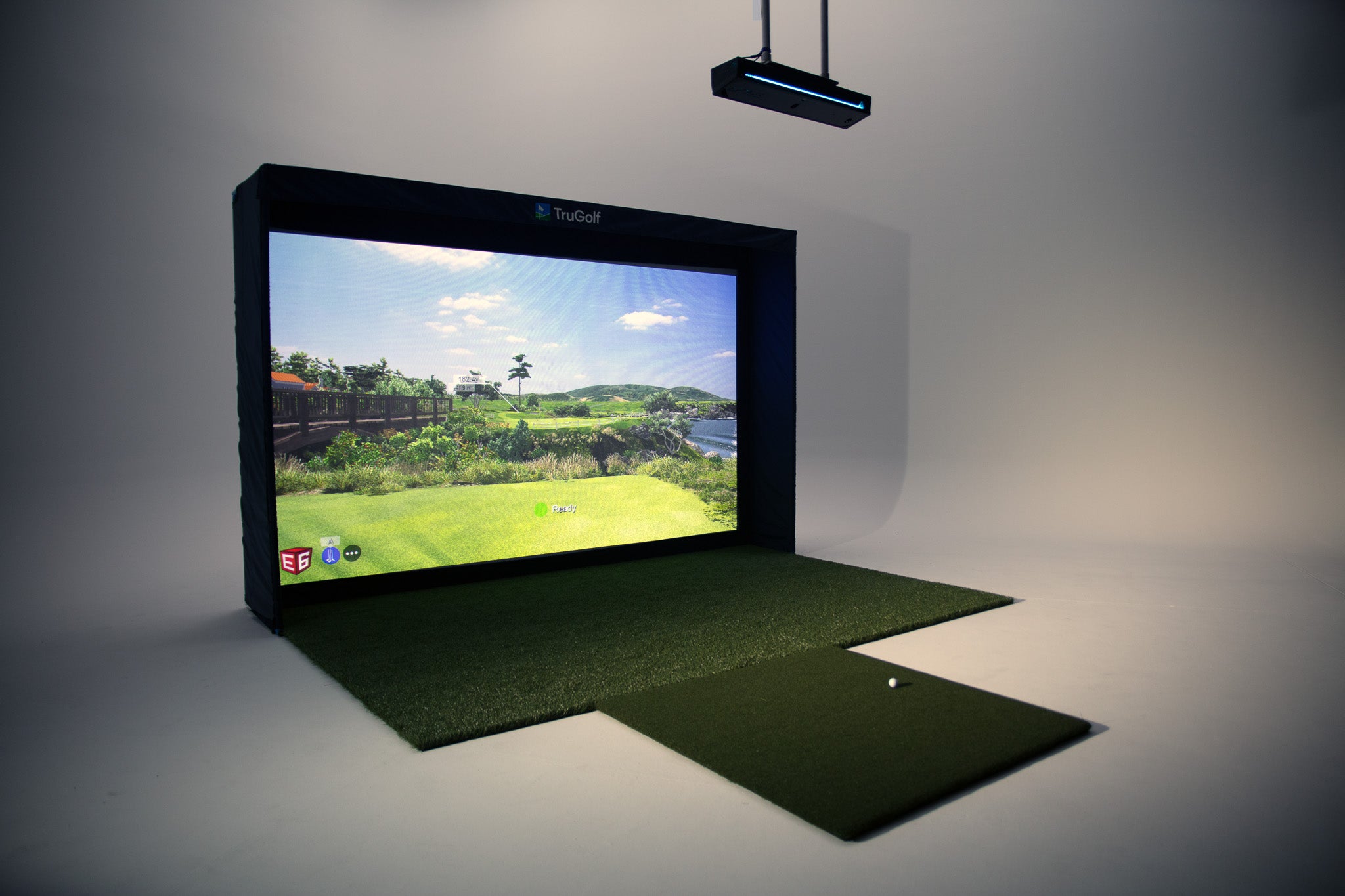
Serving the Treasure Valley
Local installation in your city