 (208) 991-3502
 Meridian, ID



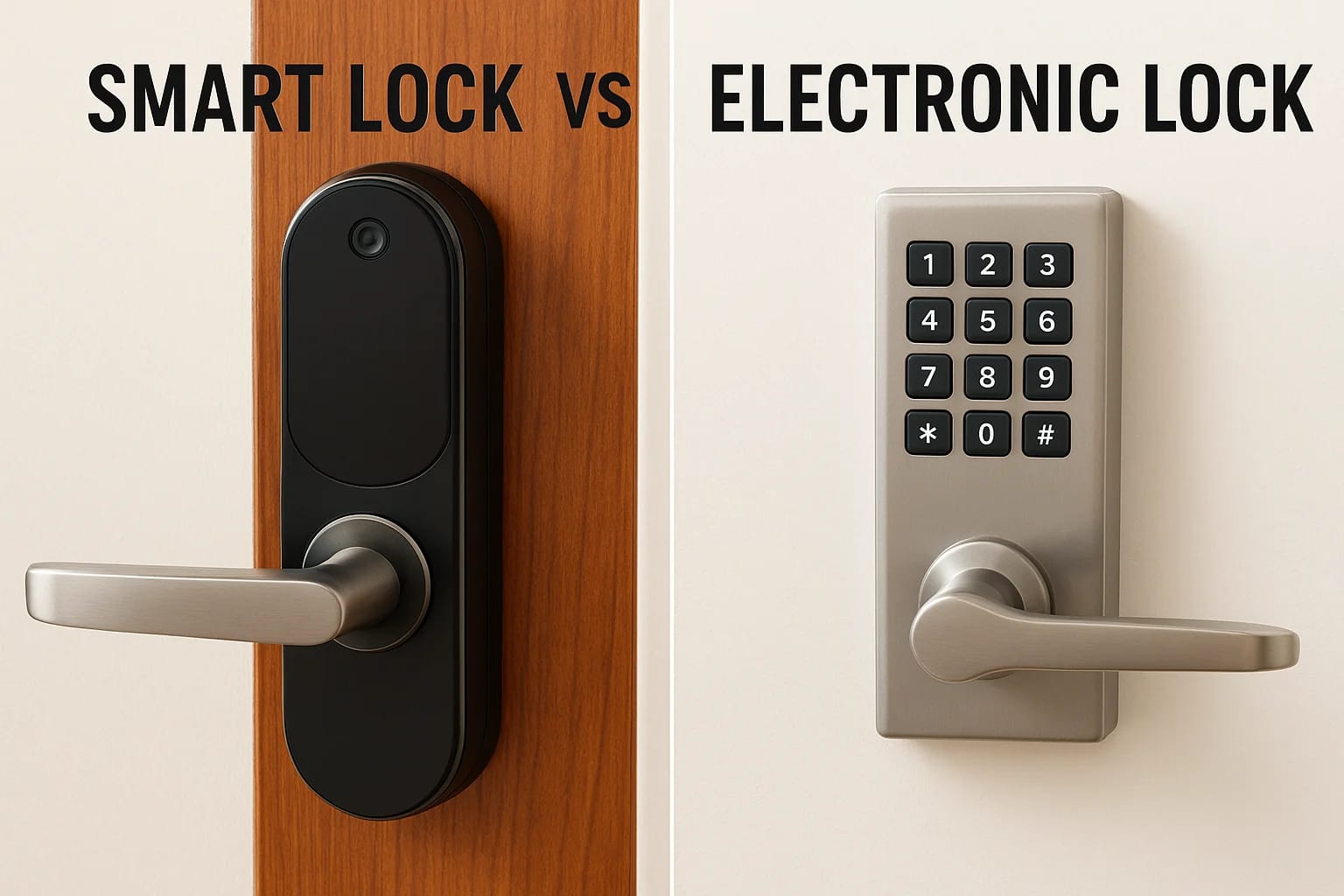

If you've started shopping for a keyless entry system, you've probably run into the smart lock vs electronic lock debate. Both ditch the traditional key, but they work differently, cost differently, a...
If you've started shopping for a keyless entry system, you've probably run into the smart lock vs electronic lock debate. Both ditch the traditional key, but they work differently, cost differently, and offer different levels of control. Choosing between them comes down to what you actually need from your door hardware, not just what looks sleek on a product page.
At Treasure Valley Solutions, we install and program both smart locks and electronic keypad locks for homeowners, property managers, and builders across the Boise and Meridian area. We've seen firsthand how the right lock choice simplifies daily life, and how the wrong one creates frustration. That hands-on experience is exactly what shaped this guide.
Below, we break down the real technical differences between smart locks and electronic locks, including connectivity, features, security considerations, and cost. By the end, you'll have a clear picture of which option fits your home, your habits, and your budget.
What makes a lock electronic vs smart
The label "electronic lock" covers any lock that uses an electronic mechanism to control access, rather than a physical key turn. Electronic keypad locks run on batteries, store PIN codes internally, and work completely on their own without any network connection. Smart locks are technically a subset of electronic locks, but they add wireless connectivity, which is the defining distinction that separates them in the smart lock vs electronic lock comparison.
Electronic locks: keypad access without connectivity
An electronic keypad lock replaces your deadbolt with a motorized latch you unlock by entering a PIN code. No Wi-Fi, Bluetooth, or app is required for the lock to function. You program your codes directly on the keypad, and the lock stores them internally. Most residential keypad locks hold between 10 and 100 unique access codes, which makes them a practical choice for rentals and vacation homes where you need different codes for different people without requiring a smartphone to manage anything.
The biggest strength of a standalone electronic lock is its simplicity: no app updates, no network outages, and no connectivity requirements standing between you and your door.
These locks run on standard AA or 9-volt batteries and typically last one to two years on a fresh set before you need to swap them. Most models also include a physical key override, giving you a backup entry method if the batteries die unexpectedly or the keypad stops responding.
Smart locks: connectivity as the core feature
A smart lock does everything an electronic keypad lock does, but it adds a wireless radio (Wi-Fi, Bluetooth, Z-Wave, or Zigbee) that lets the lock communicate with your phone, a home automation hub, or a cloud platform. That connection enables the advanced capabilities: remote locking and unlocking, real-time access logs, temporary digital keys, and integration with systems like Amazon Alexa, Google Home, or Apple HomeKit. You can grant or revoke someone's access from anywhere with a data connection, which is a meaningful upgrade over walking to the keypad to reprogram it manually.
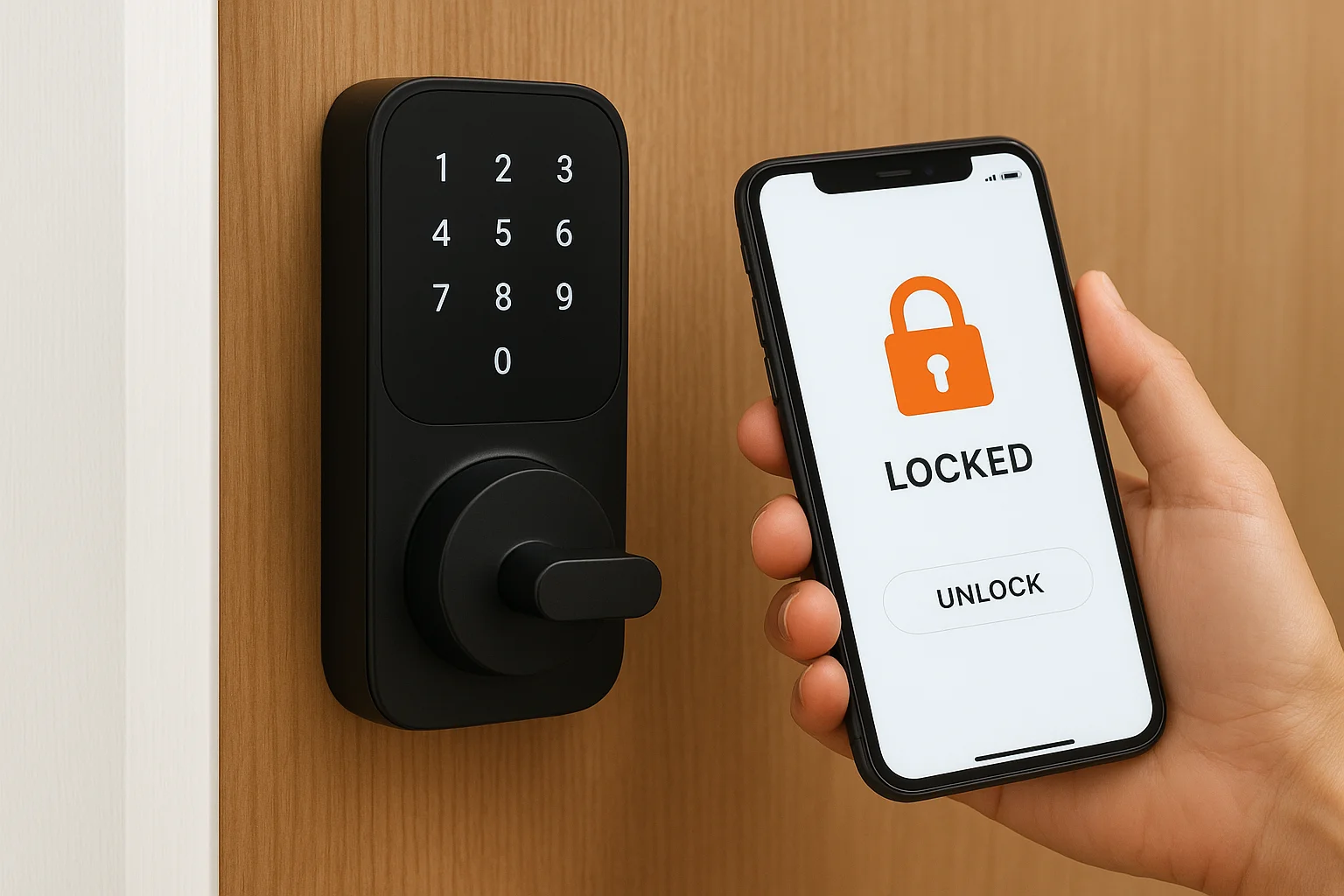
Because smart locks depend on software and cloud services, they require regular firmware updates and a stable network to use most of their advanced features. The lock itself still operates locally if the internet goes down, but remote access and app-based controls stop working until connectivity is restored. That trade-off between capability and complexity is central to any smart lock vs electronic lock decision.
The hardware inside each type
Both lock types use a motorized bolt or latch mechanism to physically secure the door. The difference lives in the circuit board. An electronic lock's board handles only code storage and keypad input. A smart lock's board includes a wireless communication chip, more memory for access logs, and often a secure element for encrypted credential storage. That added hardware is part of why smart locks cost more upfront and require more software maintenance over time.
Key features and everyday use differences
When you compare a smart lock vs electronic lock in daily use, the differences show up in how you manage access and how much the lock does on its own. An electronic keypad lock handles one job reliably: it lets people in with a correct PIN. A smart lock handles that same job and layers on additional controls that change how you interact with your front door throughout the day.
What electronic locks handle well
Electronic keypad locks shine in situations where consistent, code-based access is all you need. You enter a code, the lock opens, and nothing else has to happen. For a rental property where guests rotate regularly, you reprogram the keypad with a new PIN between stays, and the process takes under two minutes without requiring any app or internet connection. These locks also work well for households where not everyone carries a smartphone, since the keypad itself is the only interface you need to learn.
Common situations where a basic electronic lock fits well:
- Vacation rentals needing simple guest code rotation
- Garages or secondary doors with low traffic
- Households that want keyless entry without adding new technology to manage
- Rental units where tenants prefer no app requirement
If simplicity and low maintenance are your top priorities, a standalone electronic keypad lock covers the basics without complication.
What smart locks add to daily life
Smart locks give you real-time visibility and remote control that a keypad lock cannot match. You can check whether your door is locked from your phone while you're at work, unlock it for a delivery driver, or pull up a log showing exactly when your kids arrived home. That kind of on-demand awareness is useful in ways you probably won't fully appreciate until you have it.
Many smart lock models also support auto-lock timers and geofencing, so the door secures itself after a set interval or locks automatically when you leave the neighborhood. That hands-free behavior is the core reason homeowners building out a connected home system typically choose a smart lock over a basic electronic model.
Security, reliability, and what happens offline
When you evaluate security and reliability in the smart lock vs electronic lock comparison, both options outperform a traditional keyed deadbolt in one important way: neither can be picked with a bump key or standard lock picks. That said, the two types introduce different vulnerabilities you need to account for when deciding which one belongs on your front door.
How each lock handles a power or network outage
Both lock types run on battery power, so a grid outage won't lock you out. What changes is what you lose when the batteries die or the internet drops. An electronic keypad lock keeps working as long as the batteries have charge, and most models send a low-battery warning before anything fails. A smart lock loses its remote access, app controls, and any cloud-dependent features the moment your network goes down, but the physical keypad and local entry still function normally in most models.
Your smart lock will still open with a PIN or a physical key if the Wi-Fi drops, but you won't receive notifications or remote access until the connection comes back.
Most smart lock manufacturers now include a backup power option for dead battery situations, typically a micro-USB or USB-C port on the exterior where you can press a 9-volt battery against the terminals to get enough charge to unlock the door and swap the batteries. Knowing that emergency backup method before you need it is worth checking in your lock's manual the day you install it.
Physical security considerations
The hardware on both lock types uses a motorized deadbolt that meets standard residential security grades, and the door-side components are comparable. Where smart locks carry an additional concern is wireless signal interception. Most modern smart locks encrypt their communication using protocols like Z-Wave or Zigbee, which makes raw signal capture impractical for most attackers. A cheap or outdated model may use weaker encryption that leaves it exposed to replay attacks. Electronic keypad locks avoid that wireless attack surface entirely since they have no signal to intercept, which is a narrow but real security advantage in environments where wireless threats matter.
Cost, installation, and long-term upkeep
Price is often the deciding factor in any smart lock vs electronic lock comparison, and the gap between the two is real. You'll pay more upfront for a smart lock, and the long-term cost difference continues through batteries, software updates, and occasional troubleshooting. Knowing what each option costs over two to three years gives you a clearer picture than the sticker price alone.
What each lock type costs upfront
Electronic keypad locks run $50 to $150 for a solid residential model, and installation is straightforward enough that most homeowners handle it with a screwdriver in under 30 minutes. Smart locks range from $150 to $350 for quality residential models, with professional installation adding $75 to $150 depending on door prep and whether the lock integrates into a larger home automation system. If your door requires a new strike plate or frame reinforcement, that adds cost to both options equally.
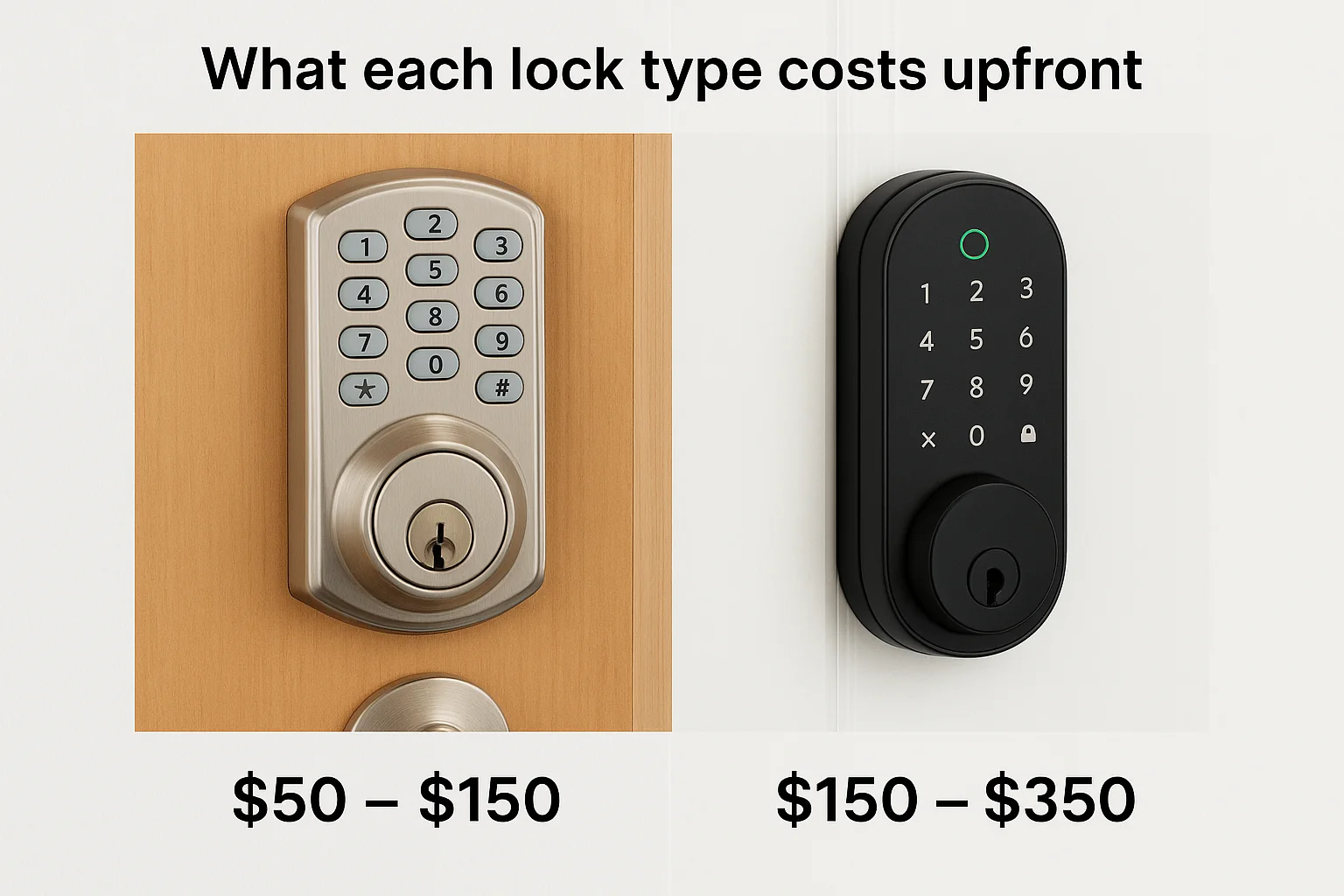
Budget for professional installation if you want your smart lock connected to a security system or home automation hub, since a clean setup requires more than just swapping the deadbolt.
Long-term maintenance costs
Battery life is the most predictable ongoing expense for both lock types. Electronic keypad locks typically run one to two years on a set of AA batteries, and that's essentially the only recurring cost you'll deal with. Smart locks drain faster because the wireless radio runs continuously, landing most models at six to twelve months per battery set. That means you'll swap batteries more often with a smart lock, which is a minor but real cost over time.
Smart locks also require periodic firmware updates to patch security vulnerabilities and maintain app compatibility, which adds a few minutes of maintenance every few months that a basic keypad lock never demands. Factor that time and attention into your decision, especially if you prefer low-maintenance hardware.
How to choose the right lock for your home
The smart lock vs electronic lock decision comes down to three factors: how connected your home already is, how much remote visibility you want, and how much ongoing management you're willing to handle. Neither lock type is universally better. The right choice depends on your specific situation, your household habits, and what you actually need from your front door hardware.
When your home setup points toward a smart lock
If you already use a home automation platform, a video doorbell, or a security system, a smart lock fits naturally into that setup. Remote access and real-time notifications matter most to homeowners who travel frequently, manage short-term rentals, or want to know exactly who enters their home and when. A smart lock also makes sense if you have household members who frequently misplace physical keys, since you can revoke and reissue credentials remotely without touching the lock itself.
If you're building a connected home from the ground up, a smart lock gives you the remote control and integration that a standalone keypad lock cannot provide.
Consider a smart lock when:
- Your home already runs on Google Home, Amazon Alexa, or Apple HomeKit
- You need to grant temporary access to guests, contractors, or service workers without being present
- You want automated behavior like geofencing triggers or timed auto-lock schedules
When a basic electronic lock makes more sense
A standalone electronic keypad lock fits best when simplicity and consistent reliability are your main priorities. If you manage a rental property where guests need PIN access without any app involved, a basic electronic lock handles that cleanly without adding software dependencies to the equation. These locks also work well on secondary doors, garages, or utility entries where remote access adds no real value to how you use that space.
Choose an electronic keypad lock when:
- You want no app or network requirement for daily entry
- The door serves a low-traffic secondary entrance
- Your budget stays under $150 and straightforward installation matters
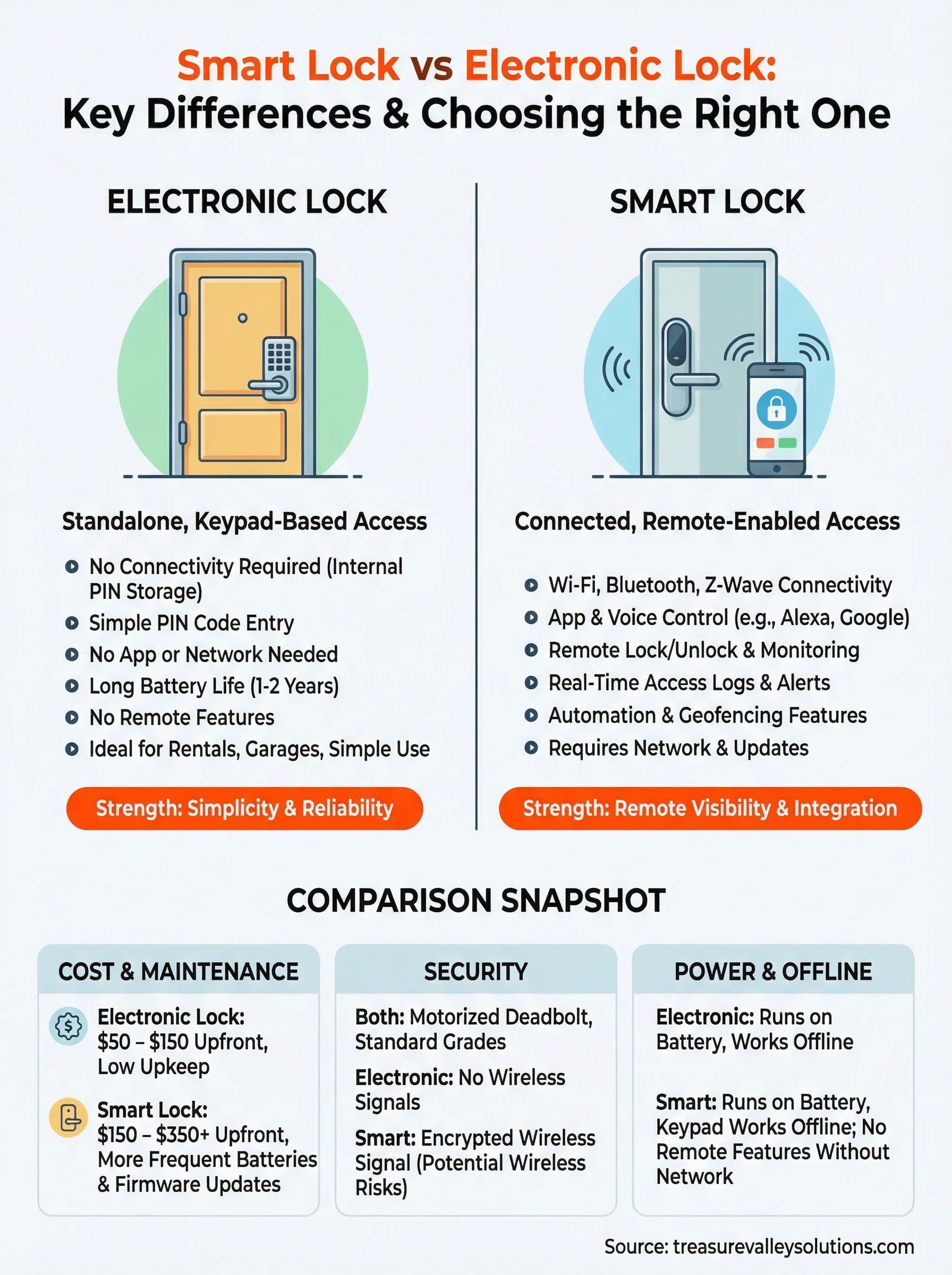
A simple way to decide
The smart lock vs electronic lock decision gets simple once you know your priority. If you want remote access, real-time notifications, and integration with a connected home system, a smart lock is worth the extra cost and upkeep. If you want reliable keyless entry with no software dependencies and a lower price tag, a basic electronic keypad lock covers everything you need.
Your door hardware should match how you actually live, not what sounds most advanced on a spec sheet. A smart lock sitting on a door you only use for routine entry adds complexity without real benefit. An electronic keypad lock on a door that needs remote access leaves you with a gap you'll notice quickly. Pick the option that fits your real habits and home setup, and it will serve you well for years.
Ready to get the right lock installed and connected correctly? Contact the Treasure Valley Solutions team to talk through your options.
Need Expert Help?
Ready to implement these solutions in your own home or business?
Our Services

Complete home automation and control.

Intelligent lighting control and automation.
Serving the Treasure Valley
Local installation in your city