 (208) 991-3502
 Meridian, ID




Your home already has dozens of devices that could work together, your lights, locks, thermostat, cameras, speakers, but most of them operate in isolation. Smart home automation solutions bridge that...
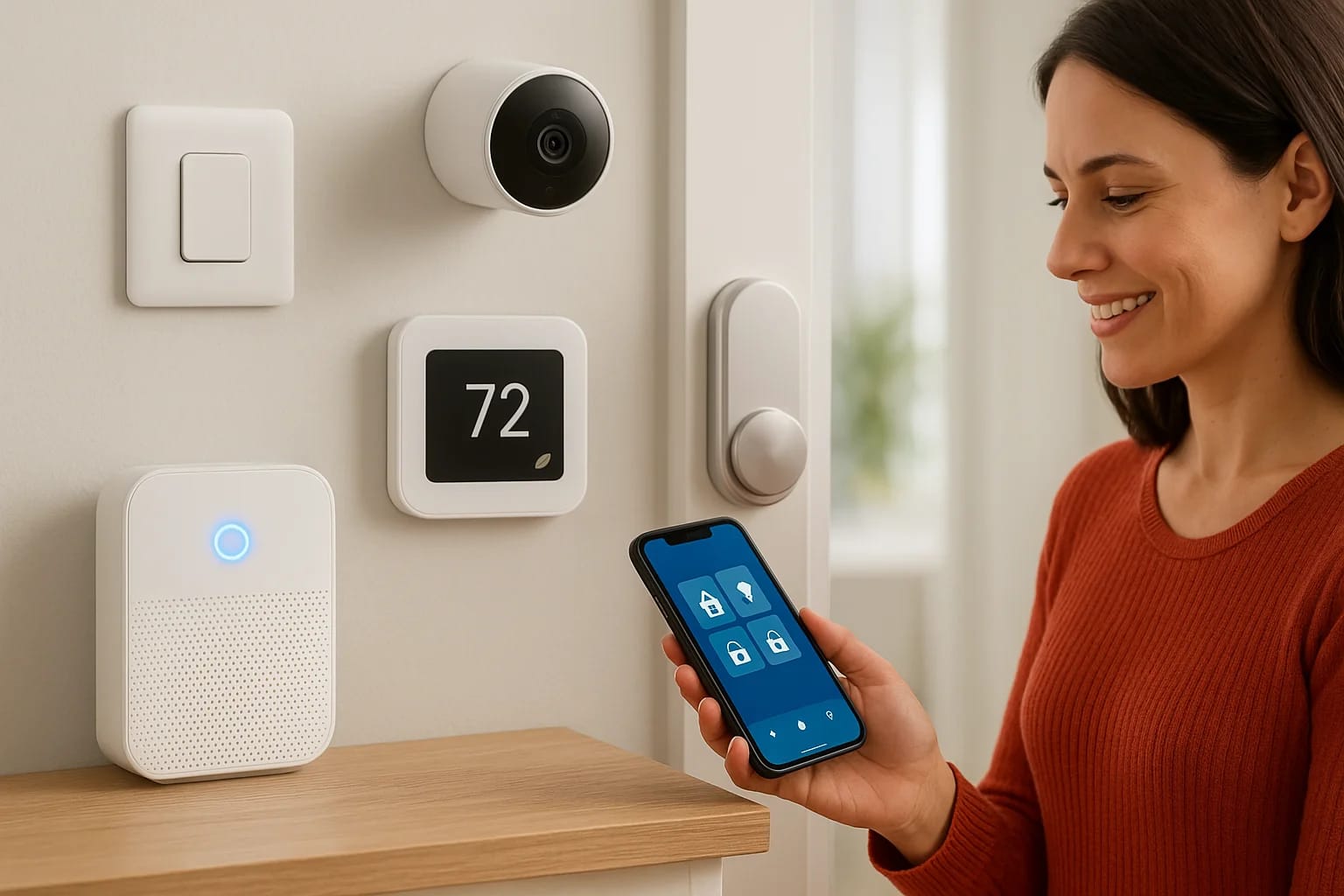
Your home already has dozens of devices that could work together, your lights, locks, thermostat, cameras, speakers, but most of them operate in isolation. Smart home automation solutions bridge that gap by connecting these systems into one cohesive setup that responds to your routines, protects your family, and simplifies everyday tasks you didn't realize you were still doing manually.
The challenge is figuring out which solutions actually deliver on that promise. Some are simple plug-and-play devices you can set up yourself in minutes. Others require professional design and installation to work reliably across your entire home. Knowing the difference, and understanding what fits your specific goals, is what separates a home that feels smart from one that's just full of gadgets.
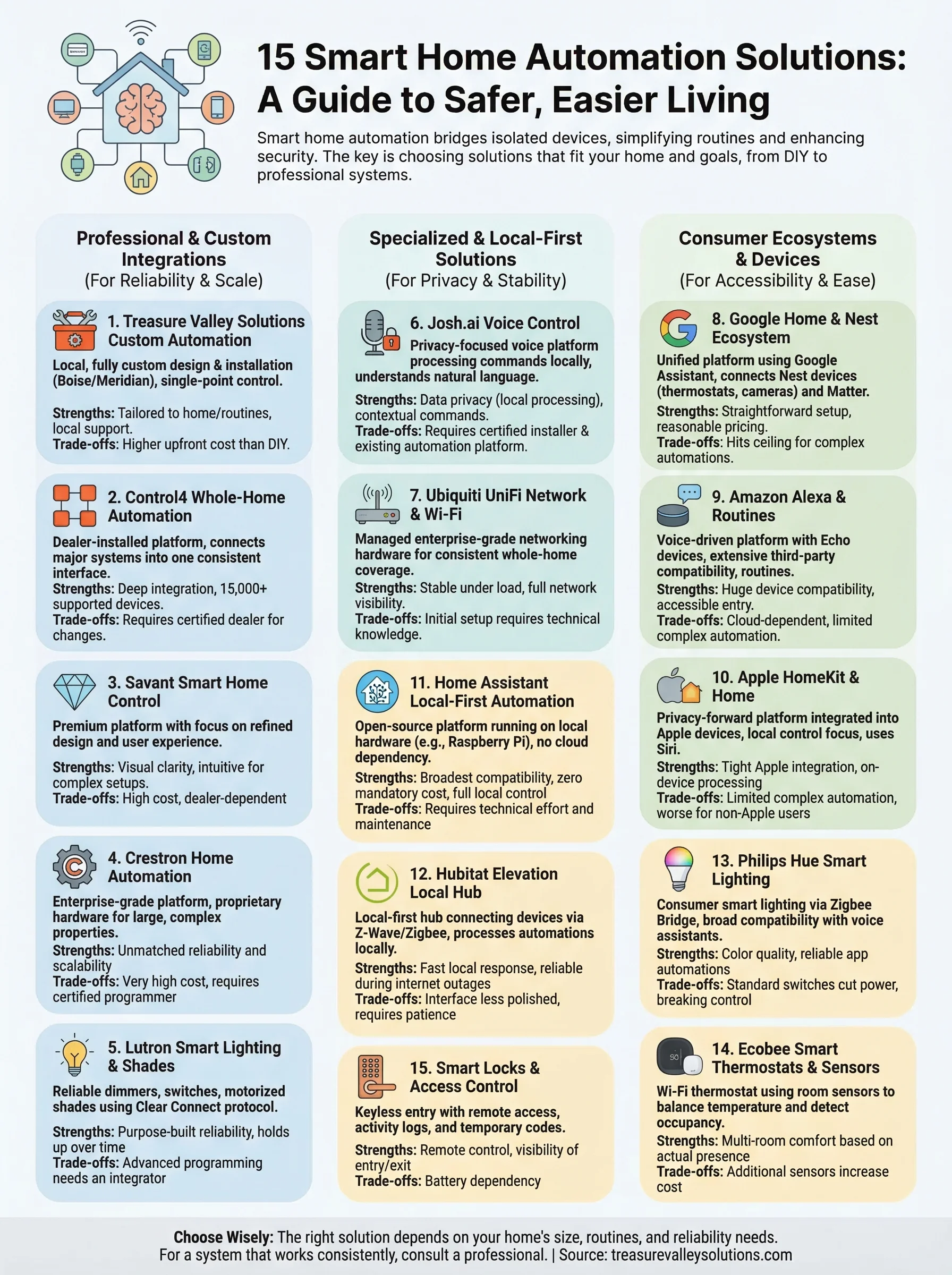
At Treasure Valley Solutions, we've been designing and installing custom home automation systems across the Boise and Meridian area since 2014. We've seen firsthand which technologies hold up, which ones our clients actually use every day, and which ones end up collecting dust. That experience shapes every recommendation in this guide. We built this list of 15 smart home automation solutions to help you understand your options, from security and lighting to whole-home audio and voice control, so you can make informed decisions about what belongs in your home and what doesn't.
Whether you're upgrading a single room or wiring a new build from scratch, these are the solutions worth your attention.
1. Treasure Valley Solutions custom smart home automation
Treasure Valley Solutions designs and installs fully custom smart home automation solutions for homeowners and builders across the Boise and Meridian area. Rather than selling you a pre-packaged system, they build your setup from the ground up based on your home's layout, your daily routines, and your specific goals, so nothing gets bolted on as an afterthought.
What it is
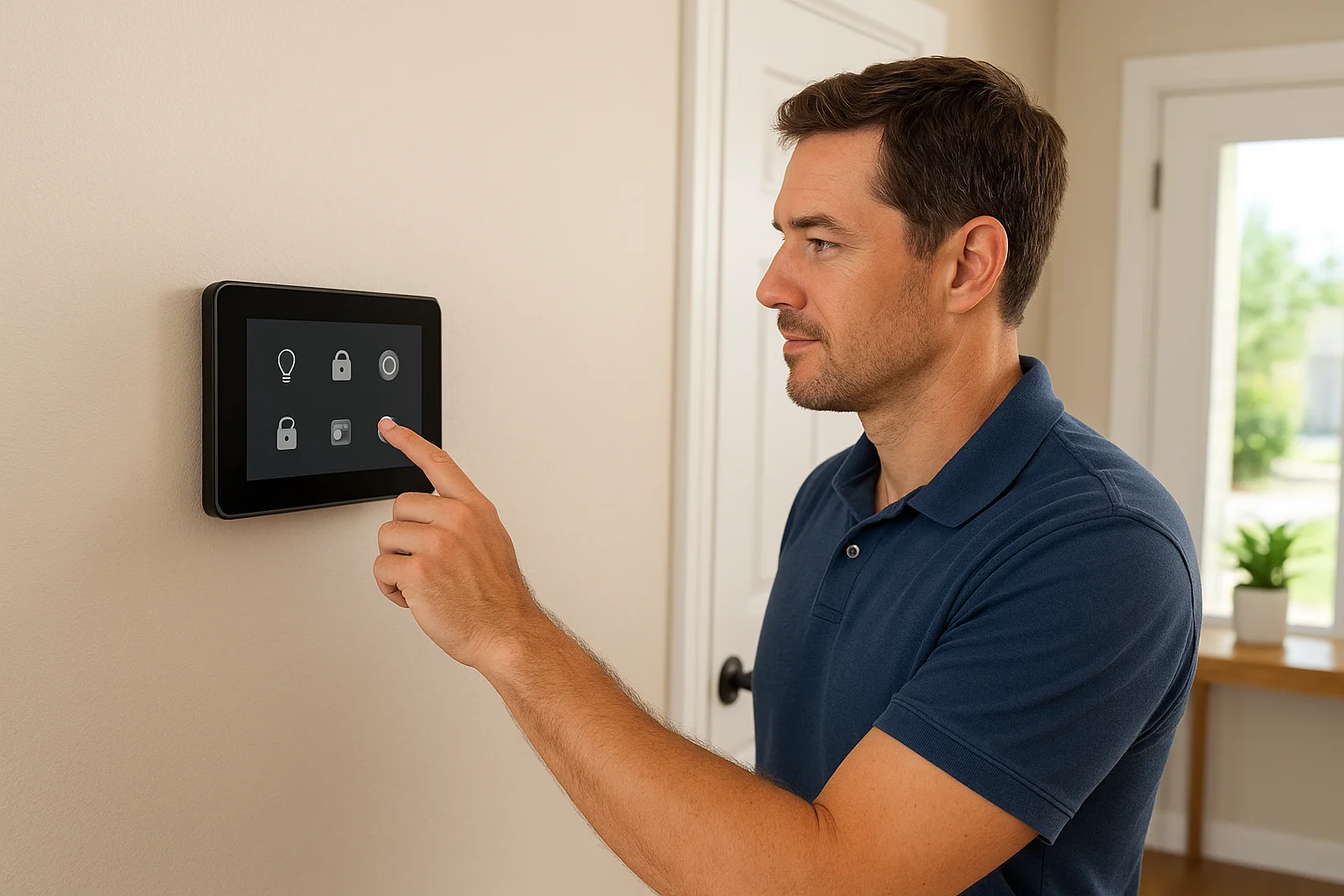
Treasure Valley Solutions acts as your local technology integrator, handling every phase of the project from system design to installation, programming, and ongoing support. The company has been operating since 2014 and works with professional-grade platforms like Control4, Lutron, and Ubiquiti to connect your lighting, security cameras, locks, audio, thermostats, and more into one cohesive environment. You get a single point of control for every device in your home, which eliminates the frustration of juggling five separate apps that never fully communicate with each other.
Where it fits best
This service makes the most sense if you're building a new home, completing a major renovation, or simply tired of a fragmented setup that never quite works the way you want. Residential builders benefit from pre-wiring and technology planning baked into the construction timeline, which saves money and prevents costly retrofitting later. Homeowners with larger properties or more complex needs, such as multi-zone audio, whole-home security, or elderly care technology, get the most value from a system designed specifically around how they live.
Strengths and trade-offs
The biggest strength here is local, hands-on expertise backed by accountability. Treasure Valley Solutions sends trained, licensed, and insured technicians to your home, not a subcontractor who's unfamiliar with your floor plan or your existing infrastructure. Every system gets programmed to match your actual routines, and when something needs adjusting, you reach a local team that already knows your setup inside and out.
The trade-off is that custom professional installation costs more upfront than a DIY device purchase, but you're buying reliability, full integration, and real support that consumer-grade products rarely deliver on their own.
Budget and ongoing costs
Project costs vary significantly depending on scope: a focused smart lighting and lock installation runs far less than a full whole-home build with audio, security cameras, and climate control. Treasure Valley Solutions provides transparent pricing and free consultations, so you understand exactly what the project involves before any work begins. Ongoing support is available after installation to cover software updates, system adjustments, or new additions as your needs change over time.
2. Control4 whole-home automation
Control4 is one of the most widely deployed professional-grade smart home platforms available today. It connects your lighting, security, audio, video, climate, and networking into a single interface that feels consistent across every room in your home, rather than forcing you to manage each system separately.
What it is
Control4 is a dealer-installed platform that requires professional setup and programming to operate correctly. Unlike consumer-grade devices, Control4 integrates with thousands of third-party products, making it one of the most versatile smart home automation solutions available at the professional tier. You manage everything through a dedicated app, in-wall touchscreens, remote controls, or voice commands, depending on how your installer configures the system.
Where it fits best
Control4 suits homeowners who want a polished, reliable setup that covers every major system under one roof. It performs especially well in new builds and whole-home renovations where the infrastructure gets designed around the platform from the start. Property managers and larger residential clients also benefit from its scalability when their needs grow over time.
Strengths and trade-offs
The platform's biggest advantage is its depth. Control4 supports over 15,000 third-party devices, which gives your installer the flexibility to bring in almost any hardware that fits your home and your goals. Automation logic can be customized so your routines reflect how you actually live.
The trade-off is that Control4 requires a certified dealer for installation and any significant programming changes, so complex modifications aren't something you handle on your own.
Budget and ongoing costs
Entry-level Control4 systems typically start between $3,000 and $5,000, with full whole-home installations running $20,000 or more depending on scope. Ongoing software access requires an annual 4Sight subscription through your dealer, which often bundles remote monitoring and support.
3. Savant smart home control
Savant is a premium smart home platform built for clients who want both design refinement and serious technical capability. The platform sits at the top of the professional market, and the experience it delivers is consistent with that positioning.
What it is
Savant builds its system around a proprietary ecosystem of hardware and software designed for visual clarity and intuitive daily use. Every element, from in-room touchscreens to mobile apps, gets engineered to feel cohesive. Your installer configures lighting, audio, video, climate, and security into one unified setup that reflects your specific home layout.
Where it fits best
High-end residential projects are where Savant performs best. If you're building a custom home and want one of the most polished smart home automation solutions available at the professional tier, Savant belongs on your shortlist. Design-focused clients who want hardware that complements a luxury interior rather than interrupting it will find the platform delivers on both form and function.
Strengths and trade-offs
Savant's standout qualities are its visual design language and user experience. The interfaces feel intentional, the hardware looks premium, and the platform handles complex multi-room setups without becoming difficult to use on a daily basis.
If aesthetics and interface quality rank high on your list, Savant delivers a level of refinement that few platforms match.
The trade-off is dependency on certified dealers for installation and programming changes. Making significant adjustments outside of your installer is not realistic, so understanding that relationship before you commit is worth your time.
Budget and ongoing costs
Savant sits at the top of the pricing spectrum for residential automation platforms. Full installations typically start around $10,000 and scale well beyond that for larger properties. Annual service agreements through your dealer cover support, software updates, and remote access.
4. Crestron Home automation
Crestron is a commercial and residential automation platform with a long track record in enterprise-grade control systems. The company has been building control infrastructure since the 1970s, and that depth of experience shows in how the platform handles complex, large-scale environments that other systems struggle to manage reliably.
What it is
Crestron builds proprietary hardware and software that tie your lighting, shading, audio, video, HVAC, and security into one unified control system. Unlike many consumer-focused platforms, Crestron gets programmed and configured entirely by a certified dealer, which means the setup reflects your specific space and requirements rather than a generic template.
Where it fits best
Crestron performs best in large residential properties and commercial environments where reliability and scalability are non-negotiable. If you manage a multi-building property, a custom estate, or a high-end commercial space, Crestron's infrastructure handles that complexity without compromise. Residential clients who want the same control and stability that commercial installations demand will find the platform delivers exactly that.
Strengths and trade-offs
Crestron's biggest strength is its engineering depth and hardware reliability. The platform is built for environments where system failure carries real consequences, and that focus on robustness carries directly into residential projects.
If you need a system that handles complexity at scale without cutting corners on reliability, Crestron sits at the top of that category.
Any significant changes to your configuration require your dealer's involvement, and that ongoing dependency adds to your total cost over time.
Budget and ongoing costs
Crestron is one of the most expensive smart home automation solutions available at the professional tier. Residential projects typically start around $10,000 and scale significantly higher for larger or more complex installations. Ongoing dealer support for programming updates and system changes is an expected part of ownership.
5. Lutron smart lighting and shades
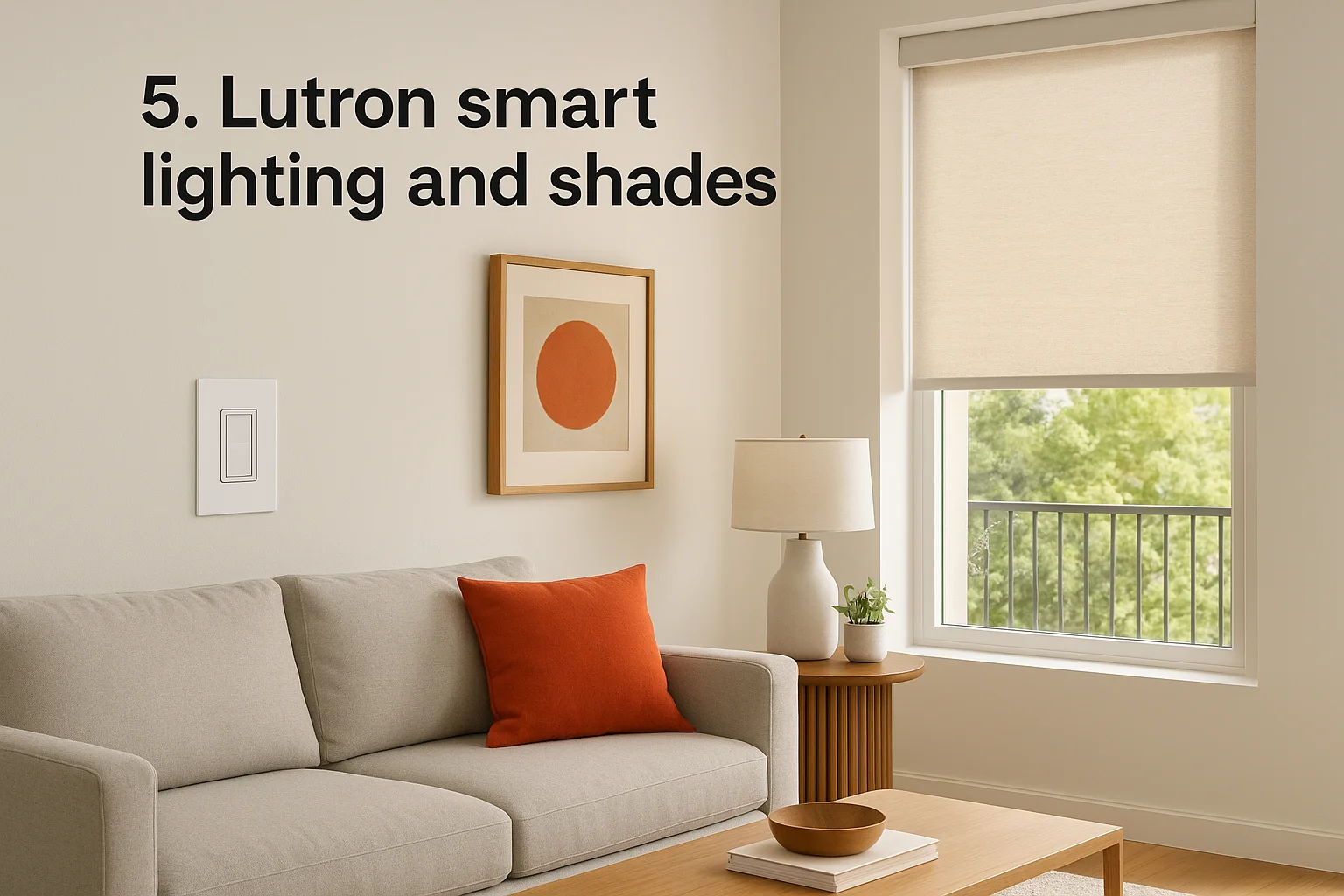
Lutron is one of the most trusted names in smart lighting and motorized shades, with a product line that spans everything from simple dimmer switches to full architectural lighting systems. Their products appear in homes across every price point, and professionals consistently specify them because the hardware delivers reliable performance over the long term.
What it is
Dimmers, switches, keypads, and motorized shade systems make up Lutron's core product line, all connected through their proprietary radio-frequency protocol called Clear Connect. This protocol is designed specifically for lighting and shading control, which means it handles interference and response times better than general-purpose wireless standards. You can run Lutron through standalone apps or integrate it into larger smart home automation solutions through platforms like Control4, Crestron, and Savant.
Where it fits best
Lutron works well in almost any residential project, but it adds the most value in new builds and renovations where the lighting design gets planned carefully from the start. Homeowners who want precise dimming control, scene programming, and motorized shades that respond to time of day or occupancy will get genuine daily use out of the system.
Strengths and trade-offs
Lutron's Clear Connect protocol is purpose-built for reliability, and most users find their dimmers and shades respond faster and more consistently than competing products running on standard Wi-Fi or Z-Wave. The hardware also carries a strong warranty backing it up.
Lutron systems hold up better over time than many consumer-grade alternatives, which makes them a common choice for professional installations.
The trade-off is that advanced configurations require a certified integrator, so complex scene programming typically involves your installer.
Budget and ongoing costs
Lutron Caseta, the entry-level line, starts around $60 to $80 per dimmer, making it accessible for smaller projects. Their RadioRA and HomeWorks QS lines scale up to full architectural systems that run several thousand dollars per room when installed professionally. There are no mandatory subscription fees.
6. Josh.ai voice control
Josh.ai is a privacy-focused voice control platform built specifically for professional smart home installations. It processes commands locally on your network rather than routing your conversations through third-party consumer cloud servers.
What it is
Josh.ai runs on dedicated hardware that connects to your existing automation platform, whether that's Control4, Crestron, Savant, or Lutron. Every voice command processes on your local network, so your requests never leave the home. The platform understands natural conversational language, meaning you don't need to memorize rigid phrases to control your lights, audio, locks, or climate.
Your installer programs Josh.ai to recognize room-specific context, so the system responds to where you are and what you're asking rather than applying commands blindly across every zone.
Where it fits best
Josh.ai belongs in professionally installed smart home automation solutions where a Control4, Crestron, or Savant backbone already handles core functions. Privacy-conscious homeowners who want reliable voice control without consumer-grade data collection practices get the most value here, particularly in high-end residential builds.
Strengths and trade-offs
Josh.ai's local processing model keeps your voice data inside your home, which clearly separates it from Amazon Alexa and Google Home. The platform also handles contextual and multi-room commands reliably, so "turn off the lights" in the bedroom targets bedroom fixtures specifically rather than every light in the house.
If data privacy ranks high on your list, Josh.ai is the only professional-grade voice platform built around that principle from the start.
The trade-off is straightforward: Josh.ai requires a certified installer and an existing automation platform to function. You cannot deploy it as a standalone device.
Budget and ongoing costs
Hardware costs typically fall between $600 and $1,200 per device depending on the model. Annual subscription fees cover software updates and cloud backup features, and your installer can bundle these into an ongoing support agreement.
7. Ubiquiti UniFi home network and Wi-Fi
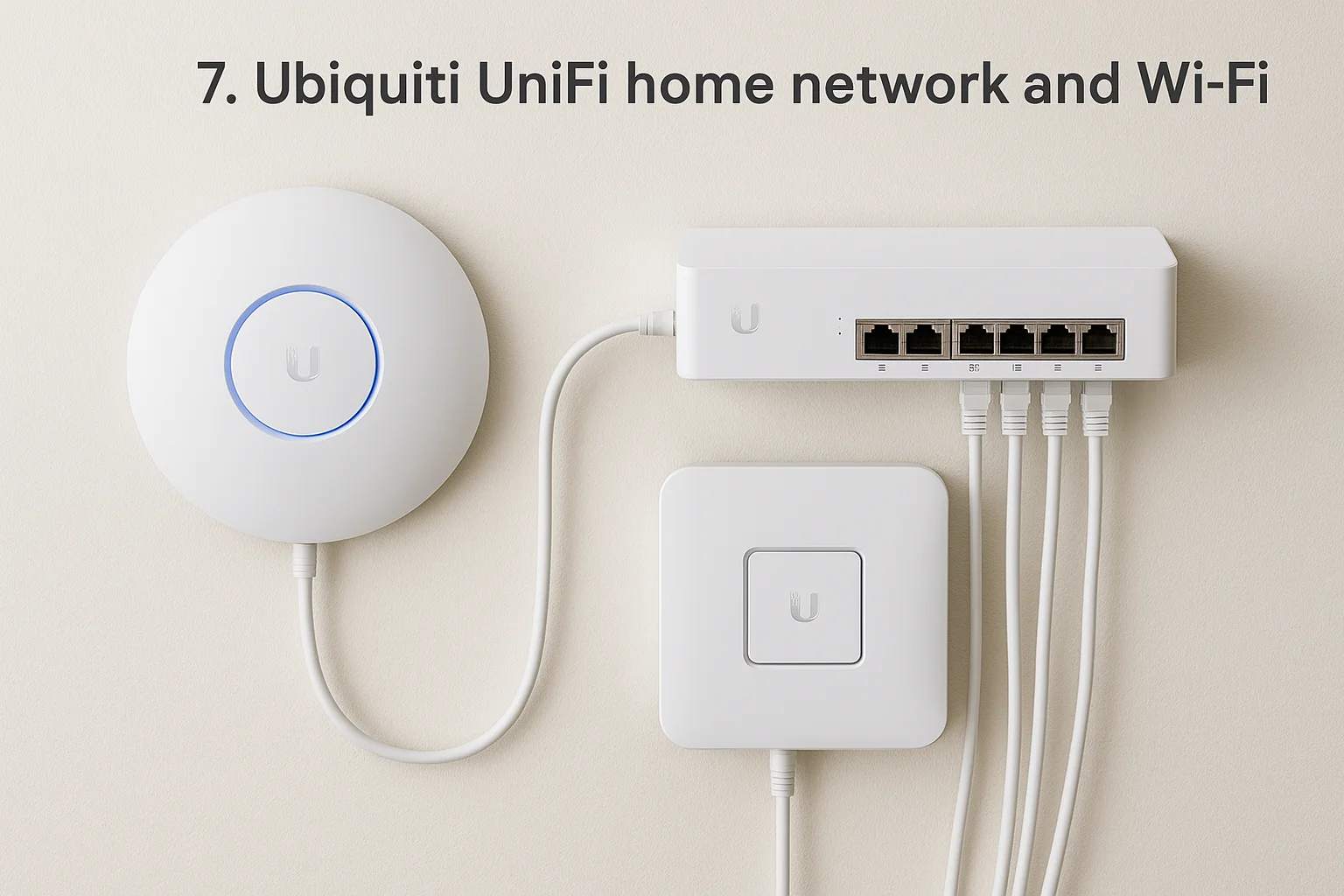
Every smart home automation solution runs on your network, which makes the quality of that network the single most critical variable in how reliably your devices perform. If your Wi-Fi drops under load or struggles to cover your whole home, your lights, cameras, and locks become unreliable regardless of how well everything else is designed. Ubiquiti's UniFi platform delivers enterprise-grade networking hardware at a price point that makes sense for serious residential and small commercial installations.
What it is
UniFi is a managed networking ecosystem that combines wireless access points, switches, security gateways, and network management software in one platform. You configure and monitor everything through the UniFi Network Controller app, which gives you full visibility into every connected device on your network. That level of control is something consumer-grade routers simply don't offer.
Where it fits best
UniFi performs best in larger homes, multi-story properties, and commercial spaces where a single consumer router can't deliver consistent coverage. If your smart home runs dozens of connected devices, a managed network like UniFi allows your integrator to prioritize traffic and isolate device groups so nothing interferes with critical systems.
Strengths and trade-offs
UniFi hardware is built to run continuously under sustained load without the performance degradation that plagues most consumer routers over time. The platform also gives your installer precise control over how your network behaves.
A stable, well-configured network is what separates a smart home that works every time from one that randomly fails.
Initial setup requires technical knowledge, so most homeowners rely on their smart home integrator to configure it correctly from the start rather than attempting it independently.
Budget and ongoing costs
Access points range from $100 to $250 each, with switches and gateways adding to the total based on your network size. The core management software carries no mandatory subscription fees.
8. Google Home and Nest ecosystem
Google's Home platform connects Nest thermostats, cameras, doorbells, speakers, and smart displays into a unified ecosystem that you manage through a single app. Google Assistant handles voice commands across every device, and the Nest hardware lineup covers the most common smart home categories without requiring anything beyond your phone and a Wi-Fi connection.
What it is
Google Home is a consumer-grade smart home automation platform built around the Google Assistant and supported by the Nest hardware line. You control thermostats, cameras, locks, doorbells, speakers, and compatible third-party devices through the Google Home app. Integration with the Matter standard means the platform also works with a growing range of devices from other manufacturers.
Where it fits best
Google Home works well for renters, first-time smart home users, and homeowners who want a practical setup without committing to professional installation. If you already use Android devices or Google services daily, the ecosystem fits naturally into how you already work. Smaller homes and apartments with modest automation needs get the most value here.
Strengths and trade-offs
Google Home's biggest strength is accessibility. Setup is straightforward, pricing stays reasonable, and the platform connects with a wide range of third-party devices. The Nest Thermostat in particular delivers genuine energy savings with minimal effort on your part.
Google Home works well as an entry point, but it lacks the programming depth and reliability that professional smart home automation solutions deliver at scale.
The trade-off is that complex automations and multi-system integration hit a ceiling quickly compared to dealer-installed platforms.
Budget and ongoing costs
Individual Nest devices range from $100 to $350, and most work without a subscription. Nest Aware camera plans start around $8 per month if you want extended video history.
9. Amazon Alexa and routines
Amazon Alexa runs on the Echo device lineup and connects with thousands of compatible smart home products through voice commands and automated routines. Alexa Routines let you chain multiple actions together, so a single phrase or scheduled trigger can adjust your lights, lock your doors, and start your morning playlist simultaneously.
What it is
Alexa is a voice-driven smart home platform built around the Echo hardware line and supported by a broad network of compatible third-party devices. Through the Alexa app, you build routines that trigger based on time, your location, a voice command, or a device event. Alexa Guard also adds a passive security layer by listening for sounds like glass breaking or smoke alarms while you're away.
Where it fits best
Alexa works best for budget-conscious homeowners who want voice control and basic automation without investing in professional installation. The platform suits apartments, starter homes, and households that already use Amazon services like Prime or Ring cameras. Families seeking accessible smart home automation solutions without a steep learning curve find Alexa delivers practical daily value.
Strengths and trade-offs
Alexa's strongest asset is device compatibility, with support for more third-party products than almost any other consumer ecosystem. That breadth gives you real flexibility when building out your setup incrementally over time.
Alexa routines handle basic automation well, but they lack the reliability and programming depth that professionally installed platforms deliver in larger homes.
The trade-off is that complex multi-system automations hit a hard ceiling quickly, and Alexa's cloud dependency means your routines stop working when your internet goes down.
Budget and ongoing costs
Echo devices start around $30, with higher-end models running up to $230. Most core features require no monthly subscription, though some third-party skill integrations carry their own fees.
10. Apple HomeKit and Apple Home
Apple HomeKit connects compatible smart home devices through the Apple Home app, giving iPhone and iPad users a native way to control lights, locks, thermostats, cameras, and sensors directly from the devices they already use every day. The platform also supports Siri voice commands without any additional hardware.
What it is
Apple Home is a privacy-forward smart home platform built into iOS and macOS. It uses the Matter and HomeKit protocols to connect third-party devices from hundreds of manufacturers through one app. A HomePod mini or Apple TV acts as a home hub, enabling remote access and automations even when you're away from home.
Where it fits best
HomeKit works best for households already deep in the Apple ecosystem, meaning iPhones, iPads, Macs, and Apple Watches are already part of daily life. If your family relies on Apple devices exclusively, the native integration removes friction that other consumer platforms introduce through third-party bridges. Apartment dwellers and smaller homes with modest automation needs get solid value without paying for professional installation.
Strengths and trade-offs
Apple's biggest differentiator in consumer smart home automation solutions is its commitment to on-device processing and local control for compatible accessories. The platform also benefits from Apple's strict hardware certification requirements, which raise the baseline reliability of connected devices compared to more open ecosystems.
If privacy and tight Apple device integration are your top priorities, HomeKit delivers both more consistently than most consumer platforms.
The trade-off is that HomeKit's automation capabilities hit clear limits for complex multi-system setups, and non-Apple users in your household face a noticeably worse experience.
Budget and ongoing costs
HomePod mini starts at $99, and most HomeKit-compatible devices carry no platform subscription fees. Individual device costs vary by category and manufacturer.
11. Home Assistant local-first automation
Home Assistant is an open-source smart home platform that runs entirely on local hardware inside your home, most commonly a Raspberry Pi or a dedicated mini PC. Because all processing happens on your network rather than a remote server, your automations keep running even when your internet connection goes down.
What it is
Home Assistant connects thousands of devices across hundreds of manufacturers through a single, self-hosted dashboard you access through a browser. You configure automations, scenes, and device integrations yourself, and the platform updates continuously through an active open-source development community. No vendor subscription is required to use the core platform, and your data stays on your local network unless you deliberately set up remote access.
Where it fits best
Home Assistant suits technically comfortable homeowners who want maximum control over their smart home automation solutions without paying ongoing platform fees. It rewards people who are willing to invest time in configuration rather than money in professional installation, and privacy-focused users find the local-first architecture particularly appealing compared to cloud-dependent consumer platforms.
Strengths and trade-offs
Home Assistant's biggest strength is its breadth of device compatibility and zero mandatory cost. The platform supports more integrations than almost any other consumer option, and the community actively builds new features and fixes.
If you want local control, no subscriptions, and full ownership of your data, Home Assistant delivers all three without compromise.
The trade-off is that setup and ongoing maintenance require genuine technical effort. When something breaks, troubleshooting falls entirely on you, and non-technical users often abandon the platform before extracting real value from it.
Budget and ongoing costs
Hardware starts around $35 for a basic Raspberry Pi, with more capable dedicated devices running $100 to $200. The software itself is completely free, with an optional Home Assistant Cloud subscription at around $6.50 per month covering remote access and voice assistant integration if you want it.
12. Hubitat Elevation local automation hub
Hubitat Elevation is a local-first smart home hub that runs all your automations on hardware inside your home, without routing commands through a cloud server. If your internet connection goes down, your lights and locks keep responding exactly as programmed.
What it is
Hubitat is a self-contained automation hub that connects Z-Wave, Zigbee, and LAN-based devices through a browser-accessible dashboard on your local network. You build rules, scenes, and automations through the hub's built-in apps, and all processing happens on the device itself rather than a remote server. The platform also supports a community-built driver library that expands its compatibility with third-party products well beyond the official integration list.
Where it fits best
Hubitat suits technically comfortable homeowners who want local control without the complexity of building a full Home Assistant setup from scratch. It bridges the gap between consumer-grade smart home automation solutions and open-source platforms, making it a practical option for users who want reliability and local processing but prefer a more structured interface than Home Assistant provides.
Strengths and trade-offs
Hubitat's local processing model delivers fast, consistent response times that cloud-dependent platforms rarely match. Your automations also stay functional during internet outages, which matters when you're relying on smart locks or security routines.
If local control and automation reliability are your primary goals without the full complexity of Home Assistant, Hubitat hits that balance more consistently than most consumer hubs.
The trade-off is that setup requires patience and some technical comfort, and the interface feels less polished than consumer platforms like Google Home or Apple Home.
Budget and ongoing costs
The Hubitat Elevation hub costs around $130 as a one-time purchase. There are no mandatory subscription fees for core local automation features.
13. Philips Hue smart lighting
Philips Hue is one of the most recognizable names in consumer smart lighting, offering a broad range of bulbs, light strips, fixtures, and outdoor lights that connect through their Zigbee-based Bridge or direct Bluetooth pairing.
What it is
Hue builds its ecosystem around replaceable smart bulbs and light strips that you control through the Hue app or third-party platforms. The Bridge connects up to 50 lights over your local network and enables automations based on time, sunrise and sunset, or your location. Hue also works with Alexa, Google Home, Apple HomeKit, and professional smart home automation solutions through native integrations, making it one of the most broadly compatible consumer lighting products available.
Where it fits best
Hue works best for renters, apartment dwellers, and homeowners who want to add smart lighting without rewiring their existing switches. Because the smarts live inside the bulb rather than a switch, installation requires no electrical work, just screw in the bulb and pair it through the app.
Strengths and trade-offs
Hue's color quality and brightness range across their bulb lineup are consistently strong, and the automation options in the app cover most everyday use cases without requiring technical setup. The ecosystem is mature, well-documented, and actively updated.
Hue gives you a reliable on-ramp to smart lighting without committing to a full professional installation.
The trade-off is that standard wall switches cut power to the bulb entirely, which breaks your smart controls and requires either replacing your switches with Hue-compatible dimmers or training everyone in your household to leave them untouched.
Budget and ongoing costs
Individual bulbs start around $15 for white-only and $50 for full color, with the Bridge costing roughly $60. There are no mandatory subscription fees for core functionality.
14. Ecobee smart thermostats and sensors
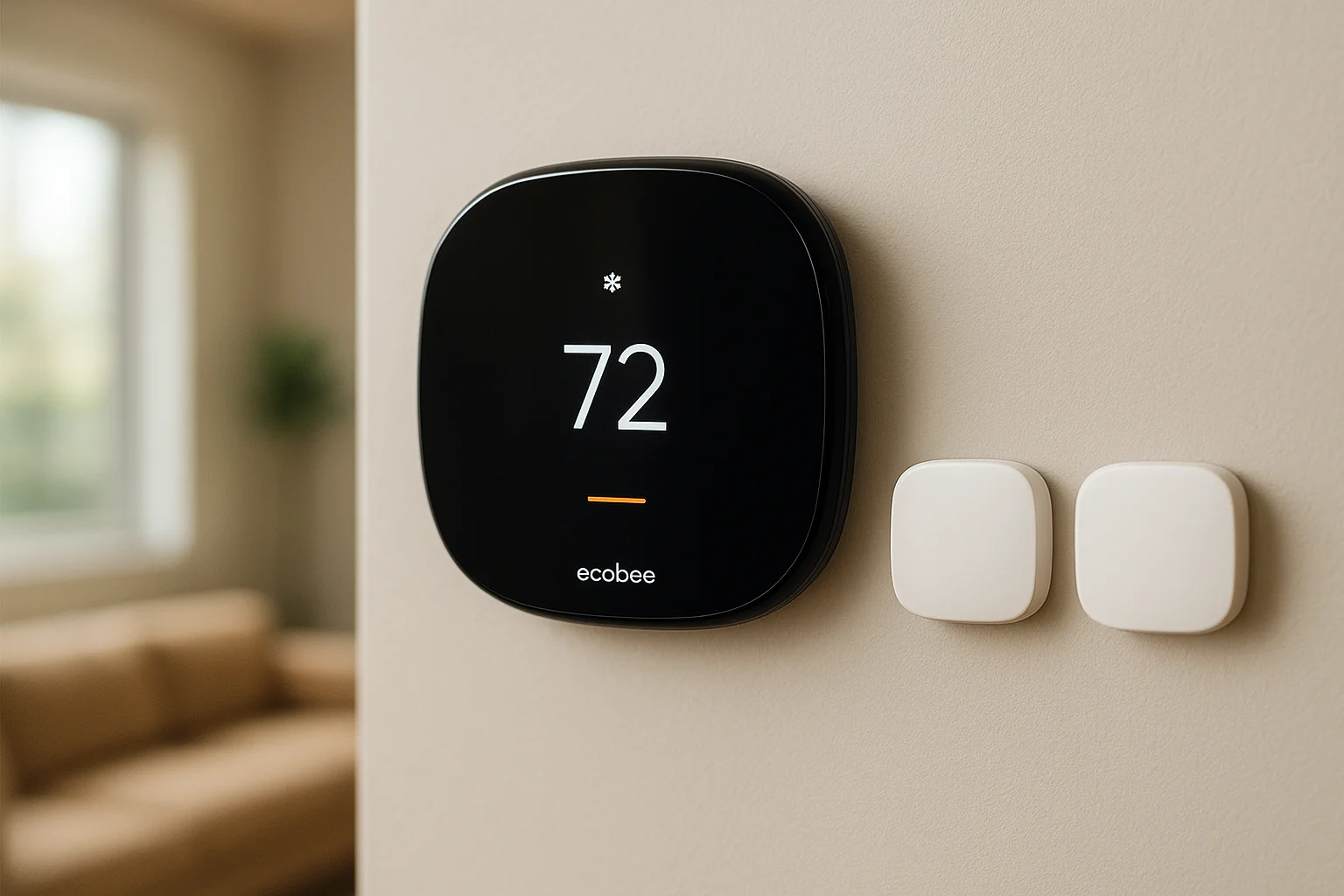
Ecobee builds smart thermostats that go beyond simple scheduling by using room sensors to read temperature and occupancy across multiple areas of your home, not just where the thermostat mounts on the wall.
What it is
The Ecobee thermostat connects to your home Wi-Fi and uses included SmartSensors to monitor temperature and motion in individual rooms. The system uses that sensor data to balance comfort across your home by focusing heating and cooling where people actually are rather than treating every room equally. Ecobee integrates with Alexa, Google Home, Apple HomeKit, and most professional smart home automation solutions including Control4 and Home Assistant.
Where it fits best
This thermostat delivers the most value in homes with multiple rooms or floors where temperature varies noticeably from zone to zone. Homeowners with a standard forced-air HVAC system can install Ecobee without any additional infrastructure, and the sensor-based occupancy tracking makes it genuinely useful rather than just a connected version of a standard programmable thermostat.
Strengths and trade-offs
Ecobee's multi-room sensor approach is its clearest differentiator from competitors like Nest. Rather than guessing comfort based on a single data point, it reads actual conditions in occupied spaces and adjusts accordingly.
If your home has rooms that consistently run hotter or colder than others, Ecobee's sensor model addresses that problem directly where a single-point thermostat cannot.
The trade-off is that full multi-room coverage requires purchasing additional sensors beyond the one included in the box, which adds to the upfront cost.
Budget and ongoing costs
Pricing for Ecobee is straightforward: the Smart Thermostat Premium runs around $250, with additional SmartSensors costing roughly $35 each. There are no mandatory subscription fees for core functionality.
15. Smart locks and access control
Smart locks replace your traditional deadbolt with a keypad, app-controlled mechanism, or fingerprint reader that removes your reliance on physical keys entirely.
What it is
Smart locks connect to your home network through Z-Wave, Zigbee, or Wi-Fi and let you lock, unlock, and monitor your doors remotely through an app. Leading brands include Yale, Schlage, and Kwikset, each offering models ranging from simple keypad entry to full biometric access. Most smart locks integrate directly with larger smart home automation solutions through platforms like Control4, Apple HomeKit, or Amazon Alexa, so your door responds to the same routines that control your lights and security cameras.
Common smart lock features include:
- Temporary access codes that expire after a set time window
- Activity logs showing every entry and exit with a timestamp
- Auto-lock timers that secure your door after a defined period
Where it fits best
Smart locks deliver the most value for property managers and homeowners who regularly need to grant access to guests, contractors, or service providers. You can generate codes that expire automatically rather than cutting physical keys you can never fully track.
Strengths and trade-offs
The core advantage is remote access combined with a full entry log that shows exactly who entered your home and when. Standard deadbolts provide none of that visibility.
Smart locks give you real control over who enters your home without requiring you to be present.
The trade-off is that battery dependency introduces a failure point that a traditional key avoids. Most models send low-battery alerts, but staying current on replacements is part of owning this technology.
Budget and ongoing costs
Quality smart locks range from $150 to $300 for most residential models, with professional installation through your integrator adding roughly $100 to $200 depending on your existing door hardware. Most models carry no mandatory subscription fees for core functionality.
What to do next
You now have a clear picture of what the market actually offers, from professional-grade platforms like Control4 and Crestron down to consumer-friendly options like Google Home and Philips Hue. The right choice depends entirely on your home's size, your daily routines, and how much reliability you need from the systems you put in place. Not every smart home automation solution fits every situation, and the wrong one wastes both your money and your time.
If you're based in the Treasure Valley area and want a setup that works consistently from day one, the best next step is a direct conversation with someone who already knows these platforms inside and out. Treasure Valley Solutions offers free consultations to help you figure out exactly what your home needs before any work begins. Reach out to our team today and we'll help you build a system that actually fits how you live.
Need Expert Help?
Ready to implement these solutions in your own home or business?
Our Services

Complete home automation and control.

Intelligent lighting control and automation.
Serving the Treasure Valley
Local installation in your city