 (208) 991-3502
 Meridian, ID




Matter is a new global smart home standard designed to make connected homes simpler, more compatible, and future-proof. It unites big brands (Apple, Google, Amazon, Samsung, and others) under one protocol so that smart devices from different manufacturers all work together seamlessly. For homeowners, Matter means you can mix and match devices (lights, locks, thermostats, sensors, etc.) without worrying about platform compatibility. For builders and remodelers, Matter-ready infrastructure ensures homes are future-ready, offering cross-brand compatibility, local control (no cloud needed for basic functions), and easier device setup. In this post, we’ll explain what Matter is, what problems it solves, who supports it (with the latest updates from major brands), what’s new in Matter 1.5, and why it matters for anyone planning a smart home. We’ll also share practical tips for builders on pre-wiring homes and for homeowners on choosing Matter-certified devices or working with a technology integrator.
What Is Matter and What Problems Does It Solve?
Matter is an open smart home standard (developed by the Connectivity Standards Alliance) that allows devices to work with any Matter-certified system using a single, unified protocol. In other words, it’s a common language that all smart home gadgets can share, regardless of brand. This standard emerged to tackle a big problem in the smart home world: fragmentation. In the past, different brands used different technologies (HomeKit, Alexa, Google Nest, Zigbee, Z-Wave, proprietary Wi-Fi apps, etc.), so getting devices to talk to each other was often complicated or impossible. Consumers had to juggle multiple hubs or apps and often had to commit to one ecosystem’s products. Matter changes that by ensuring a light bulb from Brand A, a thermostat from Brand B, and a door lock from Brand C can all connect and be controlled together in any modern smart home platform. The result is more choice and flexibility for users: for example, a Matter-enabled lamp can be controlled with Apple’s Siri, Amazon’s Alexa, Google Home, Samsung SmartThings, or any other Matter-compatible system interchangeably[1].
How does Matter work? It builds on proven internet technologies (IP networking) and existing wireless protocols to create a unified, local network for your smart devices. Matter primarily runs over Ethernet, Wi-Fi, and a new low-power mesh network called Thread (with Bluetooth LE used for initial device setup). Thread is similar to Zigbee in that it’s low-power and forms a robust mesh (each device extends the network), but unlike Zigbee, Thread is IP-based and open-standard[2]. This means Thread devices can connect directly to your home network and internet if needed, without proprietary bridges. Many new home hubs and routers (like eero Wi-Fi routers, Google Nest Hubs, Apple HomePod mini, and Samsung SmartThings hubs) already come with Thread Border Routers built-in, which act as gateways between the Thread mesh and your Wi-Fi/Ethernet network[3]. In practice, a Matter setup might look like this: your smart bulbs and sensors form a Thread mesh for reliability, your video doorbell uses Wi-Fi – and Matter links them all, so you control everything from one app or voice assistant.
Security and simplicity are core to Matter’s design. All Matter devices undergo certification and use encrypted communication, so you get a baseline of trust regardless of brand. Device setup is standardized – typically a quick scan of a QR code or numeric code – and works the same on any platform. No more installing a new app for every device or creating countless cloud accounts. With Matter, adding a new accessory to your home is meant to be as plug-and-play as possible, with a consistent, simple onboarding process across brands. This consistency greatly reduces the frustration that used to come with configuring smart gadgets.
In summary, Matter solves the interoperability headache that has long plagued smart homes. By ensuring devices “speak” a common language, it eliminates the need for multiple hubs or being locked into one vendor’s ecosystem. It also emphasizes local control, meaning your devices can work directly on your home network (so they’re faster and keep working even if your internet is down). For homeowners, this means a more reliable and responsive smart home. For builders and integrators, it means less complexity in integrating devices – you can choose best-of-breed products without worrying if they’ll communicate with each other.
Backed by All Major Brands (Apple, Google, Amazon, Samsung & More)
One of the strongest endorsements for Matter is the sheer breadth of industry support behind it. It’s rare to see Apple, Google, Amazon, Samsung, and dozens of other competitors all on the same team – but with Matter, they are. Matter was developed collaboratively by the biggest names in tech under the umbrella of the Connectivity Standards Alliance (formerly the Zigbee Alliance), which now includes hundreds of companies making smart home products. This means almost every new device or hub coming out now either supports Matter or has plans to.
Apple: From iOS 16.1 onward, Apple’s Home app and HomeKit platform fully support Matter. Apple contributed significantly to Matter’s security and has updated the Apple TV 4K and HomePod Mini to serve as Thread border routers for Matter devices[3]. Many Apple users already have these devices in their homes, which means they likely already have the infrastructure to connect Thread/Matter devices without needing new hubs. Apple’s stance is that Matter finally fixes the compatibility issues that limited HomeKit in the past, giving users a much wider range of accessories to choose from without sacrificing Apple’s emphasis on privacy and local control. If you’re an iPhone user, you can pair and control Matter accessories from the Home app just like any HomeKit device – the difference is you’re no longer limited to “HomeKit-only” products.
Google: Google Home and Google Nest were early adopters of Matter. Google updated many of its Nest smart speakers, displays, and Wi-Fi routers to be Matter controllers and Thread border routers. In fact, over many millions of Google Nest devices in customers’ homes received over-the-air updates to enable Matter support. For example, the Nest Hub (2nd gen), Nest Hub Max, Nest Wi-Fi Pro, and newer Nest Thermostats all support Matter, allowing you to connect Matter devices through the Google Home app on Android or iOS. Google also built Fast Pair for Matter into Android, so an Android phone will quickly detect a new Matter device and help you set it up. This has been extended to support iOS as well for Google’s platform. The bottom line: if you use Google Home or Assistant, you can now mix and match devices from different brands with confidence they’ll all show up and work together in the Google Home app. Google’s development tools highlight that with Matter, you “build once and it works for all ecosystems,” emphasizing how a single Matter integration reaches billions of users across platforms.
Amazon: Amazon Alexa’s ecosystem (Echo smart speakers and displays) now supports Matter for many common device types. In 2023, Amazon rolled out Matter support to over 100 million Echo devices via software update. This update made most Echo models (from the tiny Echo Dot up to Echo Studio and Echo Show displays) capable Matter controllers. Amazon also enabled Thread radios on devices like the Echo (4th Gen) and its eero Wi-Fi 6 routers, turning them into Thread border routers for Matter. Initially Amazon focused on Matter over Wi-Fi for simple devices like smart plugs, bulbs, and switches, but it has been expanding support to more categories over time. Now Alexa users can set up and control Matter devices from various brands through the Alexa app – including on iOS (Amazon added iOS setup support for Matter in late 2023). This cross-platform push means an Alexa-based smart home is no longer limited to devices that explicitly say “Works with Alexa”; if it has the Matter logo, Alexa can probably control it. Amazon even offers Frustration-Free Setup for Matter, aiming to make adding new devices truly effortless for customers.
Samsung SmartThings: Samsung’s SmartThings platform (one of the early smart home hubs dating back to 2013) has fully embraced Matter and Thread. Samsung updated its SmartThings hubs (including the Aeotec SmartThings Hub and SmartThings Station) to be Matter controllers and Thread border routers. Uniquely, Samsung is leveraging both its SmartThings app and its massive device ecosystem (from TVs and appliances to phones) to integrate Matter. A recent milestone: Samsung SmartThings became the first platform in the industry to support Matter 1.5, including the new camera interoperability[4]. This means SmartThings users will be the first who can directly onboard Matter-enabled security cameras into their system – a big leap for smart home security. Starting late 2025, Samsung began rolling out updates to add Matter-support for cameras to SmartThings, on top of the many other devices already supported (lights, locks, sensors, thermostats, blinds, etc.)[5][6]. According to Samsung, SmartThings now supports 58 different Matter device types and over 4,700 models from 390+ partner brands, the broadest Matter device coverage so far[7]. For anyone with Samsung appliances, TVs, or phones, SmartThings serves as a convenient hub app that now speaks the Matter language to third-party devices as well. It’s a strong signal when a platform as large as SmartThings moves this fast – it indicates that the industry is serious about Matter’s future.
Others: Practically every major smart home manufacturer is on board. Companies like Philips Hue, IKEA Home Smart, Ecobee, Tuya, Aqara, Eve, Nanoleaf, and many more have released Matter updates or new Matter-ready devices. Even smaller brands can benefit because they can make one Matter-compatible product and know it will work in any ecosystem – lowering their development costs and encouraging more innovation. The alliance backing Matter keeps growing, and the standard itself is evolving to cover more device types, which brings us to the next point: the latest features in Matter 1.5.
Matter 1.5 – What’s New (Cameras, Smart Blinds, Energy Management)
The Matter standard is not static; it continues to improve with new versions released roughly every six months. The newest update as of late 2025 is Matter 1.5, and it’s particularly exciting because it adds support for device types that early adopters have been eagerly awaiting. Here are the key additions in Matter 1.5:
Smart Cameras: Matter 1.5 introduces one of the most anticipated features – support for security cameras and video doorbells[6]. Until now, cameras were notably missing from Matter’s device list (previous versions focused on lights, thermostats, locks, sensors, etc.). With 1.5, manufacturers can build Matter-compatible cameras that offer live video streaming, two-way audio, motion detection, and pan/tilt/zoom control within any Matter ecosystem[8]. The cameras use standard protocols like WebRTC for streaming, which allows for secure, real-time viewing and talking through the camera via your phone or smart display. You’ll be able to mix cameras and smart doorbells from different brands and view them all in one app – a huge win for home security integration. For example, you might buy a Matter-enabled doorbell from Brand X and a Matter security camera from Brand Y, and finally control/view both in whichever app or hub you prefer (no more juggling separate camera apps). Samsung SmartThings users are the first to benefit, since SmartThings was updated to support Matter 1.5’s camera spec right after it was announced[4]. Samsung even collaborated with camera makers like Aqara, Arlo, Eve and others to ensure Matter-compatible cameras will hit the market starting in 2026[9]. Other platforms like Google Home and Amazon Alexa are expected to follow with camera support as they update to Matter 1.5 or later, meaning soon all major systems should allow cross-platform camera integration.
Closures (Blinds, Gates, Garage Doors): Matter 1.5 expanded and improved support for “closures” – which includes devices like window shades, motorized blinds, awnings, gates, and garage door controllers. These were partially in earlier Matter versions, but 1.5 makes their control more flexible and standardized. Manufacturers can now more easily implement precise position control (e.g., open percentage) and state feedback (know if that garage door is closed or open remotely) in a consistent way. For homeowners, this means more reliable and feature-rich smart shades and garage units that work across ecosystems. If you’re building a new home and plan to include, say, motorized roller shades, Matter support ensures you can control those shades from any system and even include them in routines (like “Goodnight” or “Away from home” scenes) regardless of brand.
Environmental Sensors (Soil Moisture Sensors): Gardening and lawn care tech gets a nod in 1.5 with the addition of soil moisture sensors to Matter’s device list. A soil sensor that supports Matter can report moisture (and possibly temperature) to any controller. This is great for automating sprinklers or irrigation systems: you could use a Matter soil sensor in the garden and have it trigger a Matter-enabled sprinkler valve or smart irrigation controller when the soil gets dry. The devices don’t have to be from the same brand – Matter lets them share data. It’s a niche category, but it shows Matter’s continuing growth into all corners of the smart home (or smart yard, in this case).
Energy Management Features: As homes incorporate EV chargers, solar panels, and time-of-use energy tariffs, Matter is preparing for that future. Version 1.5 adds new data models for energy management, such as standardized ways for devices to receive information about energy tariffs, grid carbon intensity, and to report their energy consumption/cost in real time. This sounds technical, but it will help in developing smarter home energy systems – for instance, an EV charger or a water heater that can adjust its operation based on electricity rates or the current load on the grid. It also adds better support for complex metering scenarios and even allows utilities to convey certain info (like demand response signals) through Matter. For homeowners, these features will mostly operate behind the scenes, but they lay groundwork for future devices that can save money and power automatically.
Improved Device Communication: Matter 1.5 also enhanced how devices send large amounts of data by introducing full support for TCP (Transmission Control Protocol) alongside the existing UDP-based messaging. Without getting too deep into tech, this basically means Matter devices can now handle things like larger data transfers or firmware updates more reliably, and it benefits high-bandwidth devices like cameras. The result should be smoother performance when streaming video, updating devices, or sending images (imagine a smart fridge sharing a photo, for example) over Matter.
Each of these updates continues Matter’s mission to make the smart home more capable and yet easier to use. The inclusion of cameras and improved blind/garage control were especially driven by user demand – these were among the most requested features since Matter’s launch. Now that they’re here, we’re closer to a world where any smart device you want in your home – from light bulbs to security cameras – can be part of one unified system. And because Matter is royalty-free and industry-unified, device makers can innovate on top of it without reinventing the wheel, which should accelerate the availability of new gadgets and lower prices over time.
How Does Matter Differ From Zigbee, Z-Wave, or Wi-Fi-Only Devices?
Before Matter, if you wanted a robust smart home, you likely encountered Zigbee and Z-Wave devices or just stuck with Wi-Fi gadgets. Here’s how Matter improves on or differs from these older standards:
Zigbee and Z-Wave: These are earlier wireless protocols designed specifically for smart home device communication. Both create mesh networks (where devices relay signals to cover your whole home) and are low-power, great for battery devices. However, Zigbee/Z-Wave each required their own hub/bridge to translate their signals to something your phone or voice assistant could use. They also weren’t inherently compatible with each other or with Wi-Fi devices. Each ecosystem (e.g., Philips Hue uses Zigbee, many security systems use Z-Wave) ran somewhat siloed. Matter, on the other hand, unifies devices under one IP-based system. It actually leverages the concept of Zigbee (the Thread protocol in Matter is very Zigbee-like in using 2.4GHz mesh networking) but makes it all IP-addressable and hub-agnostic[2]. Think of Matter as a common software language that can ride on Thread (similar to Zigbee’s hardware) or on Wi-Fi/Ethernet. Unlike Zigbee or Z-Wave, Matter/Thread devices don’t necessarily need a proprietary bridge – any Matter controller (which could be your phone, a Google Nest Hub, an Echo, etc.) can communicate with them, and any Thread border router device can provide the needed mesh gateway. This reduces the clutter of multiple hubs and means one Matter hub can replace many brand-specific hubs. It also means if you have existing Zigbee devices (like Hue lights), you’d integrate them into Matter via a bridge (e.g., the Hue Bridge got a Matter update) – after that, they behave like first-class Matter citizens to any controller.
Wi-Fi Smart Devices (proprietary): Many smart plugs, cameras, and appliances have historically just used Wi-Fi and a cloud service. The problem was each brand often required its own app and cloud account, and these devices communicated through the internet to work (even if you were just turning on a light in the same room!). This could be slow or unreliable if your connection dropped, and it raised privacy concerns. Matter changes this by insisting on local operation by default. A Matter device on Wi-Fi still connects to your local network, but you don’t need to go out to the internet and back for your phone to tell a Matter light to turn off – it happens locally and instantly. You also get a guarantee of interoperability: any Matter Wi-Fi device will work with any Matter app or assistant, whereas previously a Wi-Fi device might only work with Alexa or Google or HomeKit depending on integrations. Matter basically frees Wi-Fi devices from their proprietary silos and cloud-dependence by standardizing how they communicate on the local network. This improves latency and reliability (no more waiting for some distant server), and even if the internet is down, your Matter devices still obey your commands at home. That said, if you’re away from home, you can still remotely access devices via whichever ecosystem’s cloud (e.g., through Apple or Google or Amazon’s cloud) – Matter supports that, but it’s your choice which service to use.
Bluetooth, Thread, and Others: Matter uses Bluetooth Low Energy only for the initial setup (commissioning) of new devices – after that, control happens over Thread or Wi-Fi. So Bluetooth as a control protocol (which some older smart locks or sensors used exclusively) is largely augmented by Thread in Matter. Thread is a cornerstone of Matter for devices that need Zigbee-like efficiency (battery-powered sensors, etc.), and since Thread is IP-based, each device can have its own IP address and talk to others or the hub directly. It’s worth noting Thread and Matter are complementary: Thread is the network, Matter is the language on top. By contrast, Zigbee/Z-Wave were both network and language but closed off from mainstream IP networks.
In essence, Matter doesn’t necessarily replace all these technologies (Zigbee and Z-Wave devices will continue to exist, and Wi-Fi remains integral) – but it bridges them. Think of Matter as a unifier that brings the best of each: the reliability and local mesh of Zigbee/Thread, the ubiquity of Wi-Fi, and the user-friendly integration of cloud platforms – all under one roof. For the homeowner or builder, this means you no longer need to worry about whether a device is Zigbee or Wi-Fi or something else; if it’s Matter-certified, it’s all going to work together from day one. This is a huge step forward from the past where you had to either stick to one protocol or manage complex multi-protocol setups to get everything in one system.
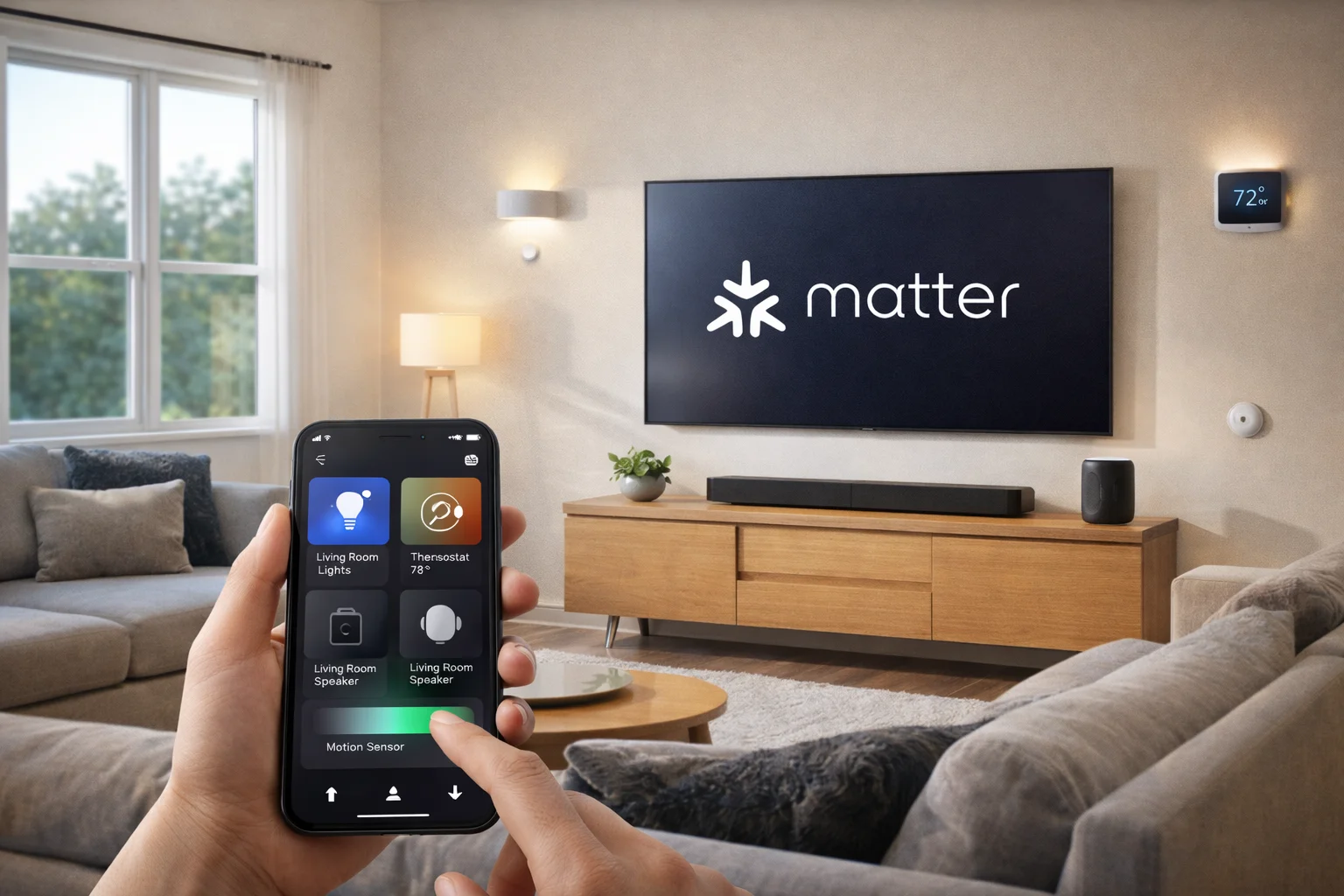
The living room scene above shows how invisible this technology is – the homeowner can use a single app or voice assistant to dim the lights, adjust climate, or play music, without worrying which brand makes each device. Matter’s promise is a simplified smart home where technology blends into the background of comfortable living, rather than requiring separate remotes or apps for every gadget. By using local connectivity, these devices respond quickly and reliably, making the home feel smarter and more responsive to the occupants’ needs.
Why Matter Matters to Homeowners (Planning Upgrades or DIY)
For homeowners – whether you’re deep into smart home tech or just starting to consider smart devices – Matter is essentially a guarantee of easier, more future-proof upgrades. Here are the key benefits and implications for homeowners:
Buy with Confidence: If you see the Matter logo on a product, you know it will work with whatever smart platform you prefer. No more reading fine print like “Alexa only” or “Works with Apple HomeKit” and worrying about compatibility. A Matter-certified smart lock or light bulb can be added to Apple Home or Google Home or Alexa – or even multiple at once – with full functionality in each. This is thanks to Matter’s multi-admin capability, which lets a device be connected to multiple apps/controllers simultaneously if you want (for example, you and your spouse might use different phone platforms). The ability to choose products based on features and quality, not compatibility, means you get to pick the best thermostat or the right light switch for you, and know it will mesh with the rest of your smart home[10].
Simplified Setup: Matter has a unified setup process. Typically, you power on a new Matter device, scan the QR code (or enter a numeric code) on it using your preferred app, and within seconds it’s securely joined to your home network and visible to all your Matter controllers. The days of installing a new app for each gadget, creating new accounts, and dealing with “skills” or custom integrations are fading. For example, adding a Matter smart plug is as easy as scanning and tapping a few confirmations – no tedious Wi-Fi onboarding or copying long serial numbers. The consistency is huge: your second device will pair just like the first, regardless of brand. Several platforms have gone further to streamline this; Google’s Android can auto-detect a Matter device ready to be set up, and Amazon’s Echo devices can use Frustration-Free Setup to add some Matter devices to your network automatically out-of-box. All of this translates to a lot less time wrestling with tech and more time enjoying it.
Local Control and Speed: When you tap a smart switch or give a voice command for a Matter device, the response is almost instantaneous. Because Matter devices communicate on your local network, the latency is very low – no cloud delay. Homeowners will notice that lights turn on/off quickly and reliably, sensors trigger routines (like turning on hallway lights when motion is detected) without lag, etc. Another plus: local control = cloud independence. Your smart home won’t grind to a halt just because your internet is down or a cloud service has an outage. Also, you’re not depending on dozens of different cloud servers (one for each brand); your data stays more private within your home. For anyone concerned about privacy, Matter’s approach means, for example, a Matter motion sensor just talks to your home hub locally – it doesn’t need to send data to the manufacturer’s server for you to turn on a light. You remain in control of what goes out to the cloud (usually only if you want remote access via some platform). This is a big shift from earlier smart gadgets that often wouldn’t function at all without internet access. Matter essentially treats internet as optional for your everyday automations and controls.
Voice Assistant and App Flexibility: Perhaps you start out controlling everything with Alexa, but a year down the line you decide to switch to Apple’s ecosystem – or you want to try that new smart home app on Android – if your devices are Matter, you won’t have to replace them. They are yours to use with any system. This upgradability extends the life of your investment in smart devices. It’s much like how a Wi-Fi router or a printer uses standard protocols so any computer or phone can connect – now your door locks and lightbulbs do the same. Homeowners can also mix interfaces: you might tell Siri to lock the doors at night, but use the Google Nest Hub’s screen to view camera feeds in the morning – all using the same devices. This cross-platform harmony simply wasn’t possible before; Matter has effectively broken the walls between Alexa, Google, and HomeKit. As one tech reviewer noted, “Today, you buy a Matter device, scan a QR code and it works in Apple Home, Google Home, Alexa, or SmartThings” – it’s that straightforward, and it works.
Future-Proofing and Updates: Matter is designed to evolve. The alliance continues to add support for more categories (robot vacuums, home appliances, and HVAC systems are on the roadmap beyond 1.5). By investing in Matter-capable devices, you’re essentially future-proofing your home. Many existing devices even get Matter support via software updates (for instance, if you have compatible Philips Hue lights with a Hue Bridge, a simple firmware update made them Matter-ready in early 2023). So your current gadgets might gain new life in the Matter ecosystem. Furthermore, because the big players are behind it, we can expect new products to increasingly launch with Matter from day one. Already, the list of Matter-certified products is growing rapidly, from smart plugs and color LED bulbs to thermostats and smart TVs. When planning an upgrade, it’s a good idea to look for the Matter logo (which looks like three arrows pointed to a center, somewhat star-like). This ensures you’re getting devices that will play nicely together for years to come. If you’re unsure, you can consult resources or ask a home technology integrator – most are well aware of Matter now.
Seamless Scenarios: To illustrate a homeowner benefit scenario: imagine a morning routine where your smart thermostat warms up the house, your connected blinds open to let sunlight in, and your coffee maker (smart plug) turns on – all in sync. Pre-Matter, you might need to juggle three different apps or hope that a service like IFTTT can stitch them together. With Matter, you can program that routine in whichever platform you like (say the Apple Home app or Alexa Routines), and it will just work across all those devices, since they share a common protocol. This kind of cross-device, cross-brand orchestration is becoming simpler to set up and more reliable to execute via Matter. It truly makes a smart home feel like one cohesive system rather than a collection of gadgets.
In short, Matter matters to homeowners because it reduces complexity and increases choice. Whether you’re retrofitting a few smart bulbs in an older house or outfitting a whole new home with smart tech, Matter provides a solid foundation that all those devices can build on together. It’s a bit like the shift from having a dozen different phone chargers to the single USB-C standard – painful at first, but once everything converges, life gets easier and you’re free to focus on what you want the technology to do for you, not how it connects.
Why Matter Matters to Builders and Remodelers
If you’re a builder, contractor, or involved in designing new homes (or major renovations), the arrival of Matter is great news. It gives you a clearer target for smart home infrastructure that will remain compatible for years to come. Incorporating Matter-ready options can add value to your properties and simplify the tech integration process. Here’s what builders should know:
Future-Ready Wiring: Even though Matter is largely wireless, smart homes still benefit from proper wiring. Builders can pre-wire homes for network connectivity and power in strategic places. For example, running Cat6 Ethernet cables to key locations (behind TVs, in the ceiling for Wi-Fi access points, at the front door for cameras/doorbells, in rooms for possible touch panels or hubs) will give homeowners the bandwidth for all their Matter devices (especially those that use Wi-Fi or need power). While a Matter light bulb might just screw in like any other, devices like smart motorized shades or video doorbells are smoother when power is provided (to avoid reliance on batteries). Providing a neutral wire in every light switch box (a standard now in many codes) is important because most smart switches/dimmers require neutral. By doing this, you ensure that when the homeowner or integrator installs Matter-certified smart switches or outlets, the wiring is ready to accommodate them.
Networking and Thread Border Routers: Matter devices need a robust home network to shine, so builders can differentiate their projects by including a strong networking backbone. This could mean wiring for a mesh Wi-Fi system or at least leaving space for the homeowner’s router in a central, optimal spot. Since Thread is new, you might wonder what to do about it – fortunately, many Wi-Fi 6/6E routers and smart speakers are coming with Thread support built-in. As a builder, you might not need to install a Thread border router yourself (the homeowner’s Matter hub or even phone could serve), but being aware of it matters. For high-end smart home packages, consider providing a Smart Home Hub or controller that supports Matter and Thread out of the box. For instance, a SmartThings Hub or an Eero Pro 6E router can be part of an upgrade package for buyers, so their home is Matter-capable from day one. If not, at least ensure that there is a dedicated space (like a structured media panel or wiring closet) where an integrator or owner can easily add these networking devices. It’s much easier to run one extra Ethernet line during construction than to retrofit later.
Device Niches to Consider: Matter now covers a wide range of devices – smart thermostats, lighting, security sensors, door locks, garage door controllers, window covering motors, etc. Builders can plan for these by making slight modifications in construction:
o Installing deep junction boxes or dual gang boxes where smart dimmers or panels might go (some smart controls are bulkier).
o If offering pre-installed smart thermostats, choose models that are Matter-compatible so they’ll work with any platform the buyer prefers.
o For security systems or sensors, you could use Matter-compatible contact or motion sensors that integrate easily with whatever hub the owner uses.
o If building luxury homes, providing motorized blinds or smart HVAC dampers? Ensure the models either support Matter natively or have an adapter path.
o EV Chargers and Solar: As energy management features evolve (as seen with Matter 1.5), having an EV charging circuit in place and a plan for integrating solar/storage data can set the stage for a “smart energy home.” At the very least, leave conduit for solar panel wiring and a 240V garage outlet for EVs – the future homeowner might connect these systems to their Matter setup for load management down the line.
Avoiding Vendor Lock-in: In the past, some builders partnered with specific smart home vendors to install systems in new houses (e.g., a security panel that only worked with one service, or a proprietary automation system). The risk was if the homeowner didn’t like that system, they were stuck with hardware that wasn’t universally useful. By basing smart home features on Matter, builders can offer a baseline of automation (like a few smart lights and a hub) that the homeowner can take in any direction. You might, for example, install a few core devices (say a Matter lock on the front door, a Matter thermostat, and a Matter light switch in the kitchen) and let the buyer know these will work with Alexa, Google, Siri, or SmartThings – their choice. It’s a selling point: the home is “compatible with all major smart home ecosystems,” which sounds a lot better than “preloaded with X brand that you must stick with.” It also reassures tech-savvy buyers that the home is adaptable to future tech rather than tied to a single manufacturer that could go out of business.
Smart Home as Standard Infrastructure: We’re reaching a point where robust Wi-Fi (or wired network) is as essential as plumbing in modern homes. Builders should treat it that way. Ensure coverage in all corners (maybe pre-install conduit for future access point wiring on ceilings). Additionally, consider including a small rack or panel in a closet where all cables converge – a place for network gear, smart home hub, security system, etc. Mark it in plans as “Smart Home Panel” or similar. This makes it clear to any installer or homeowner where the brains of the system can reside. If you’re building apartments or condos, designing for Matter could also be a perk – for instance, ensuring that each unit’s smart devices can operate on their local network without interference (Thread networks are pretty good at coexisting, but having separate Wi-Fi SSIDs per unit, etc., will help). Matter’s local focus can reduce load on building-wide internet since devices talk directly internally.

By pre-wiring and planning for connectivity, builders make it much easier to integrate Matter-certified devices later on. This forward-thinking approach means homeowners won’t have to tear up walls or use unsightly external wiring to add smart features; the home comes “smart-ready.” Simple steps like including neutral wires at all switch locations, Ethernet jacks in key rooms, and ample power outlets (including in the ceiling for devices like Wi-Fi access points or smart speakers) can significantly streamline the adoption of Matter devices. In essence, builders who anticipate these needs are delivering a future-proof home that can adapt to the owner’s technology preferences with minimal fuss.
Another consideration for builders is to partner with smart home integrators or offer smart home packages. With Matter, these packages can be more flexible and cost-effective. For example, you might offer an upgrade option that includes a configured Matter hub and a selection of Matter-enabled devices (security kit, smart lighting starter, smart thermostat, etc.) that the buyer can choose to opt into. Even if not, leaving conduits or extra wiring (like a spare conduit from the attic to the crawlspace, or from the front door to the attic for future doorbell cams) is a low-cost addition during build that saves enormous effort later. Given that Matter is backed by giants and becoming the norm, preparing a home for it is increasingly becoming part of standard best practices.
Key Benefits of Matter at a Glance
Universal Compatibility: Buy devices for features and quality, not brand or platform. If it has the Matter logo, it will work with any major smart home ecosystem (Alexa, Google, Apple Home, SmartThings, etc.)[1]. This cross-brand compatibility gives homeowners freedom of choice and prevents the “vendor lock-in” of older systems.
Simplified Setup: A consistent, streamlined setup process for all devices. Adding a new Matter gadget typically involves scanning a QR code and it joins your network in seconds – no multiple apps or cloud accounts needed. This means less troubleshooting and faster expansion of your smart home.
Local Control & Speed: Matter devices communicate locally over your home network, resulting in fast response times and reliable operation. Basic functions don’t rely on cloud servers, so your lights, locks, and sensors still work even if your internet is down. Local control also enhances privacy (your data stays within your home).
Secure and Certified: Matter builds in strong security, including device authentication and encryption. Every Matter device is certified to meet these standards, so homeowners get a baseline of security by default across all brands. You can mix devices without worrying that one weak link will compromise the system – the Matter spec requires robust, peer-reviewed security for all participants.
Expanding Ecosystem: Matter is continually adding support for more device types – from light bulbs and plugs to thermostats, cameras, door locks, blinds, sensors, appliances, and more. This growing ecosystem means you’ll be able to integrate whole-home systems (HVAC, security, AV, energy management) under one umbrella. It’s not static; it’s actively maintained and improved by an alliance of hundreds of companies.
Multi-Admin Convenience: Matter allows multiple control points. For example, you can have your devices in both the Apple Home app and Google Home app simultaneously, or control them with Alexa voice commands and also via a SmartThings dashboard. This flexibility is great for households where different members prefer different interfaces – everyone can interact with the same devices through their tool of choice.
Practical Takeaways: Building or Upgrading a “Matter” Smart Home
For those building new homes (or undertaking major renovations) and for homeowners looking to upgrade, here are some practical tips to ensure you leverage Matter for a future-proof smart home:
For Builders / Remodelers:
Pre-wire strategically: Include CAT6 Ethernet runs to central locations (behind entertainment centers, in home offices, near the ceiling in open areas for Wi-Fi APs) and to specific smart device spots (front door, garage ceiling, security camera corners). Even if devices are wireless, wired backhaul for hubs and APs improves performance. Also, run electrical wiring (or at least conduits) to places where motorized blinds, smart toilets, bidet seats, or other fancy gadgets might go so power is available for future smart additions.
Dedicated space for networking: Design a “tech hub” area in the home – a closet or panel with power outlets and ventilation – where a router, modem, and possibly a smart home hub can reside. Label it in the electrical plan. Homeowners will appreciate having a neat, central spot for the inevitable jumble of network gear, rather than scrambling later. This area could also house security system brains, NAS drives, etc., in an organized manner.
Install Matter-compatible basics: If including any smart devices as standard (doorbells, thermostats, etc.), choose Matter-enabled models if available. For example, a Matter thermostat can work with any system the buyer uses, whereas a Wi-Fi one locked to an app cannot. Even if your go-to brand doesn’t support Matter yet, consider alternatives that do – or ensure at least that there’s a pathway (like an adapter or promised firmware update). Advertising a house as “Matter-ready” or “includes Matter-certified smart devices” will signal to savvy buyers that the home is up-to-date with the latest tech standard.
Work with integrators: Local smart home integrators are now well-versed in Matter. Team up with them for model homes or client options. They can design packages that complement your builds, and you can trust that with Matter, those packages won’t become obsolete or burdensome to maintain. An integrator can also ensure that things like Wi-Fi heatmaps, interference considerations, and device placements are optimized – which can be beyond the typical builder’s scope but hugely impact performance.
For Homeowners / Upgraders:
Look for the Matter logo: When shopping for new smart devices, check if it’s Matter-compatible (the symbol resembles three interconnected arrows or a tiny asterisk-like shape). This is your assurance of easy integration. Many products might advertise compatibility with Alexa, Google, etc. in text – but Matter is the gold standard that covers them all. It might also be labeled as “Matter-certified” on the box.
Update or get a Matter controller: To use Matter devices, you’ll need at least one Matter controller in your home. This could be a smart speaker/display (Amazon Echo, Google Nest Hub, Apple HomePod), a hub (SmartThings/Aeotec Hub, Hubitat, Homey, etc.), or even just a phone (newer iPhones and Android phones can act as controllers in some capacity when running the respective apps). Ensure your existing devices are updated to the latest firmware – for instance, update your Echo speakers or Apple TV to the latest software to enable Matter support. If you use only a phone, note that for Thread-based Matter devices you’ll eventually want a border router (many controllers double as one). In many cases, you might already have one – e.g., a Nest Wifi or HomePod Mini. If not, consider investing in a hub or speaker that includes one to expand your network’s capabilities.
Gradual upgrade is fine: You don’t have to replace everything at once. Matter is meant to be integrated gradually. You can keep using your non-Matter devices alongside new Matter ones. Many existing bridges (Hue, Aqara, SmartThings v2/v3) now act as Matter Bridges, which expose their connected Zigbee/Z-Wave devices into Matter. For instance, if you have a bunch of Zigbee sensors on a SmartThings hub, a firmware update can make those sensors visible as Matter devices to other ecosystems (so you could, say, see them in the Apple Home app via the SmartThings hub’s Matter bridge). This kind of backward compatibility means you won’t waste your current setup – it can be folded into Matter with the right updates. Check manufacturer news for whether your older smart gadgets can be updated to Matter or integrated via a bridge.
Consult professionals if needed: If you’re doing a big upgrade or retrofit and feel overwhelmed, a technology integrator or smart home consultant can be a huge help. They now largely operate with Matter as a key interoperability tool. An integrator can design a system tailored to your needs (blending security, AV, lighting, climate, etc.) using Matter devices for core functions and tying in any legacy systems. They ensure everything is installed correctly, with robust networking and minimal aesthetic impact (concealing wires, using in-wall rated devices, etc.). While Matter significantly improves DIY potential (and interoperability), a pro can still add value, especially in larger homes or complex setups. They’ll also know the latest devices that work well (since not all Matter devices are equal in quality – some brands will still shine more in certain categories).
Enjoy the benefits: Once you have a Matter-based setup, experiment with different apps or voice assistants to see what you like best – you have the freedom to do so. You might use multiple: Alexa for voice in the kitchen, Siri on your phone, and the SmartThings app for custom automations, for example. Your devices can respond to all. Also, take advantage of scenes and automation routines; with broad device compatibility, you can get creative. Maybe set an “Entertainment Time” scene that talks to your Matter-compatible TV, dims your Matter lights, closes Matter blinds, and adjusts the thermostat – all with one command or on a schedule. The more you live with it, the more you’ll find these integrations improve daily life, from energy savings (e.g., lights off when no motion) to convenience (unlocking the door also turns on entryway lights).
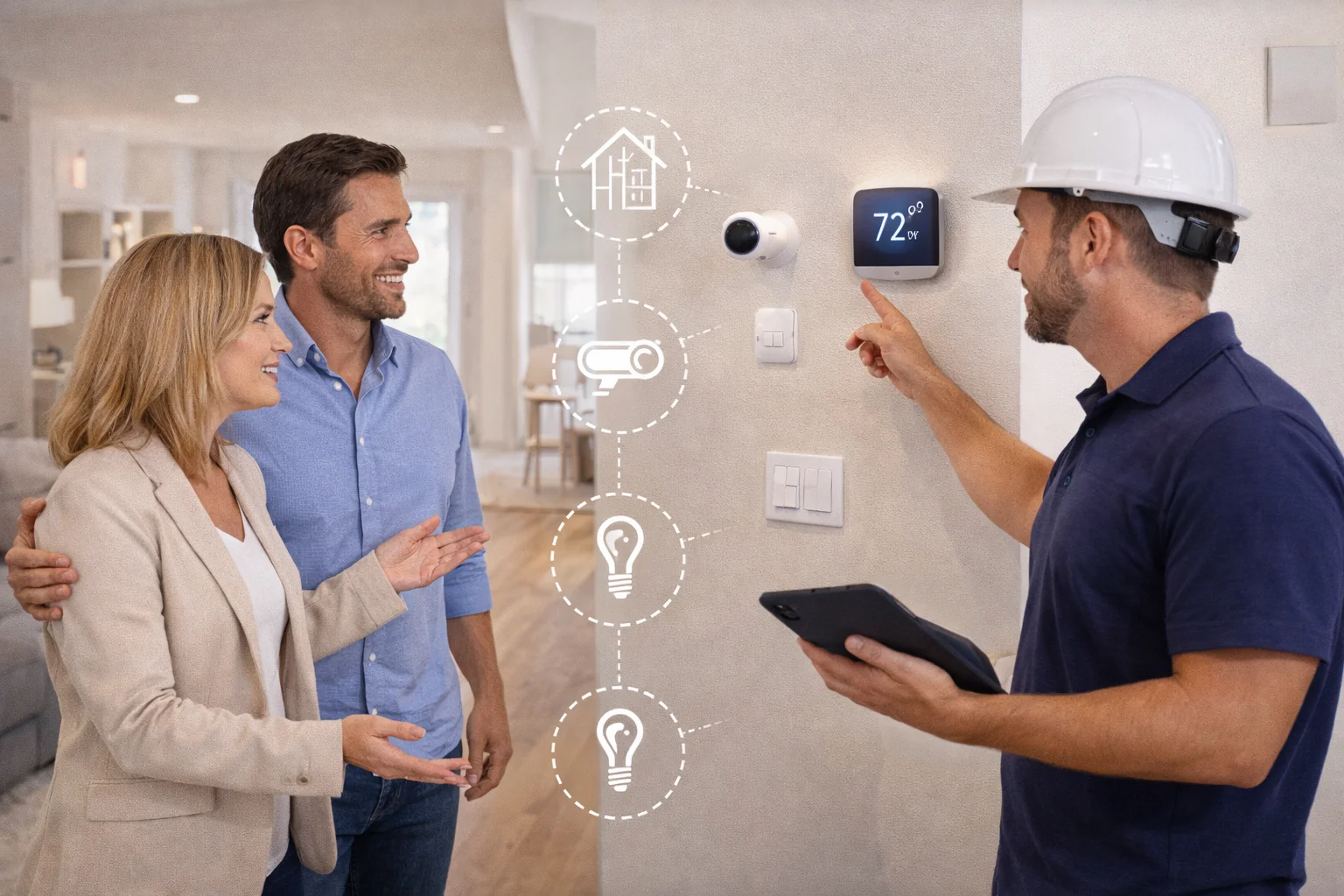
The Matter standard gives a common framework to discuss these plans – for instance, they can ask, “Are these devices Matter-compatible?” to ensure everything will work together. Homeowners should communicate their tech needs early in a project, and builders should highlight any smart-ready features they include. Collaboration here results in a cohesive system that doesn’t detract from the home’s design. In the long run, a well-integrated smart home (especially one built on Matter) enhances the property’s value, comfort, and efficiency. Both homeowners and builders stand to gain by making smart home readiness a part of the construction or renovation process.
Conclusion
Matter is a game-changer for the smart home industry. It takes a world of gadgets that once spoke different languages and unites them under one universally understood standard. For homeowners, this means smart home technology is more accessible, less intimidating, and more reliable. You can invest in devices knowing they’ll work with whatever ecosystem you prefer now or in the future, and you won’t have to re-buy everything if you switch platforms. It’s all about peace of mind – your smart home is truly yours to control.
For builders and developers, Matter offers a clear path to making homes “smart” in a way that today’s buyers will appreciate. By focusing on robust infrastructure and neutral (platform-agnostic) devices and integrations, you deliver homes that can accommodate the rapidly evolving tech landscape. A Matter-ready home is a selling point: it’s marketed as having a modern, compatible backbone for any smart products the owner desires. As IoT devices become as common as appliances, buyers will expect their new home to support those devices out-of-the-box.
In the end, Matter matters because it makes technology work for people, not the other way around. It emphasizes local control, user choice, and interoperability – the things that make a smart home truly smart and convenient. So whether you’re upgrading a single room or constructing an entire neighborhood, consider making Matter the foundation of your smart home strategy. And don’t hesitate to reach out to professional integrators or use available resources for guidance; the community around Matter is growing and eager to help with this new wave of smart home innovation.
With Matter, the vision of a seamless, integrated, and easy-to-use smart home is finally coming to fruition. It’s an exciting time to be planning a tech-enhanced living space – and with the right groundwork, you’ll be set for many years of comfort, efficiency, and enjoyment in your smart home.
Need Expert Help?
Ready to implement these solutions in your own home or business?
Our Services

Complete home automation and control.

Intelligent lighting control and automation.

Home theater design and installation planned around your room, viewing goals, and equipment scope.

Comprehensive security solutions for home and business.
Serving the Treasure Valley
Local installation in your city