 (208) 991-3502
 Meridian, ID



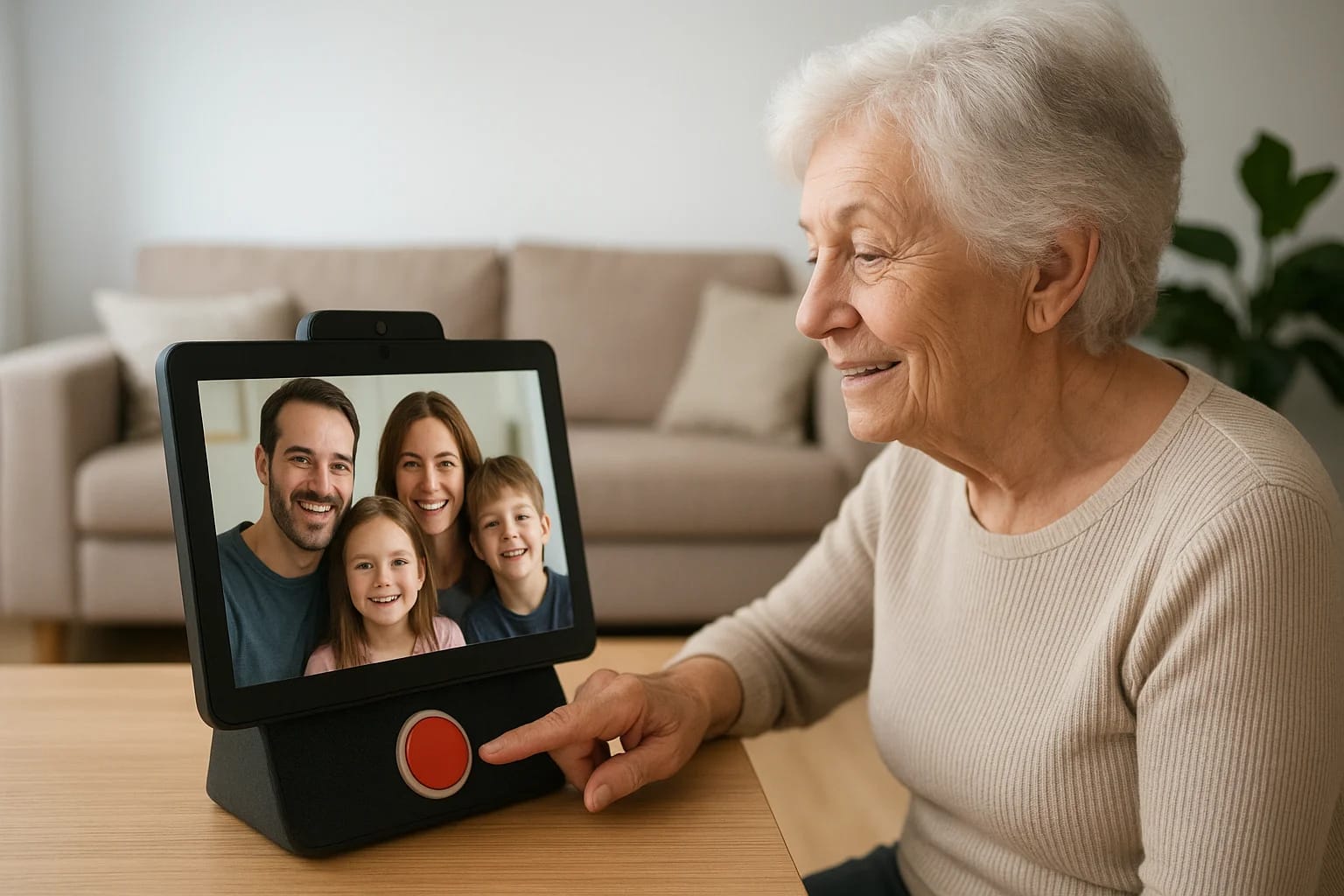

Staying connected with aging parents or grandparents shouldn't require a tech support degree. Yet many families discover that standard tablets and smartphones are too complicated for seniors with limi...
Staying connected with aging parents or grandparents shouldn't require a tech support degree. Yet many families discover that standard tablets and smartphones are too complicated for seniors with limited technical experience or cognitive challenges. That's where video calling devices for seniors come in, purpose-built hardware designed to make face-to-face conversations as simple as pressing a single button.
The right device can mean the difference between daily video chats and an expensive gadget collecting dust on the counter. Seniors need large screens, loud speakers, intuitive interfaces, and setup processes that don't require hours of troubleshooting. Some options work straight out of the box, while others integrate with existing TVs or smart home systems for a more seamless experience.
At Treasure Valley Solutions, we help families throughout Idaho design and install elderly care technology that prioritizes safety, independence, and connection. We've seen firsthand how the right video calling solution can reduce isolation and give family members peace of mind. Below, we've rounded up six of the best options available, from dedicated tablets to smart displays to TV-based systems, so you can find the perfect fit for your loved one.
1. Treasure Valley Solutions TV video calling setup
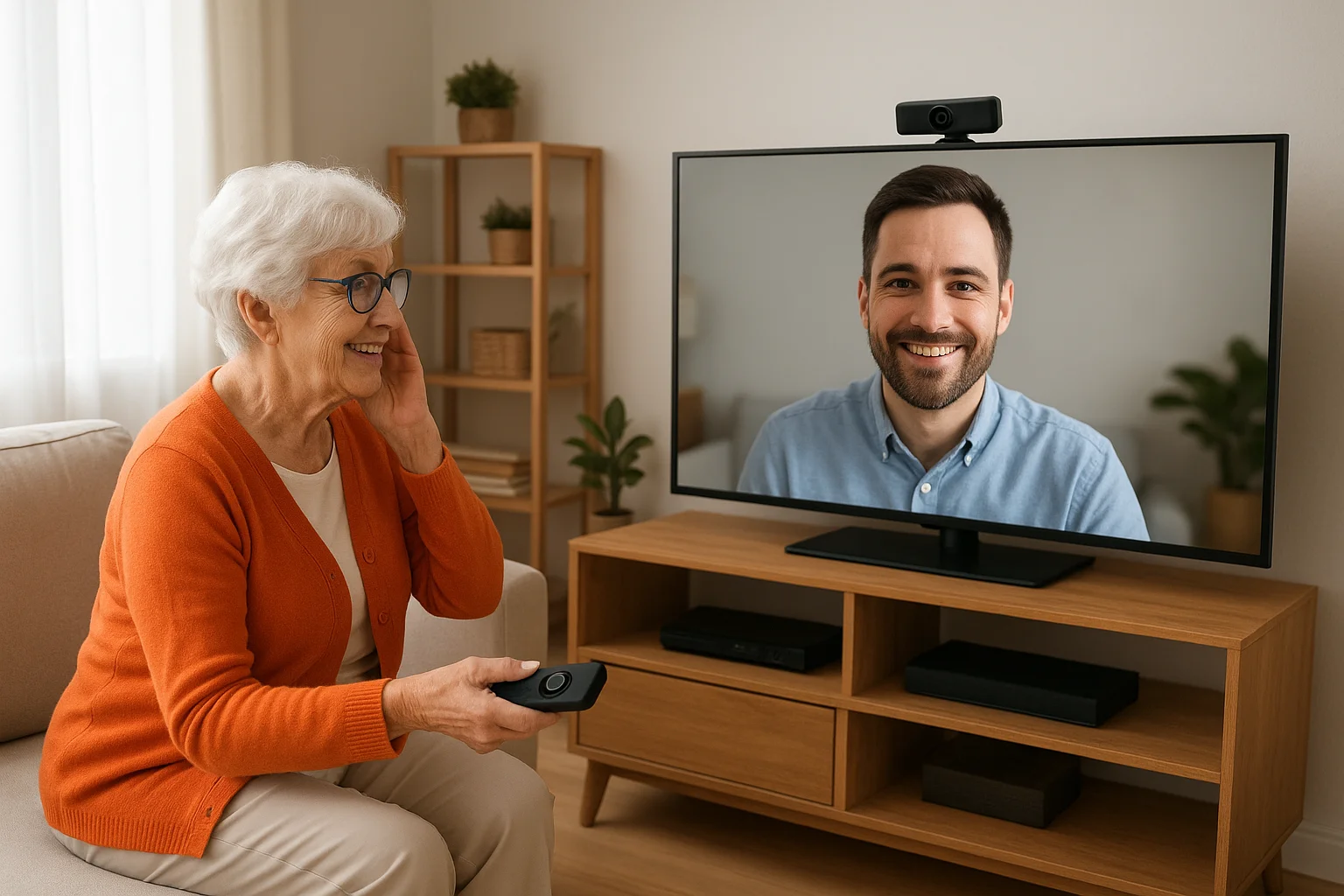
Your loved one's television can become the simplest video calling solution they've ever used. Instead of purchasing a separate device, Treasure Valley Solutions transforms your senior's existing TV into a hands-free communication hub that requires zero technical knowledge to operate. Family members can call directly to the TV screen, and your loved one simply answers by speaking a voice command or using a large, easy-to-see button on a simplified remote.
What it is and how it works
This custom system integrates professional-grade cameras and studio-quality microphones with your senior's television to create a dedicated video calling station. We mount a wide-angle camera on top of the TV, connect high-fidelity audio equipment, and configure voice control through platforms like Amazon Alexa or Google Assistant. When you call, the TV automatically switches inputs, displays your video feed in full-screen clarity, and delivers crisp audio through the TV's speakers or an upgraded soundbar.
"The beauty of using a TV is that seniors already know how to look at it, so the learning curve drops to nearly zero."
Your loved one never needs to fiddle with apps, worry about charging batteries, or remember passwords. Everything runs through automated routines that we program and test before you leave our office.
Best for
This solution works best for seniors who spend significant time in their living room and prefer larger screens with louder audio. You'll find it particularly valuable if your loved one struggles with small touchscreens, has hearing or vision impairments, or simply refuses to adopt new technology. Families who want the most natural, TV-based experience choose this option over standalone video calling devices for seniors because it leverages familiar equipment.
Pricing and requirements
Custom TV video calling setups start around $800 to $2,000 depending on your equipment choices and installation complexity. You'll need a smart TV or streaming device, reliable internet service, and professional installation to ensure everything works correctly. Treasure Valley Solutions handles the entire process, from selecting compatible hardware to programming voice commands and training your family on how to make calls.
2. CallGenie
CallGenie delivers one-touch video calling through a device that looks like a digital photo frame but functions as a dedicated communication station. You plug it in, connect it to WiFi during setup, and your senior immediately gains access to video calls without downloading apps or creating accounts. Family members control everything from their smartphones using the CallGenie app, which lets you initiate calls that appear automatically on your loved one's screen.
What it is and how it works
The device features a 10-inch touchscreen mounted on a stand that sits on a counter or table. When you call from your phone, the CallGenie screen lights up with your video feed, and your senior simply taps the large green button to answer. The system supports unlimited calling between family members, and you can also schedule automatic calls that connect at predetermined times. Between calls, the screen displays a rotating slideshow of family photos that you upload through the mobile app.
"CallGenie eliminates the need for seniors to remember passwords or navigate complex menus."
Best for
This option works well for seniors who want a standalone device that stays in one location, typically in the kitchen or living room. You'll appreciate CallGenie if your loved one has mild cognitive decline or simply prefers devices with single, obvious purposes rather than multipurpose tablets that demand more technical knowledge.
Pricing and requirements
CallGenie costs approximately $250 upfront plus a $40 monthly subscription that covers unlimited calling and cloud photo storage. You need a reliable WiFi connection and a smartphone to manage calls and photo uploads from your end.
3. ViewClix
ViewClix puts video calling directly on your senior's television without requiring a smart TV or complex setup. This plug-and-play device connects to any TV through an HDMI port and transforms the screen into a dedicated communication hub that works with a simplified remote control. Your loved one simply presses one button to answer incoming calls, and family members initiate conversations through the ViewClix mobile app or web portal.
What it is and how it works
The ViewClix system includes a small set-top box that you connect to your senior's TV, a wide-angle camera that sits on top of the television, and a custom remote with large, clearly labeled buttons. You complete the initial WiFi setup through your smartphone, then authorize family members who can call directly to the TV. When someone initiates a call, the TV automatically powers on, switches to the correct input, and displays a ringing notification that your loved one answers by pressing the green button on the remote. The system also displays family photos and simple reminders between calls.
"ViewClix turns any standard TV into one of the most accessible video calling devices for seniors available today."
Best for
You'll find ViewClix ideal for seniors who prefer larger TV screens over tablets but don't own smart televisions. This option works particularly well if your loved one already spends time watching TV and feels comfortable using a remote control, even if they struggle with smartphones or computers.
Pricing and requirements
ViewClix costs approximately $300 for the hardware plus a $30 monthly subscription that covers unlimited calling and cloud storage for photos. You need an HDMI-compatible TV, reliable internet access, and a smartphone to manage the initial setup and place calls.
4. GrandPad
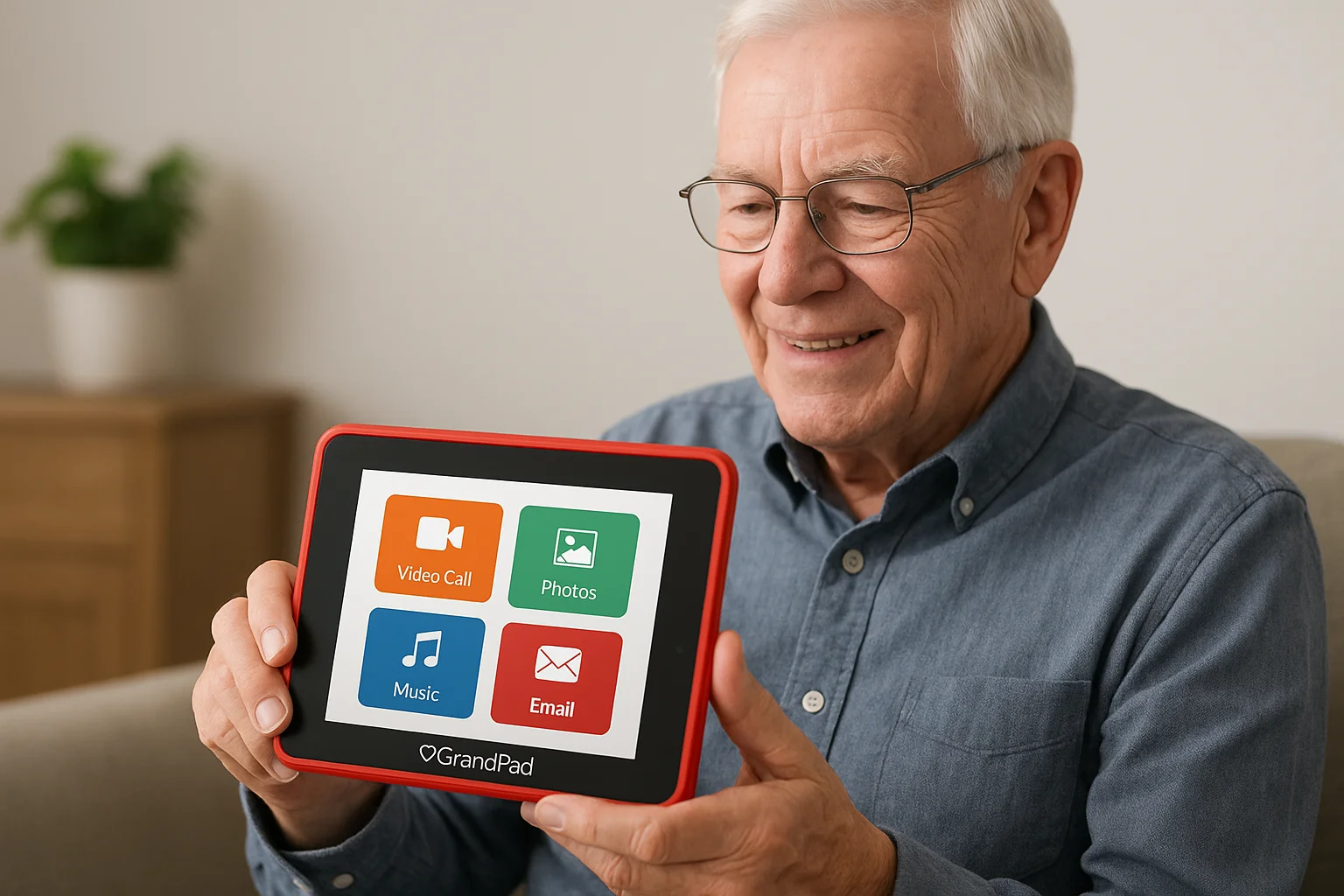
GrandPad offers a simplified tablet built specifically for seniors who need foolproof technology. Unlike standard tablets that overwhelm users with countless apps and settings, this device arrives preconfigured with only essential functions like video calling, photo sharing, and music. Your loved one receives a tablet that works immediately out of the box, and you control everything from adding contacts to approving new features through a secure online dashboard.
What it is and how it works
The GrandPad tablet features a bright 8-inch touchscreen with large icons and simple navigation that eliminates confusion. You manage the device remotely through the family portal, where you add approved contacts, upload photos, and enable specific features. When you want to video call, you simply select your senior's name from your GrandPad app, and the call rings directly on their tablet with a clear answer button. The device includes built-in LTE cellular service, so you never need to worry about WiFi passwords or internet troubleshooting.
"GrandPad removes every technical barrier between your loved one and their family connections."
Best for
You'll find GrandPad ideal for seniors with moderate to advanced cognitive decline who need the absolute simplest interface possible. This option works particularly well if your loved one lives in a facility without reliable WiFi or if you want complete control over which contacts and features they can access.
Pricing and requirements
GrandPad costs approximately $79 per month with no upfront hardware fees, which includes the tablet, unlimited cellular data, and technical support. You need a smartphone or computer to manage the family portal and initiate video calls.
5. Amazon Echo Show 8
The Amazon Echo Show 8 brings voice-activated video calling to seniors through a device that doubles as a smart display. You get an 8-inch touchscreen that responds to voice commands, plays music, shows photos, and connects to family members through Amazon's Alexa platform. Your loved one simply says "Alexa, call [name]" to start a video conversation.
What it is and how it works
This smart display connects to your WiFi network and links to your senior's Amazon account during initial setup. Family members need the Alexa app on their smartphones or their own Echo Show devices to make video calls. When you call, the Echo Show 8 rings with a visual alert, and your loved one either taps the screen or says "Alexa, answer" to connect. The device includes a 13-megapixel camera with automatic framing that keeps your senior centered in the video feed.
"Amazon's ecosystem makes the Echo Show 8 one of the most versatile video calling devices for seniors who want additional smart home features."
Between calls, the screen displays family photos and provides voice-controlled access to weather, news, and entertainment.
Best for
You'll find the Echo Show 8 ideal for seniors who already use Amazon services or who want more than just video calling. This option works well if your loved one enjoys voice assistants and appreciates having a digital helper that can set medication reminders or play their favorite music throughout the day.
Pricing and requirements
The Echo Show 8 costs approximately $130 with no monthly subscription fees for basic video calling. You need reliable WiFi, an Amazon account, and family members with either the Alexa app or compatible Echo devices to make calls.
6. Apple iPad with FaceTime
The Apple iPad delivers professional-quality video calling through FaceTime, Apple's built-in communication platform that connects seamlessly with any iPhone or Mac user in your family. You get a versatile tablet with a high-resolution display and user-friendly interface that seniors can learn with proper setup and basic training. While not specifically designed for elderly users like dedicated video calling devices for seniors, the iPad offers powerful capabilities if your loved one has some technical aptitude or receives initial hands-on instruction.
What it is and how it works
The iPad runs iOS software that includes FaceTime as a preinstalled application. You complete the initial setup by creating or signing into an Apple ID, connecting to WiFi, and adding family members to the contacts list. When someone with an Apple device calls through FaceTime, the iPad rings with a clear notification showing the caller's name, and your loved one taps the green button to answer. The front-facing camera captures clear video while the large screen displays your face in crisp detail.
"Apple's ecosystem makes video calling remarkably smooth when everyone in your family uses iPhones or Macs."
Best for
You'll find the iPad ideal for seniors who already use Apple products or who want a multipurpose device beyond video calling. This option works well if your loved one enjoys browsing the internet, playing games, or reading digital books alongside staying connected with family.
Pricing and requirements
The iPad starts around $329 for the base model with no monthly subscription fees for FaceTime calls. You need reliable WiFi, an Apple ID, and family members with compatible Apple devices or the FaceTime app to initiate video conversations.
A simple way to choose and move forward
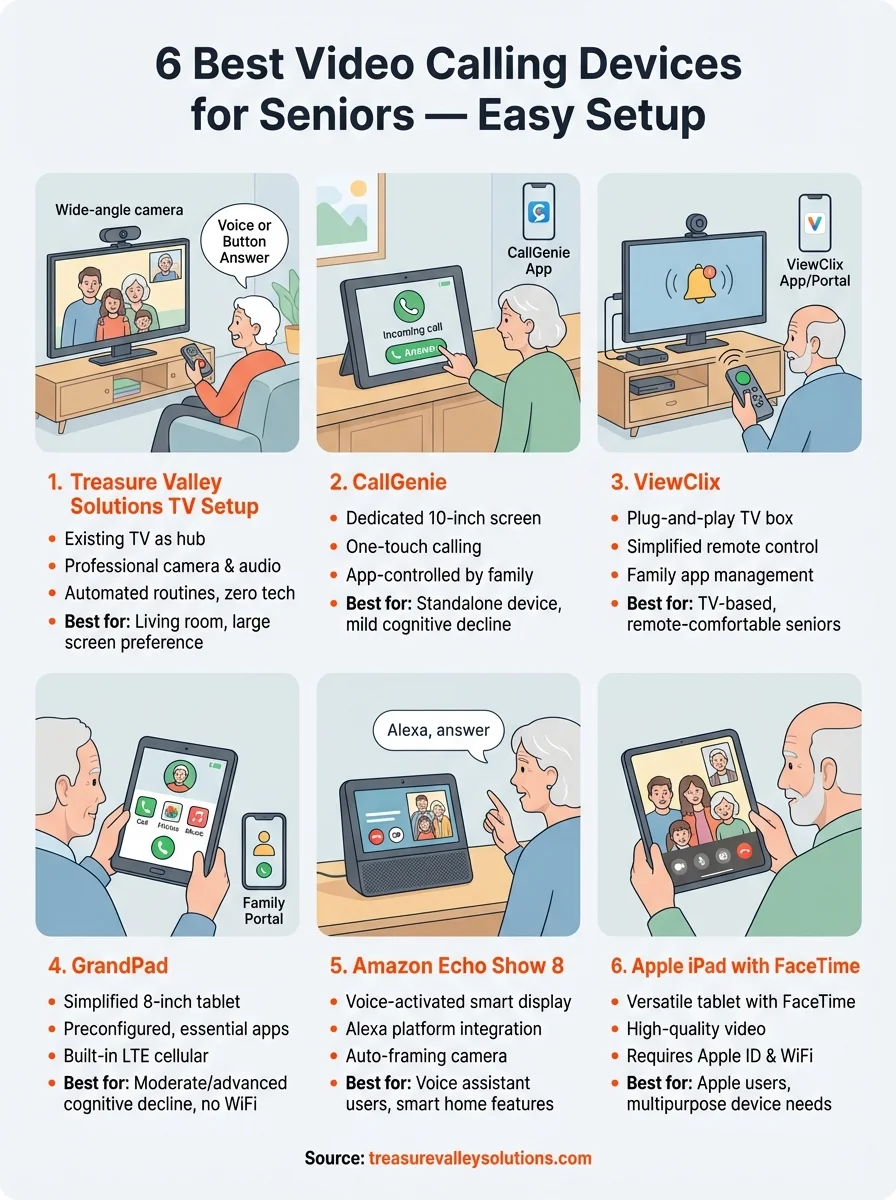
Your decision ultimately depends on your loved one's comfort level with technology and where they spend most of their time. Seniors who prefer their living room couch will benefit from TV-based systems like Treasure Valley Solutions' custom setup or ViewClix, while those who move between rooms might appreciate portable options like GrandPad or the Echo Show 8. Budget matters too, so consider whether you prefer a higher upfront cost with minimal monthly fees or a subscription model that spreads expenses over time.
Beyond comparing features and prices, you need professional installation and setup for many of these video calling devices for seniors to work correctly. Treasure Valley Solutions helps families throughout the Treasure Valley design, install, and program elderly care technology that prioritizes connection and independence. We handle everything from mounting cameras to configuring voice commands, ensuring your system works perfectly from day one. Contact our team to discuss which video calling solution fits your family's needs and schedule a consultation.
Need Expert Help?
Ready to implement these solutions in your own home or business?
Our Services
Technology solutions for independent living.

Complete home automation and control.
Serving the Treasure Valley
Local installation in your city