 (208) 991-3502
 Meridian, ID



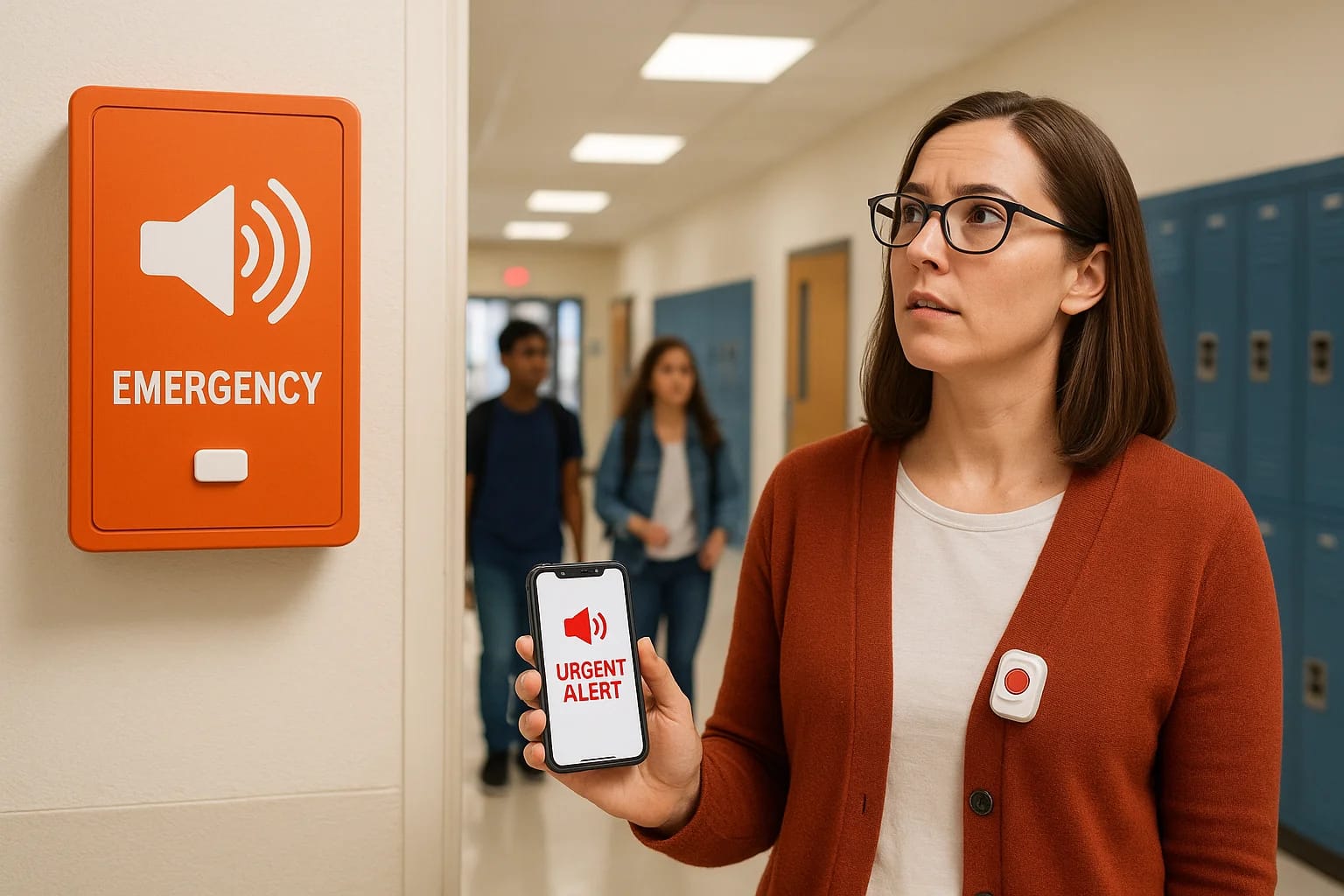

When seconds count during a school emergency, the ability to communicate quickly and clearly can save lives. Emergency notification systems for schools have evolved far beyond simple fire alarms and P...
When seconds count during a school emergency, the ability to communicate quickly and clearly can save lives. Emergency notification systems for schools have evolved far beyond simple fire alarms and PA announcements, today's solutions include mass notification software, wearable panic buttons, and crisis communication apps that connect administrators, teachers, parents, and first responders in real time.
At Treasure Valley Solutions, we work with educational institutions throughout Idaho to design and install integrated security and communication systems. We've seen firsthand how the right technology, properly implemented, gives schools the tools they need to respond effectively during critical moments. But choosing and deploying these systems requires understanding what's available, what actually works, and how different components fit together.
This guide breaks down the key types of emergency notification systems, explains what to look for when evaluating options, and covers practical considerations for implementation. Whether you're a school administrator researching solutions for the first time or a district technology coordinator comparing vendors, you'll find clear information to help you make informed decisions about protecting your students and staff.
Why schools need emergency notifications now
The threats facing schools have multiplied and intensified over the past decade. You're dealing with active shooter scenarios, medical emergencies, severe weather events, bomb threats, and campus intrusions that require immediate coordinated responses. Traditional communication methods like overhead announcements or manual phone trees simply can't match the speed and reach needed when every second matters. Modern emergency notification systems for schools address this gap by enabling instant, multi-channel alerts that reach everyone who needs to act, from teachers locking classroom doors to first responders en route to your campus.
The changing threat landscape
Active threats in educational settings have become more frequent and more complex. Your school needs to prepare for scenarios that require different response protocols depending on the nature and location of the threat. A medical emergency in the gym demands a vastly different response than an intruder near the main entrance, yet both require the same speed of communication. The variety of potential emergencies means your notification system must support nuanced messaging, not just a single alarm that creates confusion about what action to take.
Beyond violent incidents, you face environmental and health threats that demand rapid communication. Severe weather can strike with little warning, requiring you to move students to designated shelter areas within minutes. Gas leaks, chemical spills, or carbon monoxide issues require immediate evacuation of specific zones. During the recent pandemic, schools needed to quickly communicate exposure notifications and policy changes to entire communities. Each scenario demands clear, specific instructions delivered to the right people at the right time.
The average active threat incident lasts less than five minutes, but the first notifications often determine whether your staff can implement lockdown procedures before the situation escalates.
Response time determines outcomes
Research consistently shows that the first three minutes of an emergency define its outcome. When you can alert your entire campus within 30 seconds instead of five minutes, you give teachers time to secure classrooms, students time to take cover, and administrators time to coordinate with law enforcement. Every second of delay increases risk, which is why automated notification systems outperform manual processes in every measurable way.
Your staff can't be expected to remember complex phone trees or manually send texts during high-stress situations. They need systems that work with a single button press or that trigger automatically based on specific conditions. Modern notification platforms integrate with your existing security infrastructure, allowing a panic button activation to simultaneously lock doors, alert police, and send location-specific instructions to every phone on campus. This level of coordination simply isn't possible with manual communication methods.
Communication gaps cost lives
The most dangerous failures happen when information doesn't reach the people who need it. Your classroom teachers might know there's a threat, but do your maintenance staff, cafeteria workers, and bus drivers have the same information? Are parents receiving updates so they don't rush to campus and complicate the response? Can first responders see real-time information about the threat location and how many people are in affected areas?
Traditional systems often leave gaps in your communication coverage. A PA announcement doesn't reach teachers outside on the playground, in noisy shop classes, or in buildings without speakers. Text messages might not reach staff who keep their phones in lockers or who don't have cell service in certain areas. You need redundant communication channels that ensure messages get through regardless of location, noise level, or technology failures. The right emergency notification system eliminates these blind spots by reaching people through multiple methods simultaneously.
Integration with law enforcement has become equally critical. When officers arrive at your campus during an active incident, they need immediate access to floor plans, camera feeds, and real-time updates about threat location and victim status. Systems that automatically share this information save precious minutes that would otherwise be spent on phone calls and confusion about what's happening where.
How emergency notification systems work
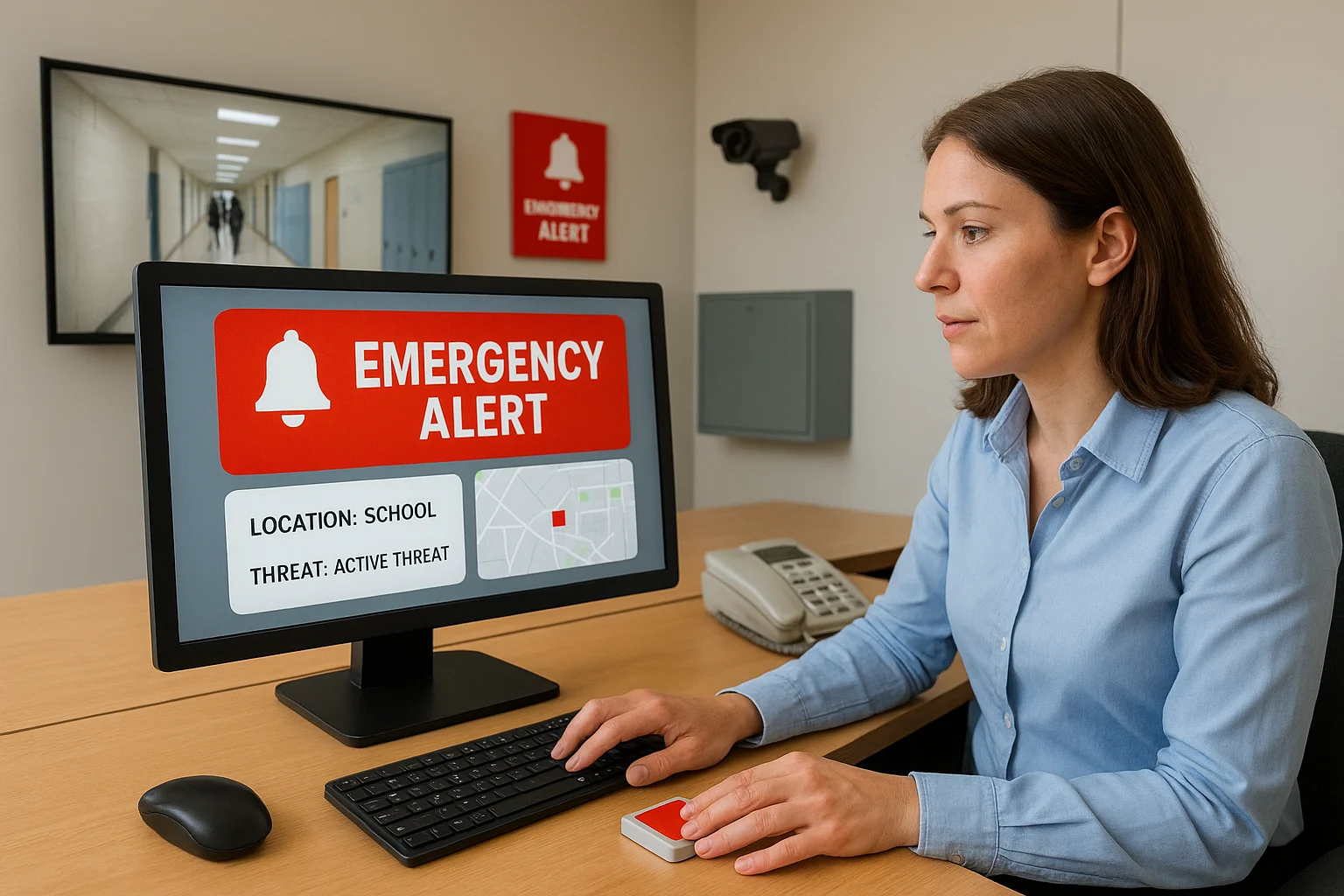
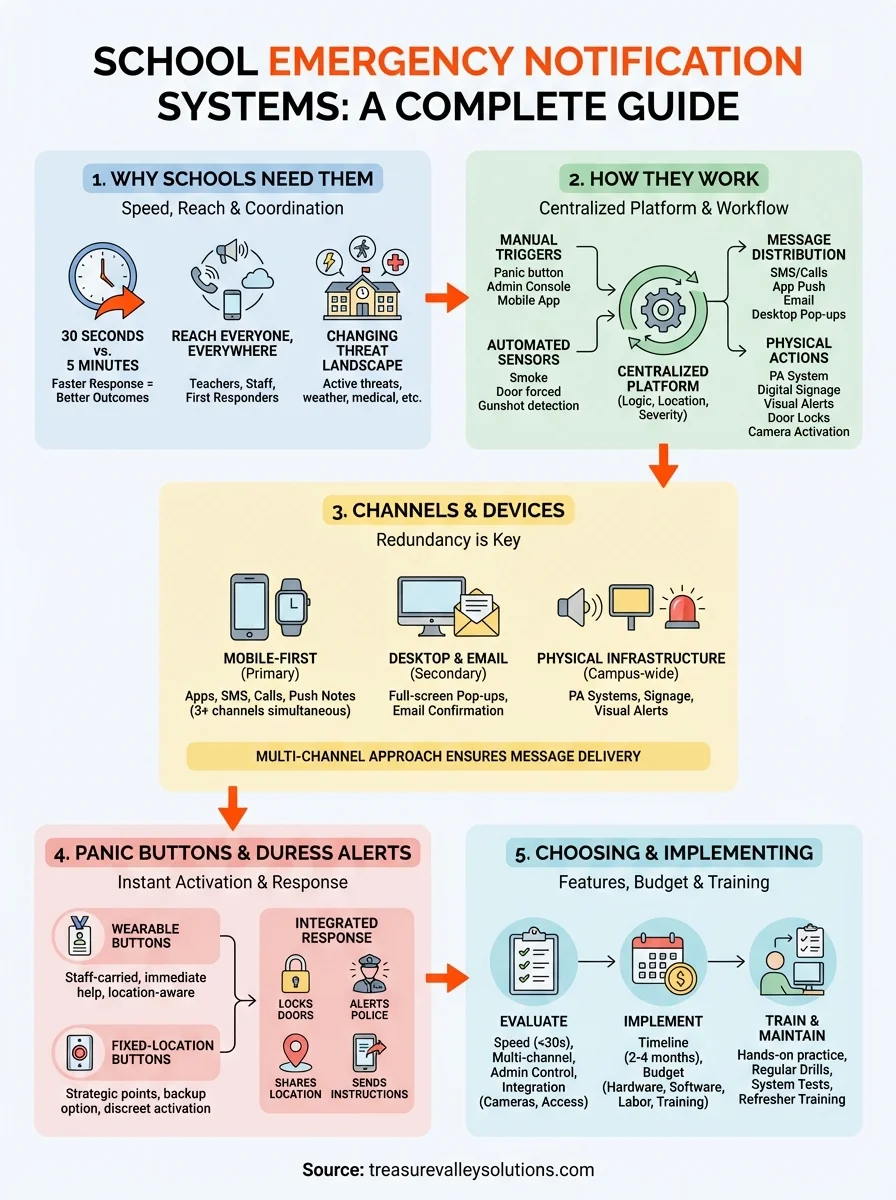
At their core, emergency notification systems for schools operate through centralized platforms that receive triggers, process alert logic, and simultaneously distribute messages across multiple channels. You initiate notifications through various input methods like panic buttons, manual administrator actions, or automated sensors, and the system instantly routes those alerts to predetermined recipients based on threat type, location, and severity. The technology connects your existing infrastructure including phones, computers, door locks, cameras, and public address systems into a unified network that responds to emergencies within seconds rather than minutes.
Triggering and activation methods
You can activate alerts through several pathways depending on your school's specific setup and the nature of the emergency. Manual triggers include desktop software, mobile apps, wall-mounted panic buttons, and wearable devices that staff carry throughout the day. When someone presses a panic button or taps an emergency icon on their phone, the system instantly determines their location and sends appropriate alerts to everyone in the affected zones. Many schools also program automated triggers that activate based on specific conditions like smoke detectors, door sensors detecting forced entry, or gunshot detection systems that listen for acoustic signatures.
The system processes each trigger according to pre-programmed response protocols you've configured during setup. A medical emergency button might alert the school nurse, main office, and nearby staff, while an active threat button simultaneously locks doors, notifies law enforcement, and sends lockdown instructions to all faculty. You define these response protocols during implementation based on your specific emergency plans and campus layout.
Modern notification platforms can distinguish between accidental activations and genuine emergencies, requiring confirmation for certain trigger types while allowing instant activation for time-critical threats.
Message distribution and delivery
Once triggered, the platform pushes notifications through every available channel simultaneously. Your staff receives text messages, emails, app notifications, and phone calls all within seconds of activation, ensuring the message gets through even if someone misses the first alert. The system displays messages on computer screens, activates digital signage throughout campus, broadcasts through PA speakers, and can even trigger visual alerts like flashing lights for staff or students with hearing impairments.
Integration with your physical security systems allows the notification platform to take automated actions beyond just messaging. The system can lock or unlock specific doors, activate cameras to record affected areas, display floor plans showing threat locations to responding officers, and provide real-time status updates as the situation evolves. You maintain control through administrative dashboards that show message delivery confirmation, recipient acknowledgments, and system health monitoring to ensure everything functions when seconds count.
Channels and devices you should support
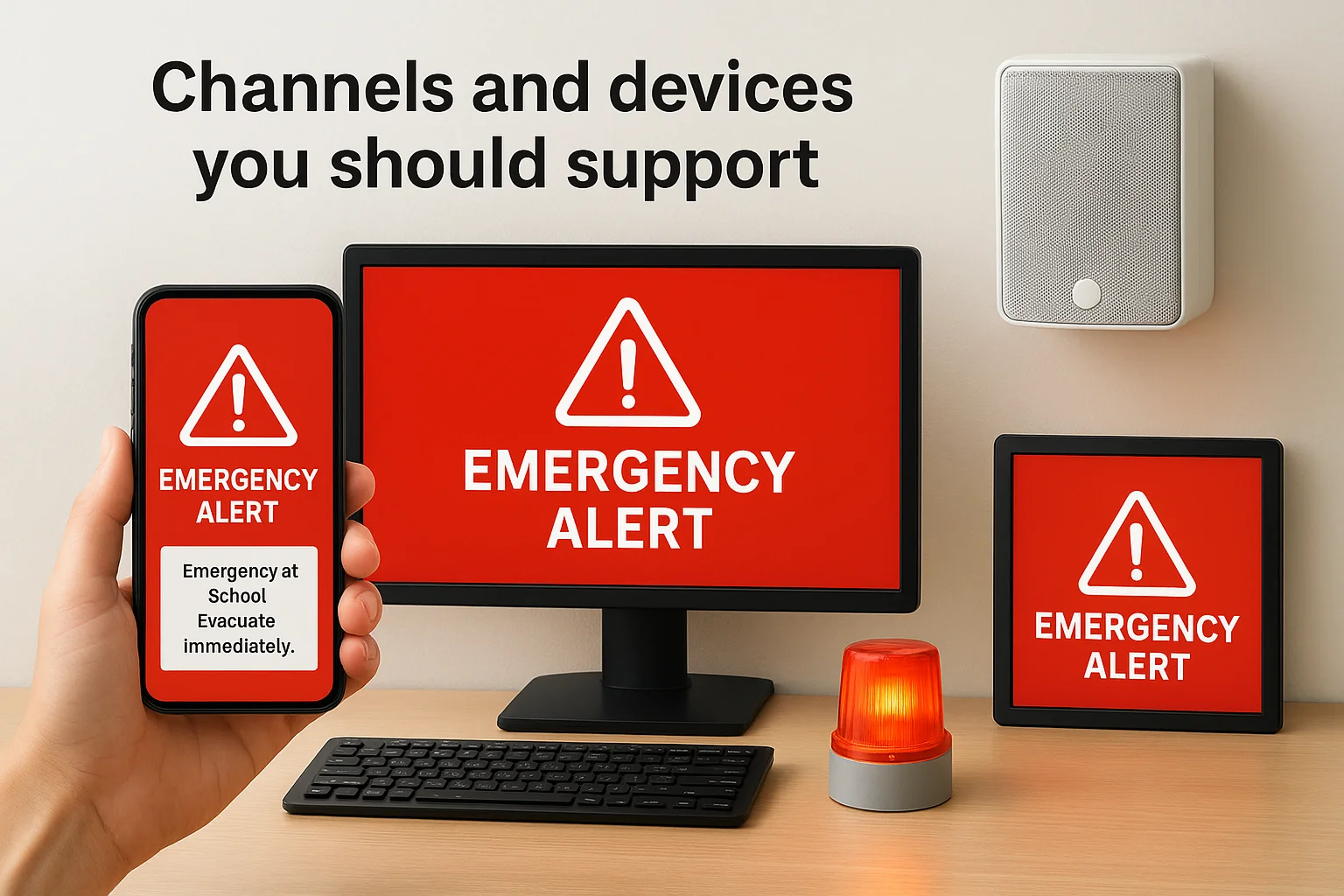
A comprehensive notification strategy requires reaching people through multiple simultaneous channels because any single method will fail to reach someone during a crisis. Your system must deliver alerts through mobile devices, desktop computers, physical infrastructure like PA systems, and visual displays to ensure complete coverage across your entire campus. The goal is redundancy, not elegance, because the message must get through regardless of where someone is or what they're doing when an emergency strikes.
Mobile-first communication
Smartphones have become the primary device your staff carries throughout the day, making mobile apps and SMS the most reliable channels for instant alerts. Your emergency notification systems for schools should send push notifications through dedicated safety apps, text messages, and phone calls to every staff member's device simultaneously. Mobile alerts reach teachers in classrooms, maintenance workers outdoors, and administrators in meetings without requiring them to check email or look at a computer screen.
App-based notifications offer advantages over simple text messages by providing location-aware alerts, two-way communication, and status confirmation features. Staff can acknowledge receipt of alerts, report their status, and share real-time observations with administrators coordinating the response. These apps work on both iOS and Android devices, ensuring compatibility across your entire staff regardless of their personal phone preferences.
The most effective systems send alerts through three or more channels simultaneously, dramatically increasing the likelihood that every person receives the message within the critical first minute.
Desktop and computer-based alerts
Computer screens provide prominent visual alerts for staff working at desks when emergencies occur. Your system should display full-screen pop-up notifications that override whatever applications people have open, ensuring they can't miss the message even if their phone is in another room. Desktop alerts work particularly well in administrative offices, libraries, and computer labs where staff spend extended periods at workstations.
Email serves as a secondary confirmation channel that creates a documented record of notifications sent, though you shouldn't rely on it as a primary alert method since people don't constantly monitor their inbox. The system should integrate with your existing email infrastructure without requiring complex server modifications or specialized software installations.
Physical notification infrastructure
PA systems and overhead speakers remain essential for reaching people in hallways, cafeterias, gymnasiums, and outdoor spaces where they might not have immediate access to mobile devices. Your notification platform should automatically trigger pre-recorded or live announcements through existing speaker systems, delivering clear instructions about what actions to take and where to go. Visual alerts including flashing lights, digital signage, and display boards complement audio announcements, ensuring people with hearing impairments receive the same critical information as everyone else on campus.
Panic buttons and duress alerts in schools
Panic buttons give your staff an immediate way to summon help during emergencies without needing to reach a phone or computer. These devices come in wearable forms like badges and lanyards that teachers carry throughout the day, as well as fixed-location buttons mounted in classrooms, offices, and strategic points around campus. When activated, they trigger instant alerts to administrators, security personnel, and law enforcement while simultaneously initiating your predetermined response protocols like lockdowns or evacuations. The technology works independently of your network infrastructure, ensuring alerts get through even if power or internet connectivity fails during a crisis.
Wearable panic button options
Staff-carried devices provide the most flexibility because your teachers and administrators can trigger alerts from anywhere on campus. Badge-style buttons clip onto lanyards that staff already wear for identification, adding security functionality without requiring them to carry additional devices. These wearable units typically include multiple button types that let you signal different emergency levels, a discreet press for medical assistance versus a more urgent activation for active threats. Battery life on modern wearable devices extends six months to a year before needing replacement, and the systems alert you when batteries run low so you can maintain operational readiness.
Schools that deploy wearable panic buttons report staff feeling more confident and secure knowing they can call for help instantly from any location on campus.
Fixed-location activation points
Mounted panic buttons in classrooms and common areas serve as backup options when staff don't have wearable devices or when multiple people need access to emergency alerts. You should install these buttons in high-risk locations like main entrances, parking lots, and isolated hallways where threats often originate. The devices mount discreetly on walls or under desks, allowing activation without drawing attention during situations where discretion matters. Color-coded buttons help users quickly identify the appropriate response, red for immediate threats requiring lockdown and yellow for medical emergencies or other situations needing administrative response.
Integration with your security infrastructure
The true value of panic buttons emerges when they connect with your broader emergency notification systems for schools and physical security equipment. Activation should simultaneously lock doors in affected zones, alert local police with location data, display real-time information on administrator dashboards, and send targeted alerts to staff based on their proximity to the threat. Your system can integrate panic button data with security cameras to automatically begin recording in areas surrounding the activation point, providing responding officers with visual intelligence before they arrive. This coordination transforms panic buttons from simple alert devices into comprehensive response triggers that activate multiple protective measures with a single press.
How to choose and implement the right system
Selecting the right emergency notification systems for schools requires evaluating your specific campus layout, existing infrastructure, and budget constraints while ensuring the solution meets your actual emergency response needs. You need to look beyond marketing materials and focus on real-world reliability, ease of use during high-stress situations, and compatibility with equipment you already own. The implementation process itself demands careful planning, from initial assessment through testing and staff training, to ensure your system functions flawlessly when seconds count.
Key features to evaluate
Your evaluation should prioritize speed of delivery, channel redundancy, and administrative control over complex feature lists. Look for systems that deliver alerts to all recipients within 30 seconds and confirm message receipt through acknowledgment tracking. The platform must support simultaneous multi-channel distribution including SMS, voice calls, mobile apps, email, and integration with your PA system and digital signage. Administrative dashboards should provide clear visibility into system status, delivery confirmation, and the ability to send targeted alerts to specific buildings or roles without complicated workflows.
Compatibility with your existing security infrastructure matters more than standalone features. Your chosen system should integrate with door access controls, surveillance cameras, and panic buttons without requiring complete replacement of equipment you've already invested in. Vendor support and local service availability become critical factors, especially for schools in smaller communities where technical assistance might not arrive quickly during urgent situations.
Implementation timeline and budget
Budget planning must account for hardware costs, software licensing, installation labor, and ongoing maintenance beyond the initial purchase price. Expect to invest two to four months from vendor selection through full deployment, including time for infrastructure assessment, equipment installation, system configuration, and comprehensive testing. Your implementation budget should include training sessions for all staff members and regular drills to ensure everyone knows how to respond when real emergencies occur.
Schools that conduct quarterly emergency drills using their notification systems identify and fix problems before they face actual crises, dramatically improving response effectiveness.
Training and ongoing maintenance
Staff training determines whether your system delivers value or sits unused during emergencies. You need to schedule hands-on training sessions that let teachers and administrators practice triggering alerts, not just watching demonstrations. Regular system tests verify that all devices function correctly, batteries maintain charge, and messages reach every intended recipient without delays. Annual refresher training ensures new staff members understand procedures and experienced staff maintain proficiency with the system.
Next steps for a safer campus
Implementing emergency notification systems for schools requires careful planning, but the investment protects your students and staff during the moments that matter most. You've now seen how modern systems work, what channels provide reliable coverage, and which features deliver real results during actual emergencies. The next step involves assessing your current infrastructure, identifying gaps in your communication coverage, and selecting vendors who understand educational environments.
Your school deserves technology partners who provide ongoing support beyond installation day. At Treasure Valley Solutions, we design and install integrated security and communication systems for educational institutions throughout Idaho, ensuring every component works together seamlessly when you need it most. We handle everything from initial assessment through testing and staff training, giving you confidence that your system will function flawlessly during critical situations. Contact our team to discuss how we can help protect your campus with reliable emergency notification technology.
Need Expert Help?
Ready to implement these solutions in your own home or business?
Our Services

Comprehensive security solutions for home and business.

High-definition surveillance for peace of mind.

Conference-room AV design and installation for commercial meeting spaces, sized to the room and project scope.
Serving the Treasure Valley
Local installation in your city